Effective project management software is crucial for driving team success and enhancing productivity. Trello and Zoho Projects stand out as two of the most popular choices for teams looking to streamline collaboration and improve organization. While both tools aim to facilitate project execution, they come with distinct features tailored to different work styles and requirements.
This article offers a detailed comparison of Trello vs Zoho Projects, examining their features, pricing, and unique advantages. By the end, you'll have a clearer understanding of which tool best aligns with your project management needs. Let's explore the details.
What is Trello?
Trello is a widely recognized project management tool that to facilitate task organization and team collaboration. Founded in 2011 and later acquired by Atlassian, Trello has gained popularity for its simplicity and flexibility in managing various types of projects. Its design revolves around a card-and-board system, allowing users to create boards for different projects and populate them with cards that represent individual tasks or items.
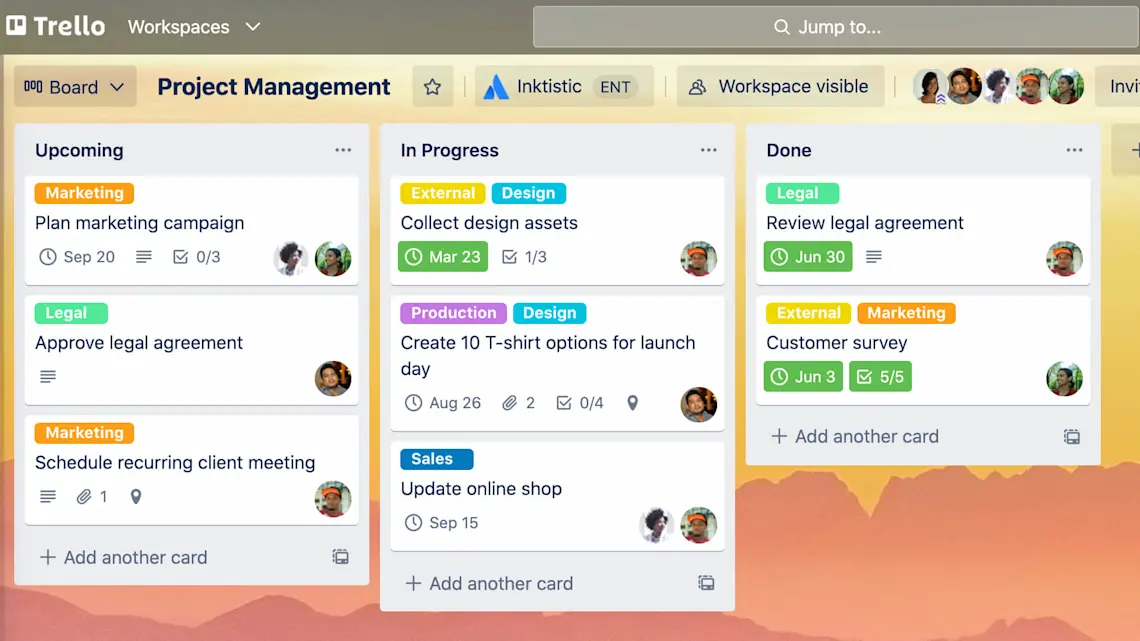
Image source: trello.com
How Trello works
At its core, Trello consists of boards, lists, and cards. Each board represents a project, while lists can be used to denote different stages of a project, such as "To Do," "In Progress," and "Done." Cards, which can be added to lists, serve as . Users can further enhance these cards with due dates, checklists, attachments, labels, and comments, which fosters collaboration among team members.
Pros of Trello
- Visual organization: The intuitive card-and-board layout gives users a clear and immediate overview of task statuses. This visual representation aids in tracking progress, making it easy for teams to see what needs attention at a glance.
- Flexibility: Trello is highly customizable. Users can create boards tailored to their workflow, making adjustments and additions easily to fit specific project needs. This flexibility is beneficial for teams across various industries.
- User-friendly interface: New users can grasp Trello quickly due to its simple drag-and-drop functionality. This accessibility makes it an ideal choice for teams looking for an easy-to-use platform to manage their projects and tasks.
- Integrations: Trello supports numerous integrations with popular tools like Slack, Google Drive, and Zapier, enhancing collaboration and allowing team members to work seamlessly across platforms.
For more Google Workspace's information, you can refer to and .
Cons of Trello
- Limited advanced features: While Trello excels in simplicity, it may lack advanced project management features required for larger projects. Capabilities like and in-depth analytics may not be as robust as those found in dedicated project management software.
- Scalability issues: For larger teams or complex projects, Trello can become overwhelming. As new cards pile up, it might be challenging to manage everything effectively without powerful reporting tools or structured workflows.
What is Zoho Projects?
Zoho Projects is an advanced that is part of the broader Zoho suite of applications. Launched in 2009, Zoho Projects aims to provide teams with a comprehensive platform to plan, track, and collaborate on projects effectively. It combines task management, , and collaborative features to deliver a holistic project management experience.
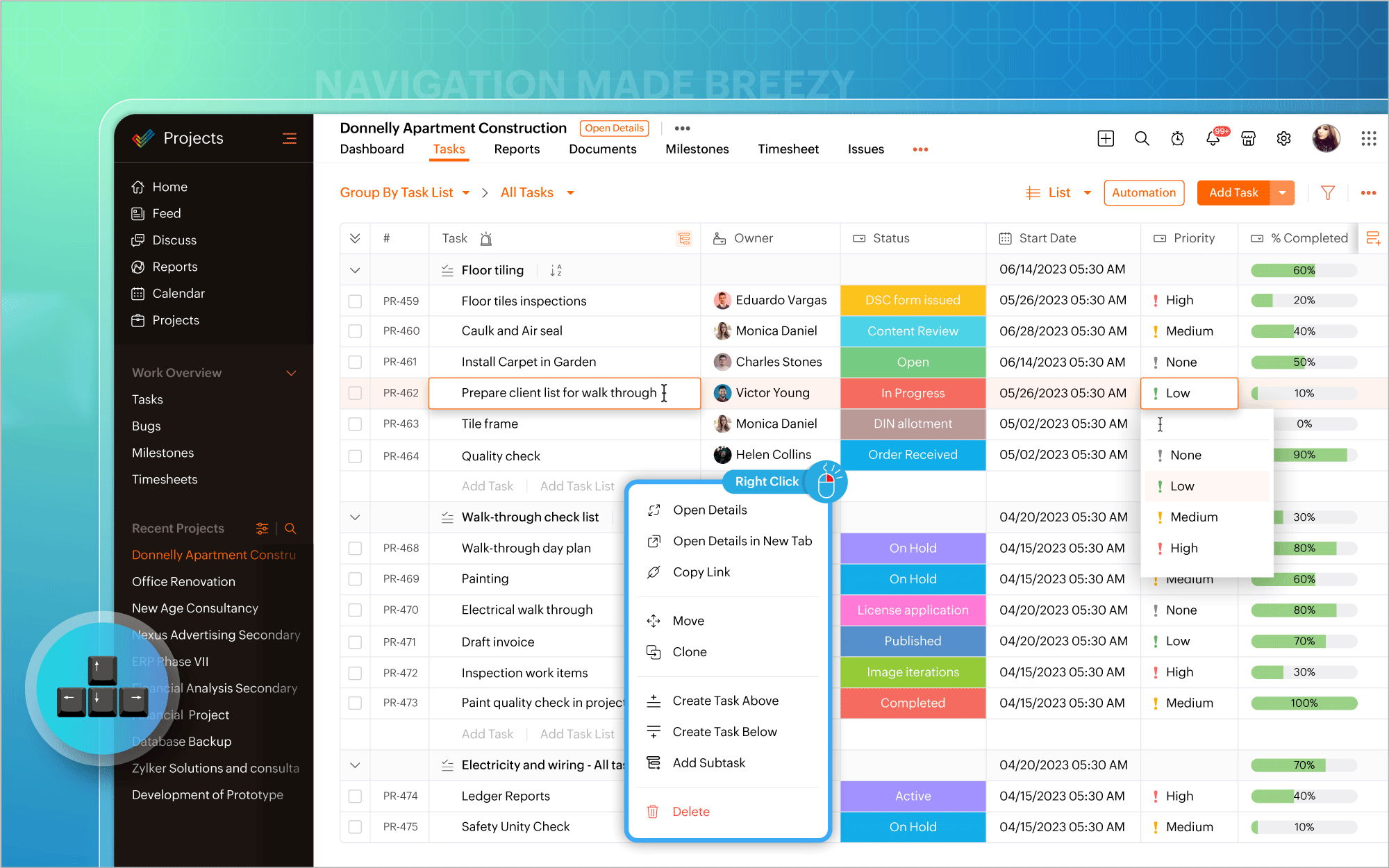
Image source: zoho.com
How Zoho Projects works
Zoho Projects offers various tools designed to facilitate project organization. Teams can create detailed task lists, assign responsibilities, set due dates, and monitor progress through features like , which visually map out project timelines. Additionally, the software supports robust communication with built-in discussion forums, document sharing, and real-time collaboration tools.
Pros of Zoho Projects
- Comprehensive features: One of Zoho Projects' standout qualities is its extensive suite of features, including Gantt charts for planning, , time tracking for payroll and project accounting, and document management for easy file access. These tools help teams manage complex projects efficiently.
- Integrations: As part of the Zoho ecosystem, Zoho Projects can seamlessly integrate with a range of other Zoho applications, like Zoho CRM and Zoho Books. This connectivity can streamline operations for businesses already utilizing these tools.
- Customizability: Users can customize their , tailoring the displayed information to meet their specific project needs. This level of customizability can greatly enhance the user experience and productivity.
- Collaboration tools: Zoho Projects provides , including team chats, forums, and real-time document sharing. These tools foster communication and ensure that everyone is on the same page regarding project developments and expectations.
Cons of Zoho Projects
- Learning curve: Due to its extensive features, new users might encounter a steeper learning curve compared to simpler tools like Trello. The initial setup and navigation can be daunting for those unfamiliar with project management software.
- Cost: Zoho Projects does offer a free plan, but the most advanced features are locked behind paid plans. This aspect can be a concern for smaller teams or startups that need to manage their budgets carefully.
Trello vs. Zoho Projects feature comparison
Choosing the right project management tool can significantly impact your team's efficiency and productivity. To help you make an informed decision, let's delve into a detailed comparison of Trello and Zoho Projects across essential features.
Trello vs. Zoho Projects feature comparison table
Task management
Trello utilizes a card-based system that organizes tasks into visual boards. Each task is represented by a card, which can contain various details such as due dates, labels, comments, and attachments. Users can easily move cards between lists, representing different stages of completion (e.g., To Do, In Progress, Done).
- Strengths: Trello's task management is highly flexible, allowing teams to adapt the board structure to fit their processes. Users appreciate the drag-and-drop functionality, which makes rearranging tasks straightforward. With Power-Ups, teams can enhance task cards with more advanced features, like checklists and due date reminders.
- Limitations: While Trello is excellent for straightforward task assignments, it may lack in-depth features necessary for complex , such as dependency management or multi-level task hierarchies.
Zoho Projects, in contrast, provides a robust framework for task management that includes various features geared toward more complex project needs. Users can create tasks and subtasks, set dependencies between them, and utilize Gantt charts for visualizing project timelines.
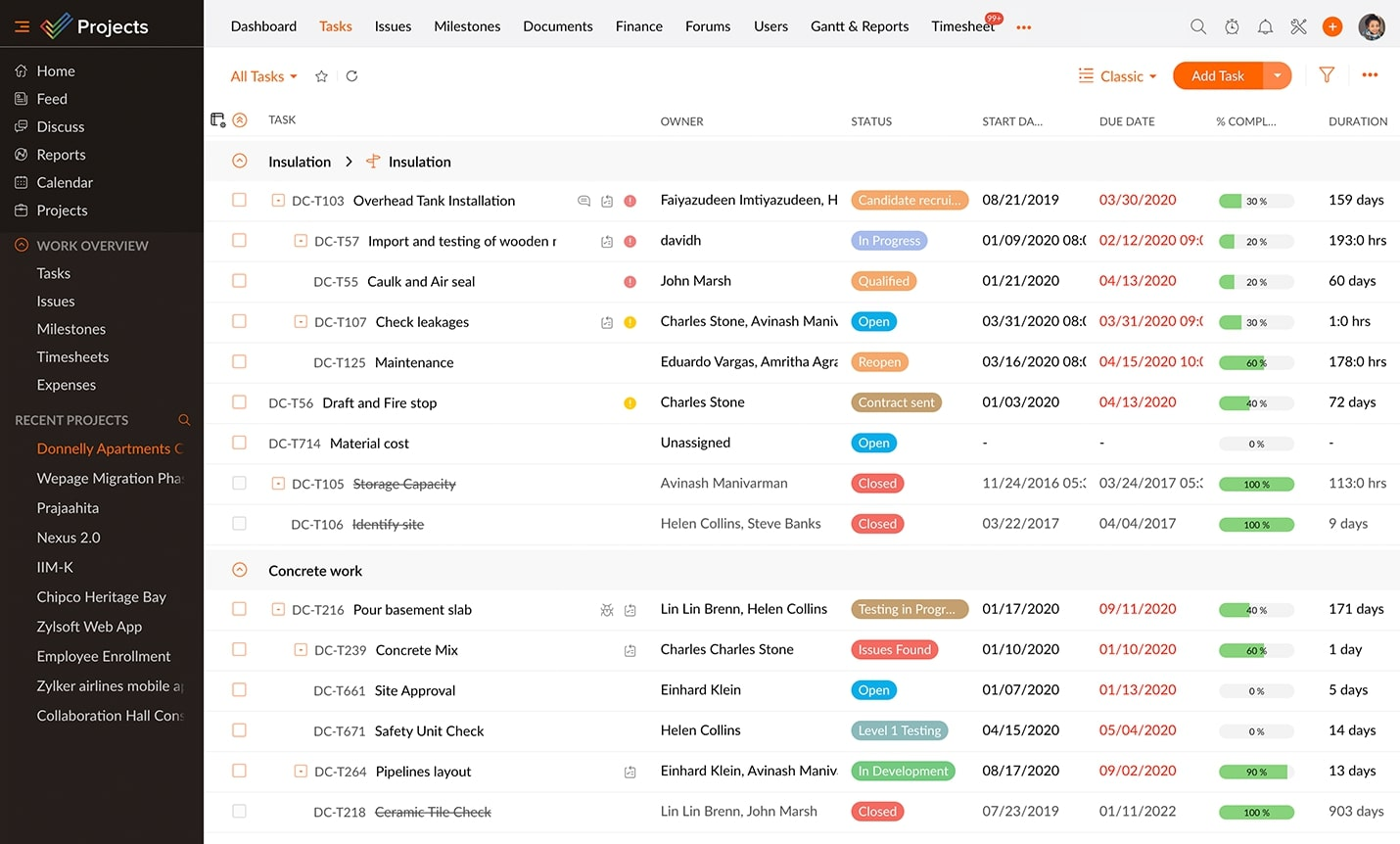
Image source: zoho.com
- Strengths: The software includes features to assign multiple users to tasks, set milestones, and track overall project progress with detailed reporting. Zoho's interface allows for granular control over , making it ideal for larger teams working on multifaceted projects.
- Limitations: The range of features can feel overwhelming, especially for new users who may prefer a simpler interface.
Which wins: Zoho Projects for comprehensive task management capabilities that cater to complex project requirements.
Collaboration features
Trello facilitates collaboration primarily through comments on task cards, where team members can tag each other and provide updates. The simplicity of Trello makes it easy for users to interact with tasks and provide feedback. Additionally, Trello integrates with various communication tools like Slack, enhancing its collaboration capabilities.
- Strengths: The straightforward commenting system makes for quick conversations around tasks. Users can receive notifications for activity on cards they are watching, ensuring important updates are not missed.
- Limitations: Trello's collaboration features are relatively basic, lacking built-in chat or forum functionality.
Zoho Projects takes collaboration a step further with integrated communication tools. Users can engage in project discussions through forums, post updates, and share documents directly within the platform. This environment fosters communication among team members right where the work occurs, minimizing the need for external tools.
- Strengths: Zoho Projects includes features like project timelines, shared documents, and email notifications about project updates, allowing teams to remain connected and informed.
- Limitations: Some users might find the flood of notifications from discussions and updates overwhelming.
Which wins: Zoho Projects for its integrated collaboration tools that provide a richer and more cohesive environment for team communication.
Visual project tracking
In Trello, visual project tracking is one of its hallmark features. The enable users to visually manage their tasks and see the status of the project at a glance. By dragging and dropping cards between lists, users can quickly update progress.
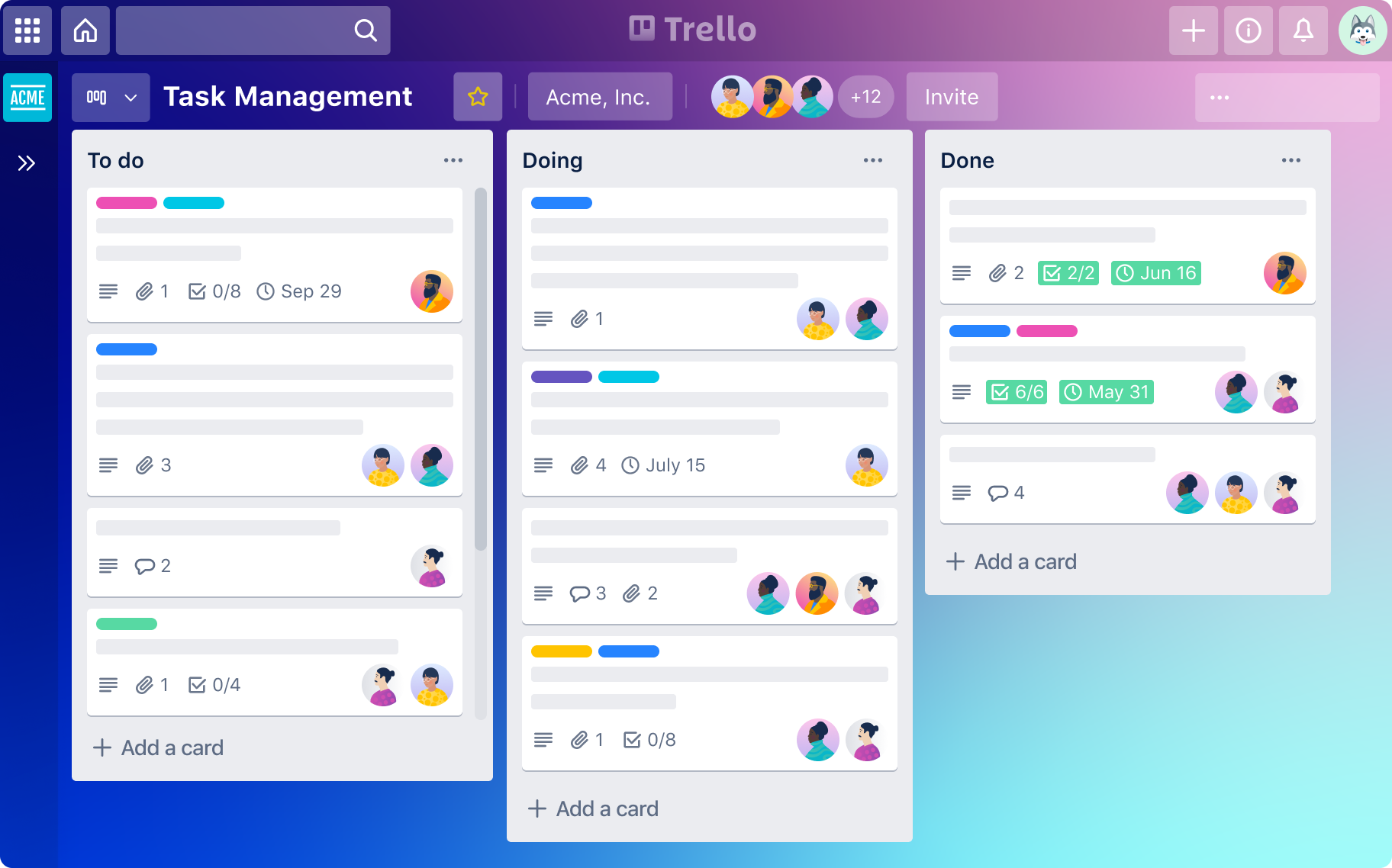
Image source: trello.com
- Strengths: The visual organization is user-friendly and straightforward, making it easy for teams to adopt and immediately grasp project statuses without needing extensive training.
- Limitations: While effective for simple projects, Trello lacks advanced visual tracking tools like Gantt charts or comprehensive timelines.
Zoho Projects, however, features powerful Gantt charts for detailed . These charts illustrate task dependencies, deadlines, and the overall timeline of the project, providing insight into how tasks interconnect and progress over time.
- Strengths: The ability to manipulate Gantt charts directly within the platform allows for precise planning. Users can easily adjust timelines and see the effects on dependent tasks, making it a valuable tool for project managers.
- Limitations: Some users may find Gantt charts less intuitive than simple Kanban boards, especially if they are not familiar with project management principles.
Which wins: Trello for its easy-to-use visual tracking that is great for teams looking for a simple, effective way to manage tasks.
Reporting and analytics
Trello provides basic reporting capabilities. While it offers lists and checklists, analysis of overall project progress and team performance typically requires third-party Power-Ups or manual tracking.
- Strengths: Trello's ease of use allows users to view task completion at a glance. Some Power-Ups enable users to create custom reports, but they may require additional setup and configuration.
- Limitations: The lack of built-in advanced analytics means that teams may not be able to easily access critical data about project timelines or resource allocation.
Zoho Projects features extensive reporting and analytics options, providing insights into project health, , and performance metrics. Users can generate customizable reports to track time spent on tasks, milestones achieved, and overall project efficiency.
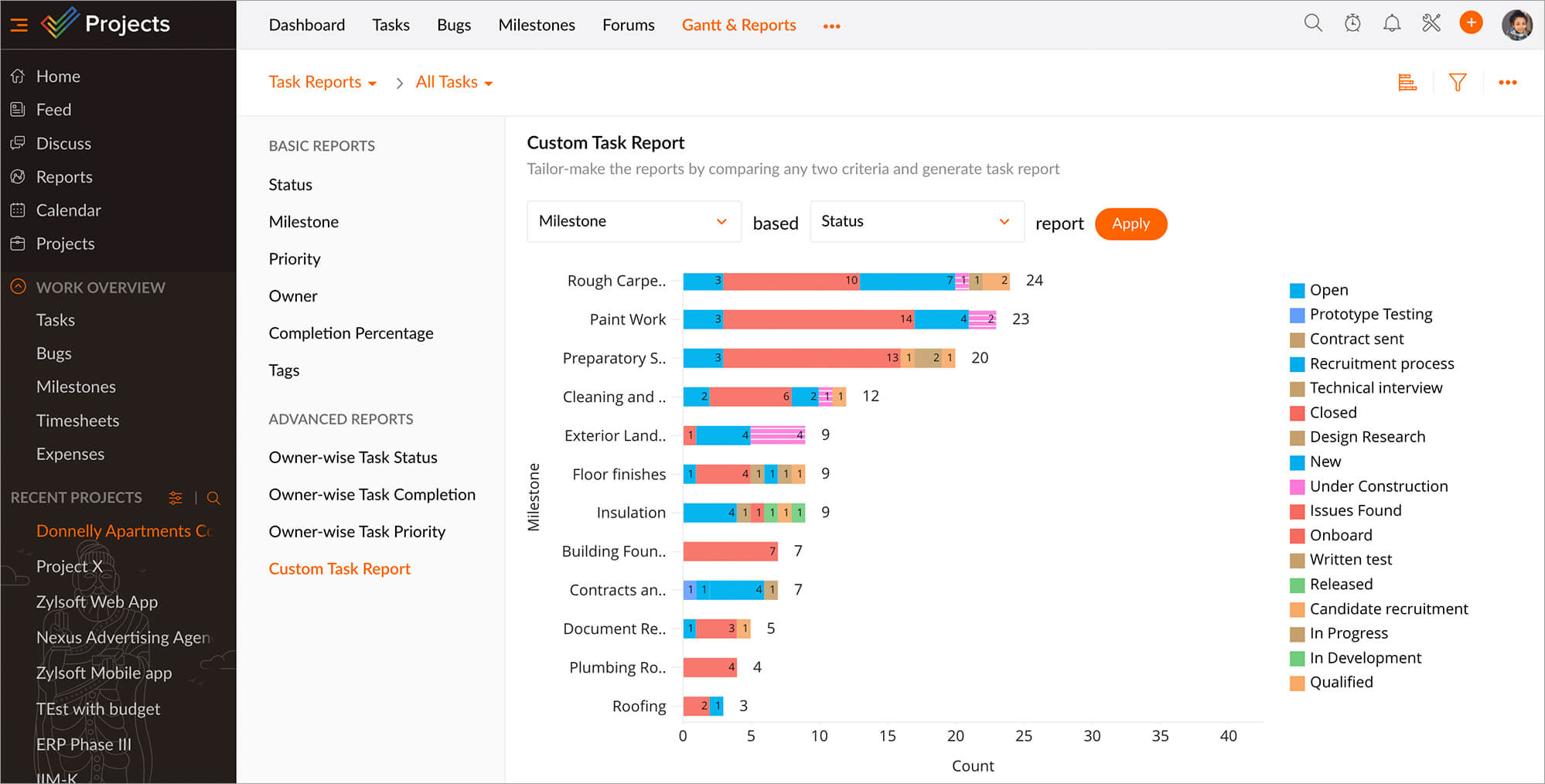
Image source: zoho.com
- Strengths: The depth of reporting tools available in Zoho Projects helps managers make informed decisions based on data rather than estimates. Reporting can be automated, saving time and ensuring accurate tracking.
- Limitations: Some users may find the extensive reporting options initially complex and may require training to fully utilize them.
Which wins: Zoho Projects for its extensive reporting capabilities that allow for deeper insights into overall project performance.
Customization
Trello offers substantial customization, allowing users to adjust their boards, lists, and cards to suit their specific workflow. Users can create templates, set up different boards for various projects, and utilize labels and filters to organize tasks.
- Strengths: The flexible options for customization mean that teams can easily adapt Trello to fit unique processes with minimal setup.
- Limitations: While customization options are plentiful, advanced configurations may require Power-Ups, which can complicate the setup for users just starting.
Zoho Projects also includes customization features, but these may require more initial effort to implement. Users can tailor dashboards, reports, and workflows according to the project requirements.
- Strengths: Customization allows for a personalized experience, ensuring that users have access to the tools and information that matter most to their specific projects.
- Limitations: The complexity of available features may make it challenging for teams to determine the best customization path.
Which wins: Trello for ease of customization, making it a favorable option for teams seeking a straightforward way to tailor their project management experience.
Integrations
Trello shines with its flexible integration capabilities. Through the use of Power-Ups, Trello can connect with numerous external tools, including Google Drive, Slack, and Dropbox, enabling teams to streamline their workflows and incorporate their favorite applications seamlessly.
- Strengths: The ability to customize the workspace with third-party integrations means that teams can enhance Trello's functionality to meet specific needs.
- Limitations: Depending on the plan, users may face limitations on the number of Power-Ups they can use per board, which could restrict functionality for certain projects.
Zoho Projects also has a selection of integrations, particularly with other Zoho apps like Zoho CRM and Zoho Books. While this provides a seamless experience for those within the Zoho ecosystem, its integration with third-party applications is less extensive compared to Trello.
- Strengths: The tight integration with other Zoho tools makes it a robust choice for teams that already utilize Zoho's suite for their business processes.
- Limitations: Users looking for a broader range of compatible third-party applications may find Zoho Projects less accommodating than Trello.
Which wins: Trello for its extensive integration options that enhance its capabilities across various platforms, making it a more adaptable choice.
Trello vs. Zoho Projects pricing comparison
When evaluating project management tools, pricing structure and hidden costs are critical factors for teams of all sizes. Below is a detailed breakdown of Trello and Zoho Projects' pricing models, including base plans and additional expenses to consider.
Core pricing plans
Both tools use a per-user, per-month pricing model with discounts for annual billing. Here's how their plans stack up:
Additional costs
Beyond base subscriptions, both tools have supplementary fees that can impact total costs.
Trello extra expenses:
- Power-Ups add-ons: While basic Power-Ups are free, premium integrations (e.g., advanced Jira sync, Salesforce connectors) often require separate licensing fees ranging from $2–$15/user/month. Relying on multiple third-party Power-Ups can significantly increase costs.
- Trello gold: A $5/month add-on for Free/Standard users, offering enhanced customization (backgrounds, stickers) and priority support.
Zoho Projects extra expenses:
- Module subscriptions: Advanced features like Zoho Analytics integration or multi-project dashboards require add-on modules, priced at $10–$30/month per team.
- Storage upgrades: Beyond the 5GB/user limit in Premium plans, additional storage costs $2.50/month per 10GB.
- Custom development: Tailored workflows or API extensions require Zoho's professional services, with hourly rates starting at $100.
Discover the most cost-effective pricing plan today
What's not included in Trello and Zoho Projects
While Trello and Zoho Projects offer valuable project management features, they fall short in several key areas that can significantly impact team collaboration and efficiency.
Combination of tools for unified workflows
Trello's reliance on external applications for communication and advanced features creates "tool silos," making it difficult for teams to collaborate effectively. Discussions often take place in separate channels, leading to scattered information and inconsistent project execution. Additionally, Zoho Projects provides stronger planning tools but lacks seamless integration with communication and document management, making it a less cohesive solution.
Advanced data management capabilities
Trello excels at visual task management but struggles with complex data handling, limiting its effectiveness for larger projects. Zoho Projects provides a more traditional approach to project planning but can be inflexible in adapting to diverse business needs. Both platforms do not effectively combine task management with powerful , which can hinder comprehensive project oversight.
Streamlined approval processes
Neither Trello nor Zoho Projects offer integrated , forcing teams to rely on third-party plugins or separate systems for managing approvals. This often leads to process delays and compliance risks, as crucial steps may be overlooked or inadequately documented.
Centralized
Both tools often leave project knowledge scattered across various storage systems, leading to "knowledge ruins." Important documents and insights can be lost once projects conclude, making it difficult for teams to reference past learnings or maintain continuity in ongoing work.
In contrast, a solution like addresses these gaps by providing a unified workspace that combines project management, communication, data management, and knowledge retention, ensuring teams can work more cohesively and efficiently.
If you find your project management needs align with these shortcomings, Lark may be the ideal solution to enhance your team's productivity and collaboration.
Explore comprehensive solutions available now
A powerful tool to replace Trello and Zoho Projects
While tools like Trello offer intuitive and Zoho Projects provide deeper planning features, both operate in isolation, scattering discussions, documents, and data across different platforms. solves this by combining project management, chat, calendar, docs, and video meetings into a single workspace. This creates a closed loop where teams can discuss a task, edit a related document, and schedule a review without switching apps, ensuring context is never lost and execution is consistent.
Evolving from simple boards to multi-dimensional control
Trello's simplicity struggles with complex projects, and Zoho's views can be rigid. transcends this by combining Kanban-style visualization with database-like power in multi-dimensional tables. It allows you to manage not just tasks, but also associate budgets, resources, and data in one flexible table, viewing the same information as a Kanban, Gantt chart, or gallery to fit different needs. 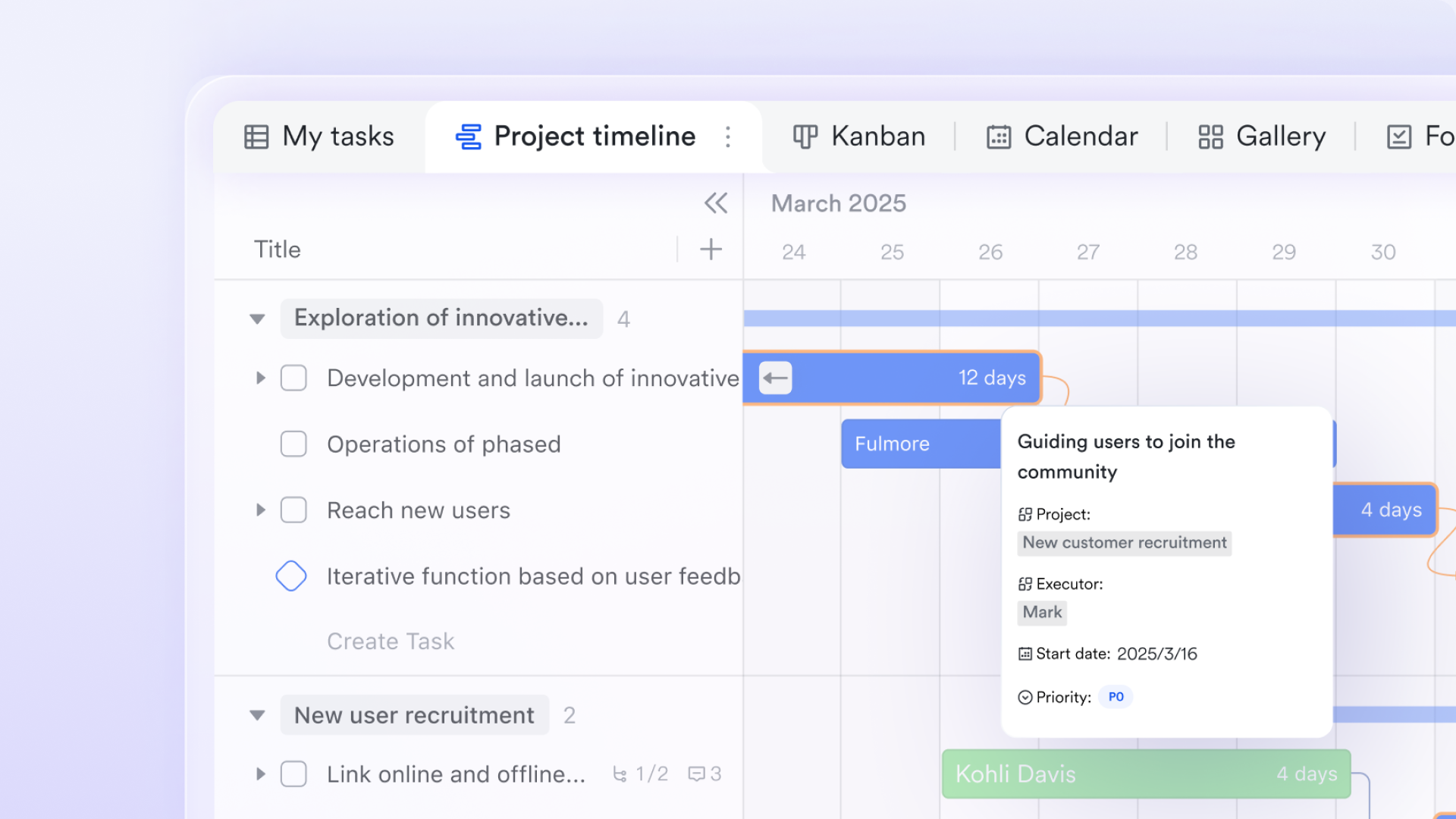
Automating critical links from planning to approval
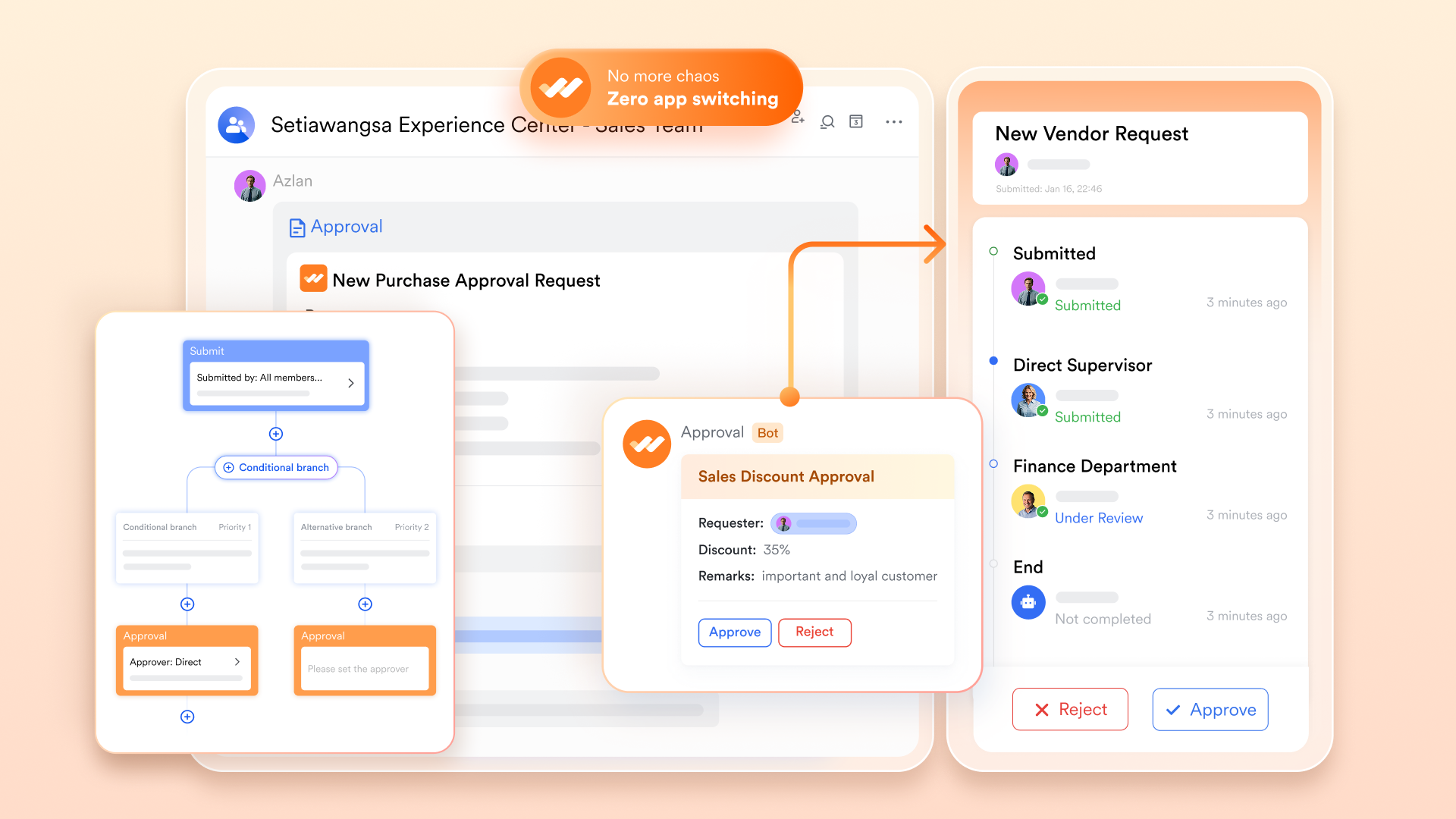
Approval processes often break workflows, forcing switches to separate systems. Lark's native, customizable feature embeds this workflow directly into project execution. Teams can launch budget or purchase approvals from a task chat, with requests automatically routed and fully logged, creating a secure "plan-execute-approve" loop that maintains both speed and compliance.
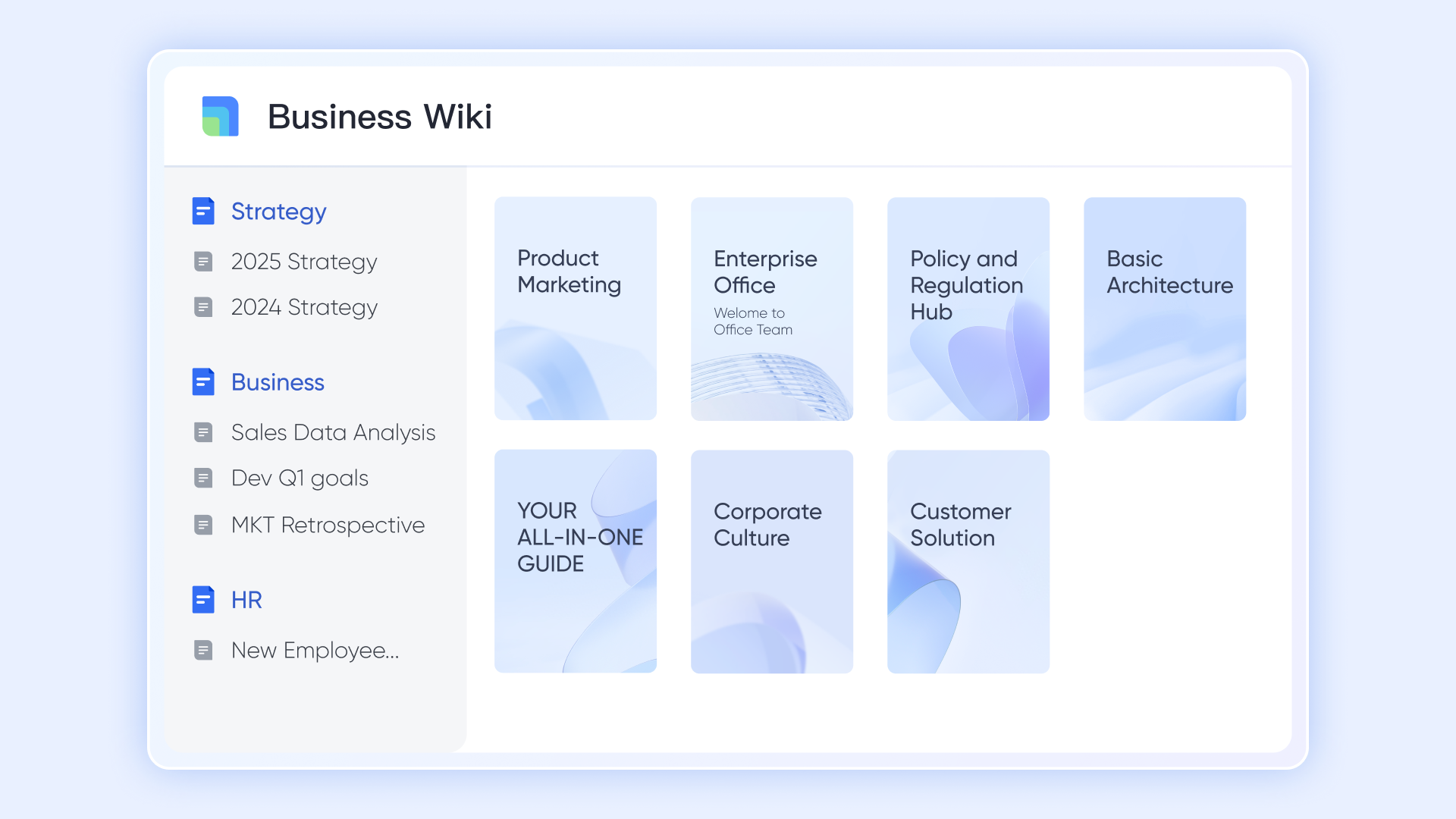
Building an cohesive, lasting knowledge base
Project knowledge often ends up scattered and lost. acts as a central, secure knowledge base involved into the workflow. Teams co-create documentation linked to tasks and chats. This knowledge persists with version history and search, turning scattered information into a reusable "project brain" that accelerates future work.
Bridging the internal-external communication gap
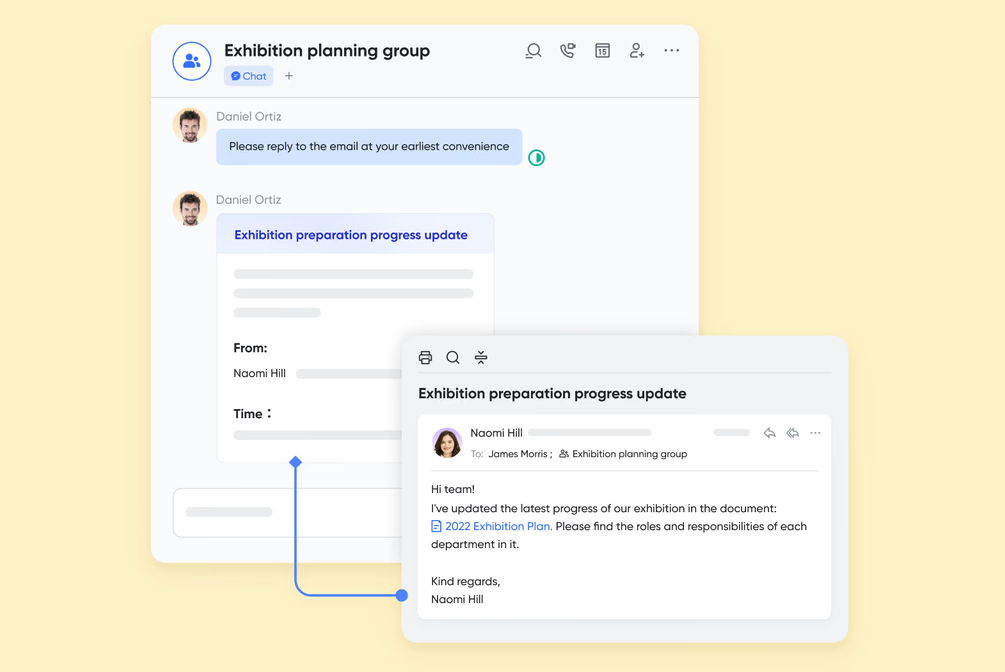
Relying on external email creates information blind spots. enables enterprise email into the workspace. Critical client emails can be securely forwarded into internal project chats for immediate discussion and action, ensuring all communication is tracked centrally and nothing is missed.
- Free plan: Includes 11 powerful products, supporting up to 20 users, 100 GB storage, 1,000 automation runs and unlimited AI translation in chats, docs and email.
- Basic plan: $6/user/month (billed annually) for up to 500 users. Includes everything in Starter plus unlimited message history, 5TB storage, 1,000 automation runs, and more. Some users may need to to purchase.
- Pro plans: $12/user/month, supporting up to 500 users. Includes unlimited message history, 50,000 automated Base workflow executions per month.
- Enterprise plan: for custom pricing. Supports unlimited users and includes even more automation runs and advanced security, compliance, and management features.
For small teams with simple communication needs

18 months message history
1000 Base automation runs/month
2000 rows per table in Base
Most POPULAR
For companies with comprehensive collaboration and management needs
Unlimited message history
500-participant video meetings
50k Base automation runs/month
20k rows per table in Base
For large companies with advanced security and organizational management needs
Get a personalized demo and pricing
Unlimited message history
500-participant video meetings
15 TB storage + 30 GB storage/user
500k Base automation runs/month
50k Base automation runs/month
Most POPULAR
For companies with comprehensive collaboration and management needs
Unlimited message history
500-participant video meetings
50k Base automation runs/month
20k rows per table in Base
When to choose Trello, Zoho Projects, or Lark
Selecting the right project management tool often depends on the specific needs and workflows of your team. Here's a breakdown of scenarios where you might opt for Trello, Zoho Projects, or Lark, ultimately guiding you toward the best option for your needs.
Choose Trello when:
- You need a simple management tool: If your projects are relatively straightforward and you want an easy way to visualize tasks, Trello's Kanban boards provide a highly intuitive interface. It's ideal for small teams or individuals needing to track tasks without complex features.
- You prefer visual organization: Teams that thrive on seeing their workflow at a glance will appreciate Trello's drag-and-drop functionality, making it easy to manage tasks visually across different stages of completion.
- You want quick setup: Trello requires minimal setup, allowing teams to get started almost immediately. This makes it perfect for those who need an effective solution up and running quickly without any steep learning curve.
Choose Zoho Projects when:
- Your projects are more complex: If your team handles a variety of projects that require detailed planning, including and milestone management, Zoho Projects offers the tools necessary for managing intricate workflows effectively.
- You need advanced reporting: When analytics and performance tracking are crucial to your team's success, Zoho Projects provides robust reporting capabilities that can help assess productivity and project status at a granular level.
- Collaboration within a larger ecosystem: If your organization is already utilizing other Zoho applications, Zoho Projects is an excellent choice because of its integration with the Zoho suite, streamlining workflows across different functions.
Choose Lark when:
- You want an : If your team requires a tool that combines project management, communication, and collaboration within a single platform, Lark excels by offering seamless experience of these functionalities. This reduces the need for multiple applications and enhances productivity.
- You value : For teams that need instantaneous communication, combined chat features within Lark allow for real-time discussions related to specific tasks, making it easier to stay aligned and respond promptly to changes as they arise.
- User experience matters: If your priority is to have a user-friendly interface with easy onboarding, Lark's design emphasizes accessibility, ensuring that team members can adapt quickly, enhancing overall team performance.
- You need flexibility and scalability: Lark is designed to accommodate teams of all sizes and can scale with your needs. Whether you're managing small projects or coordinating large teams, Lark can adapt to support your workflows efficiently.
In summary, if you find your needs intersecting across simple task management, advanced collaboration, and seamless experience of tools, can meet all your requirements. Its comprehensive approach ensures that you won't need to compromise on any aspect of project management, making it the ideal choice for forward-thinking teams looking to enhance their productivity.
Find the best tool for your needs
Final comparison among Trello, Zoho Projects, and Lark
In order to make an informed decision in selecting a project management tool, it's essential to compare the key features and overall benefits of Trello, Zoho Projects, and Lark. Each platform has its own unique strengths and is suited for different scenarios. Below, we present a comparative table that highlights the distinctive features of each tool, helping you determine which solution aligns best with your team's needs and objectives.
Conclusion
As you consider your options for project management tools, keep in mind the unique features and strengths of each platform. For seamless communication, advanced collaboration, and comprehensive project management capabilities, emerges as a compelling choice. Embrace a tool that not only meets your current needs but also enhances your team's productivity in the long run—choose Lark and elevate your project management experience today!
Enhance your project management experience now
FAQs
Is Trello still good in 2025?
Yes, Trello remains a popular choice in 2025, especially for small teams and straightforward projects due to its user-friendly interface. However, it can struggle with complex project management needs.
What is a disadvantage of Trello?
A key disadvantage of Trello is its limited functionality for larger projects, lacking advanced features like detailed reporting and integrated time tracking, which can lead teams to rely on external tools.
Is there anything better than Trello?
For teams needing more comprehensive features, Lark may be a better alternative. It offers unified project management, real-time communication, and document collaboration, all within a single platform, enhancing overall productivity.
Is Zoho good for project management?
Yes, Zoho Projects is effective for project management, particularly for larger teams and complex projects, offering robust planning and reporting features. However, it may lack the cohesive combination of tools found in platforms like Lark, which combines project management and communication seamlessly.
Related reading






























