The relentless pace of modern commerce demands impeccable precision from businesses. Imagine the frustration: A customer orders their favorite item, only to discover it's out of stock due to inaccurate records. Or a growing business ties up capital in excess inventory while vital products are unavailable. These common challenges highlight the urgent need for agile systems that provide instant insights and connect seamlessly. This is where a robust Salesforce inventory management system becomes an absolute necessity, transforming stock management from a headache into a competitive advantage. This guide provides an actionable blueprint for understanding Salesforce's core capabilities, from real-time visibility to multi-channel fulfillment, and reveals how collaborative tools like Lark can amplify your inventory workflows for peak efficiency.
What is Salesforce in plain terms?
is a leading cloud-based software platform that helps businesses manage and understand their customer relationships. At its core, it's a (CRM) system designed to streamline and automate interactions with customers throughout their journey. Think of it as a central hub where all customer-related information — sales leads, customer service requests, marketing campaigns, and more — is stored and organized. This allows different departments, like sales, service, and marketing, to work together more effectively, sharing a unified view of each customer.
Businesses use Salesforce to track sales opportunities, manage , deploy targeted marketing efforts, and analyze customer data to make better decisions. It's highly customizable, enabling companies to tailor the platform to their specific needs, ultimately improving efficiency, customer satisfaction, and growth.
What is Salesforce inventory management?
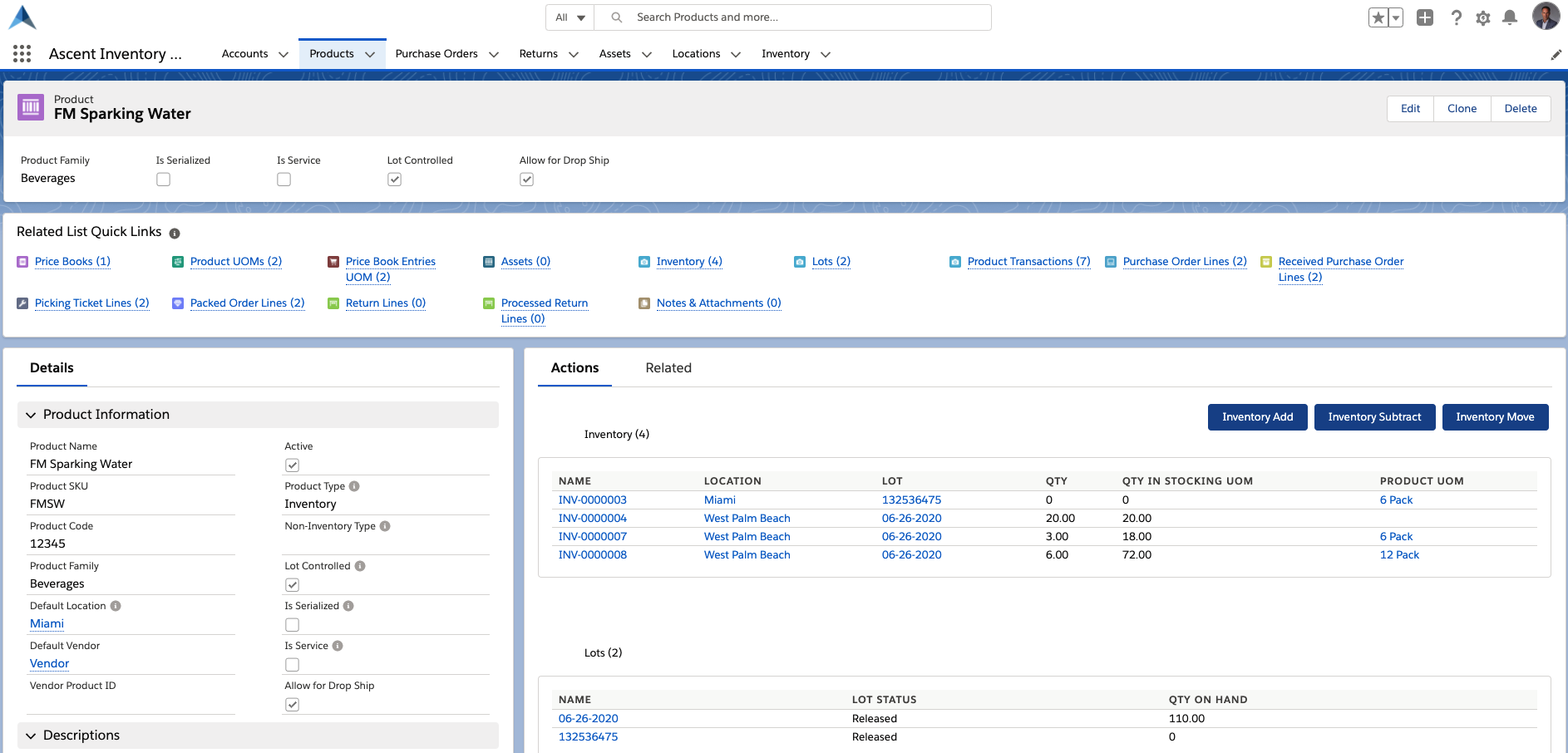
Image source: salesforce.com
At its core, Salesforce refers to the strategic use of the Salesforce platform and its extended ecosystem to track, monitor, and control an organization's goods, materials, and products from acquisition to sale. It's much more than a simple ledger of items; it's an integrated approach that connects inventory data directly with customer relationships, , and broader business intelligence. This means that a Salesforce inventory management system allows businesses to unify their commercial operations by embedding inventory data right where sales and customer service happen.
In the current market, where customer expectations are shaped by rapid deliveries and transparent information, a traditional, disconnected inventory system simply won't suffice. What sets a Salesforce inventory management system apart is its ability to break down traditional silos. Instead of inventory data residing in a separate, isolated system, it becomes an inherent part of your Salesforce environment. This means that your sales team can check real-time stock levels directly from a customer's opportunity record, and your customer service agents can instantly confirm product availability or delivery timelines. The unification of sales, service, and inventory data within a single platform offers an unprecedented level of real-time visibility, enabling faster decisions, reducing errors, and ultimately enhancing the overall customer experience. This holistic view is crucial for any business striving for operational excellence and sustained growth.
Features of the Salesforce inventory management system
A comprehensive Salesforce inventory management system is defined by a suite of interconnected features that transform how businesses manage their stock. These capabilities move beyond simple record-keeping, offering sophisticated tools for precise control, forward-looking insights, and seamless integration across your operations. From my observations, these features are essential for any business aiming to truly optimize its inventory. Here are the key features you can expect from a robust Salesforce inventory management system:
Real-time visibility and perpetual inventory tracking
This foundational feature ensures that every item's status—whether received, moved, sold, or returned—is updated instantaneously across the system. It offers a live, accurate view of stock levels across all locations, supporting perpetual inventory counts that significantly reduce discrepancies and the need for disruptive manual audits.
Demand forecasting and replenishment optimization
A sophisticated , Salesforce solution leverages historical sales data, current pipeline information from your CRM, and even external market trends to predict future demand. Based on these forecasts, it intelligently calculates optimal reorder points and quantities, often incorporating economic order quantity (EOQ) and minimum order quantity (MOQ) principles to balance carrying costs with the risk of stockouts.
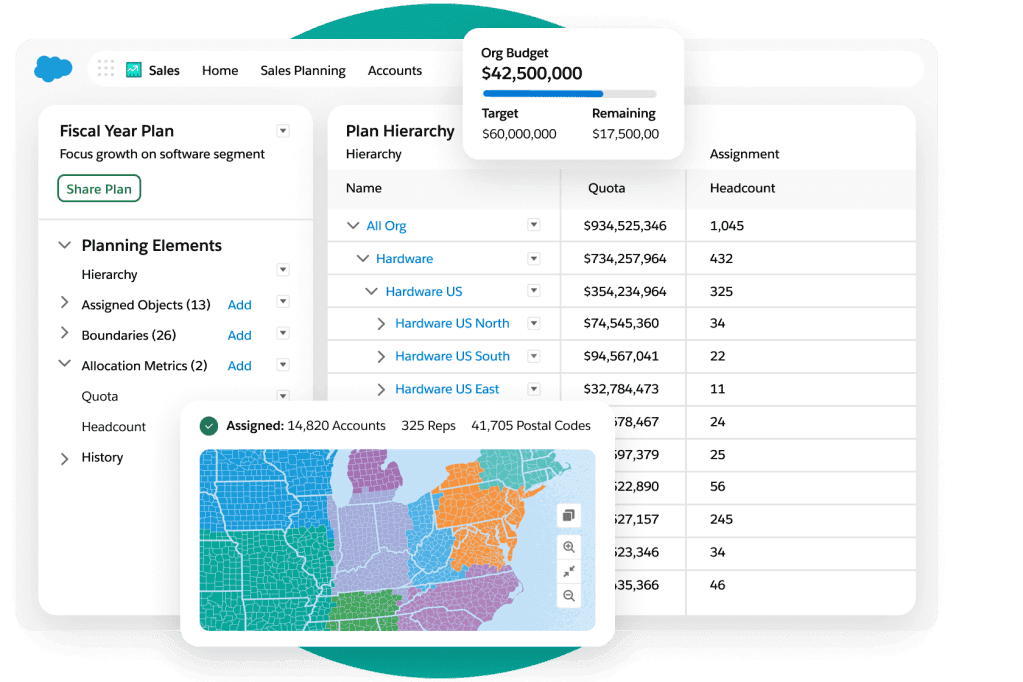
Image source: salesforce.com
Automation and workflow orchestration
Manual tasks are eliminated or significantly reduced through automation. The system can automatically generate purchase orders, trigger low-stock alerts, and orchestrate complex fulfillment workflows from order placement to shipping notifications. This not only boosts efficiency but also minimizes human error.
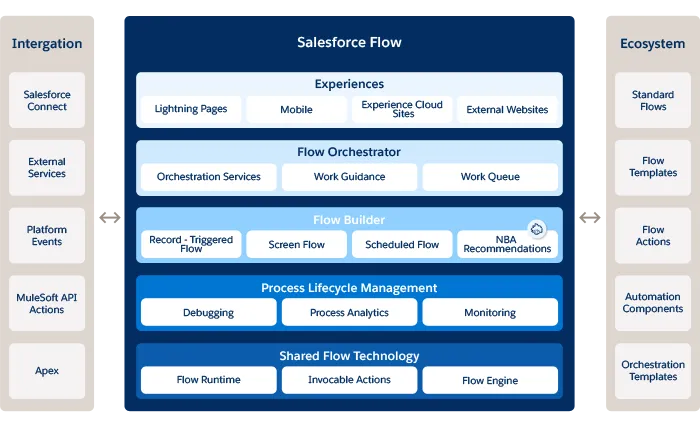
Image source: salesforce.com
Integrations with ERP, order management, and AppExchange connectors
A Salesforce-based system thrives on connectivity. It seamlessly integrates with enterprise resource planning (ERP) systems for financial reconciliation, (OMS) for complex fulfillment logic, and leverages the vast AppExchange for specialized third-party applications. This ensures consistent data flow across the entire business ecosystem.
Reporting, analytics, and KPI dashboards
Transforming raw inventory data into actionable insights is critical. The system provides customizable dashboards and reports that track (KPIs) such as stock turn, gross margin return on inventory investment (GMROI), service levels, and carrying costs. These analytics empower businesses to make data-driven decisions that improve efficiency and profitability.
Multi-location and multi-channel fulfillment
For businesses operating across diverse sales channels and physical locations, this system provides a unified view of inventory across all warehouses, retail stores, and even dropshipping partners. It enables intelligent order routing and allocation, ensuring that products are shipped from the most optimal location to meet customer demand efficiently.
Eager to get more inventory features at a lower cost?
How Salesforce facilitates your inventory management system
Salesforce, renowned globally for its powerful customer relationship management (CRM) capabilities, extends far beyond sales and service. Its flexible and robust platform architecture provides an ideal foundation for building and facilitating a sophisticated Salesforce inventory management system. It's not merely about adding inventory features; it's about integrating inventory directly into the customer lifecycle, creating a truly unified operational view.
The inherent flexibility of the Salesforce platform is a key facilitator. Unlike rigid, off-the-shelf inventory solutions, Salesforce allows businesses to tailor the system to their unique operational needs. This facilitation occurs through several core aspects of the platform:
Customization through objects, fields, and flows
Salesforce's declarative customization capabilities (point-and-click tools like custom objects, fields, and flows) enable businesses to model their specific inventory requirements. For instance, you can create custom objects to represent warehouses, bin locations, or even lot and serial numbers, precisely mirroring your physical operations. can then be built to manage inventory transfers, adjust stock levels based on sales orders, or trigger replenishment alerts, all without writing a single line of code.
Robust AppExchange ecosystem
The Salesforce AppExchange is a marketplace teeming with thousands of pre-built applications that extend Salesforce's functionality. For inventory management, this means businesses don't have to build everything from scratch. There are numerous applications specifically designed to enhance a Salesforce inventory management system, offering advanced features like sophisticated forecasting, complex , barcode scanning, and direct integrations with popular ERP and accounting systems. These apps can be easily installed and configured, significantly accelerating deployment and expanding capabilities.
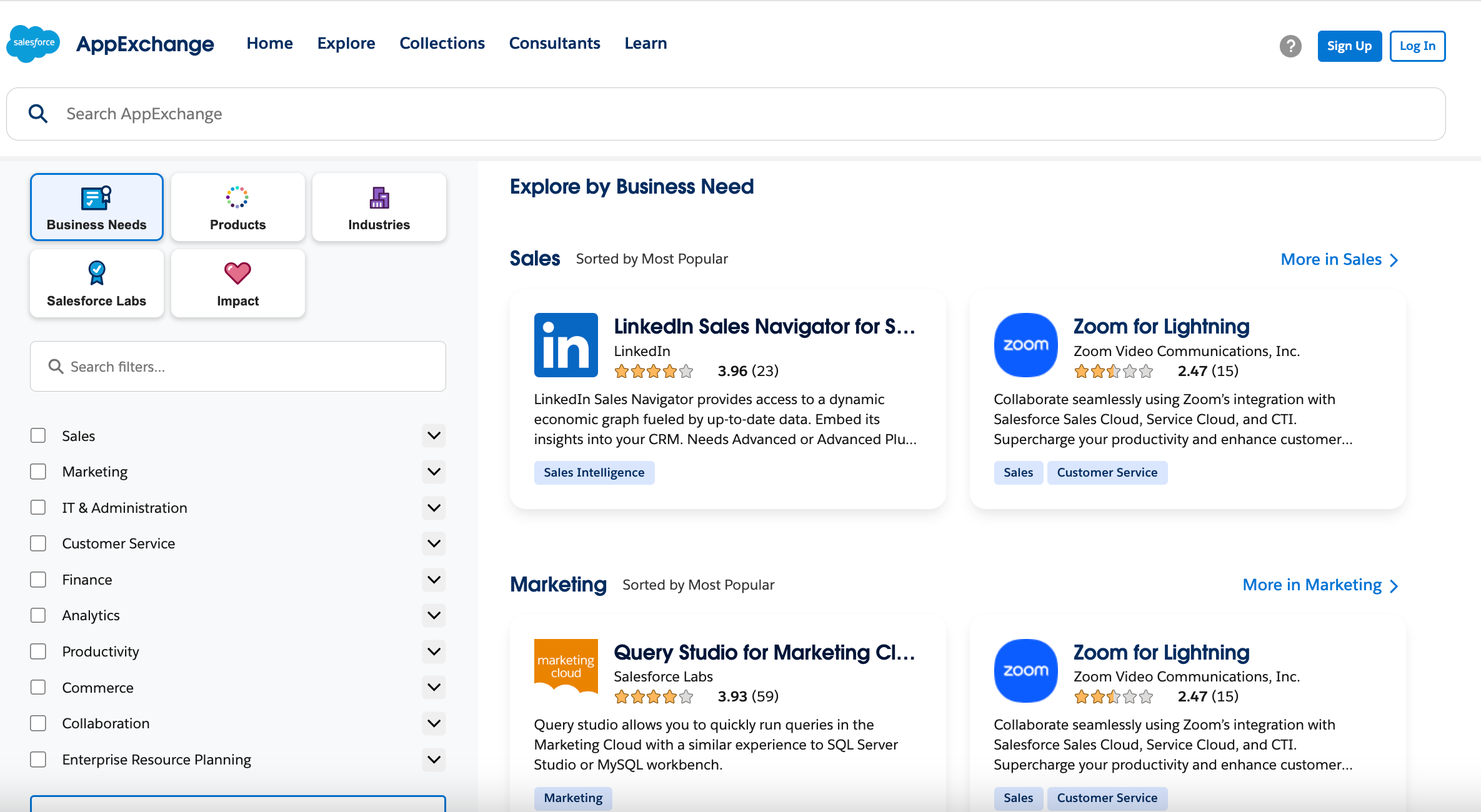
Image source: salesforce.com
Powerful reporting and analytics engine
Salesforce's native reporting and dashboard tools are exceptionally strong, providing real-time insights into every aspect of your inventory. By building an inventory management system that Salesforce offers, you can create custom reports to track stock levels, assess inventory turns, monitor carrying costs, and analyze demand patterns. Interactive dashboards provide a visual, up-to-the-minute overview of your inventory health, empowering stakeholders to make data-driven decisions swiftly and proactively. Seamless API integration
Salesforce is built on an API-first philosophy, meaning it's designed to connect effortlessly with other systems. This is critical for an effective Salesforce inventory management system, which rarely operates in isolation. Whether integrating with an external for financial reconciliation, a dedicated warehouse management system (WMS) for complex logistics, or an e-commerce platform for order intake, Salesforce's comprehensive set of APIs ensures that data flows smoothly and accurately, maintaining a single source of truth across your entire technology stack.
By leveraging these intrinsic platform capabilities, Salesforce moves beyond just being a CRM; it becomes a dynamic and adaptable foundation for a comprehensive inventory management system that Salesforce businesses can rely on to drive efficiency, enhance customer satisfaction, and gain a competitive edge.
Pros and cons of using Salesforce for your inventory management system
As the backbone for your inventory management system, Salesforce offers a compelling set of advantages, but like any robust enterprise solution, it also comes with certain considerations and potential limitations. Understanding both sides is crucial for a well-informed decision and a successful implementation.
Pros
- Centralized data and improved customer experience: Perhaps the most impactful benefit is the unification of customer and inventory data. With an inventory management system Salesforce powered, sales teams have instant access to real-time stock levels, agents can accurately provide delivery estimates, and marketing can tailor promotions based on available inventory. This integrated approach dramatically improves customer satisfaction by reducing stockouts, speeding up fulfillment, and providing transparent communication.
- Scalability and flexibility: Salesforce is designed for growth. The platform can scale with your business, handling increasing transaction volumes and expanding inventory portfolios. Its highly customizable nature means your Salesforce inventory management system can evolve alongside your operational needs, adapting to new business models, product lines, or market demands without requiring a complete system overhaul.
- Rich ecosystems and extensive integration capabilities: As mentioned, the AppExchange provides a vast array of pre-built solutions that can quickly extend your inventory capabilities. Furthermore, Salesforce's robust APIs make it relatively straightforward to integrate with virtually any other business system, from ERPs and to shipping carriers and e-commerce platforms, ensuring a connected and efficient supply chain.
- Real-time insights and data-driven decisions: The powerful reporting and analytics engine allows for constant monitoring of key inventory metrics. This means you're not just reacting to inventory issues but proactively managing them based on live data, predictive analytics, and clear dashboards. This leads to more efficient purchasing, reduced carrying costs, and optimized service levels.
Cons
- Not a native ERP solution: While Salesforce can manage many aspects of inventory, it is fundamentally a CRM platform. This means it might not natively handle very deep manufacturing planning, complex financial accounting (beyond basic inventory valuation), or highly specialized supply chain planning requirements without significant customization or, more commonly, integration with a dedicated ERP. As a comprehensive inventory management system, Salesforce often serves as the operational front-end, requiring additional systems for full financial and manufacturing back-end capabilities.
- Dependency on the platform provider: By building your core inventory processes on a third-party platform, your business becomes reliant on that provider's service availability, update schedules, and pricing structures. While Salesforce boasts high reliability, any platform-wide issues could potentially impact your inventory operations. Changes to the platform's core architecture or pricing models are outside your direct control.
- Complexity and subscription costs: Implementing a custom or AppExchange-based Salesforce inventory management system can be complex and involve a significant ongoing investment in terms of platform subscriptions, AppExchange app licenses, implementation services, and continuous administration. Extensive customization or can further increase this complexity and the recurring costs, often requiring skilled Salesforce administrators or developers for maintenance.
- Learning curve for optimization: While the user interface is generally approachable, optimizing and maintaining a sophisticated Salesforce environment, particularly for complex inventory flows, requires a certain level of platform expertise. Administrators and even end-users might face a learning curve to fully leverage all the capabilities and custom workflows, impacting initial productivity and requiring dedicated training.
- Architectural considerations for extreme transaction volumes: While highly scalable, for businesses with extremely high-volume, real-time transactional needs (e.g., thousands of inventory updates per second during a massive e-commerce flash sale), careful architectural planning is essential. This might involve leveraging external caching layers or specialized transactional systems that then synchronize with Salesforce, rather than relying solely on the platform for every micro-transaction, to maintain optimal performance.
In conclusion, for many businesses, the benefits of unifying inventory management within Salesforce far outweigh these considerations, especially when they are proactively addressed through strategic integrations and thoughtful architectural design. A well-implemented Salesforce inventory management system is a game-changer, offering a competitive edge through unparalleled visibility and operational efficiency.
Overcome these drawbacks with a proven smart tool
Why consider Lark for inventory management
While Salesforce provides a critical foundation for data, relying on it alone for dynamic operations can create friction. Examining these specific challenges highlights exactly why an agile collaboration layer like Lark is essential for modern inventory management.
Where Salesforce poses challenges to inventory management
Imagine starting your day knowing exactly what's in stock, who's handling which task, and which orders need attention, all without digging through spreadsheets or juggling multiple apps. However, for many businesses attempting to manage inventory, this seamless ideal can be hard to achieve, especially when relying on systems not primarily built for operational collaboration. For instance, using Salesforce for inventory management, while powerful for customer data, can present challenges like:
- Fragmented operations: Requiring extensive customization or third-party integrations to cover all aspects of inventory, leading to disparate tools for communication,, and approvals.
- Information silos: Despite having inventory data, the lack of native, agile collaboration features means teams might still struggle to share real-time updates or coordinate quickly across departments.
- Juggling multiple apps: Even with Salesforce at the core, teams often find themselves switching between different applications to manage day-to-day inventory tasks, hindering efficiency and transparency.
That's the promise of truly integrated inventory management, and it's where an like Lark truly shines. It transforms complex inventory operations into an effortless, collaborative experience, keeping your entire team synchronized and focused on what truly matters: Growing your business.
Where Lark outperforms Salesforce in inventory management
serves as a powerful operational layer, connecting inventory data with how teams truly work. It unifies communication, tasks, approvals, and documents, enabling seamless coordination for inventory decisions. This all-in-one platform brings inventory insights directly into daily workflows, fostering faster responses, clearer accountability, and consistent execution across operations, finance, procurement, and sales teams.
: While Salesforce manages structured inventory data well, dynamic coordination often fragments across apps, hindering real-time team response. Lark solves this by bringing every inventory function—tracking, ordering, auditing, and reporting—into one connected workspace. Teams can coordinate all operations through Lark Base, Lark Messenger, Lark Tasks, Lark Docs, Lark Sheets, Lark Calendar, and Lark Approvals, fostering a fluid, immediate environment for collaborative inventory management.
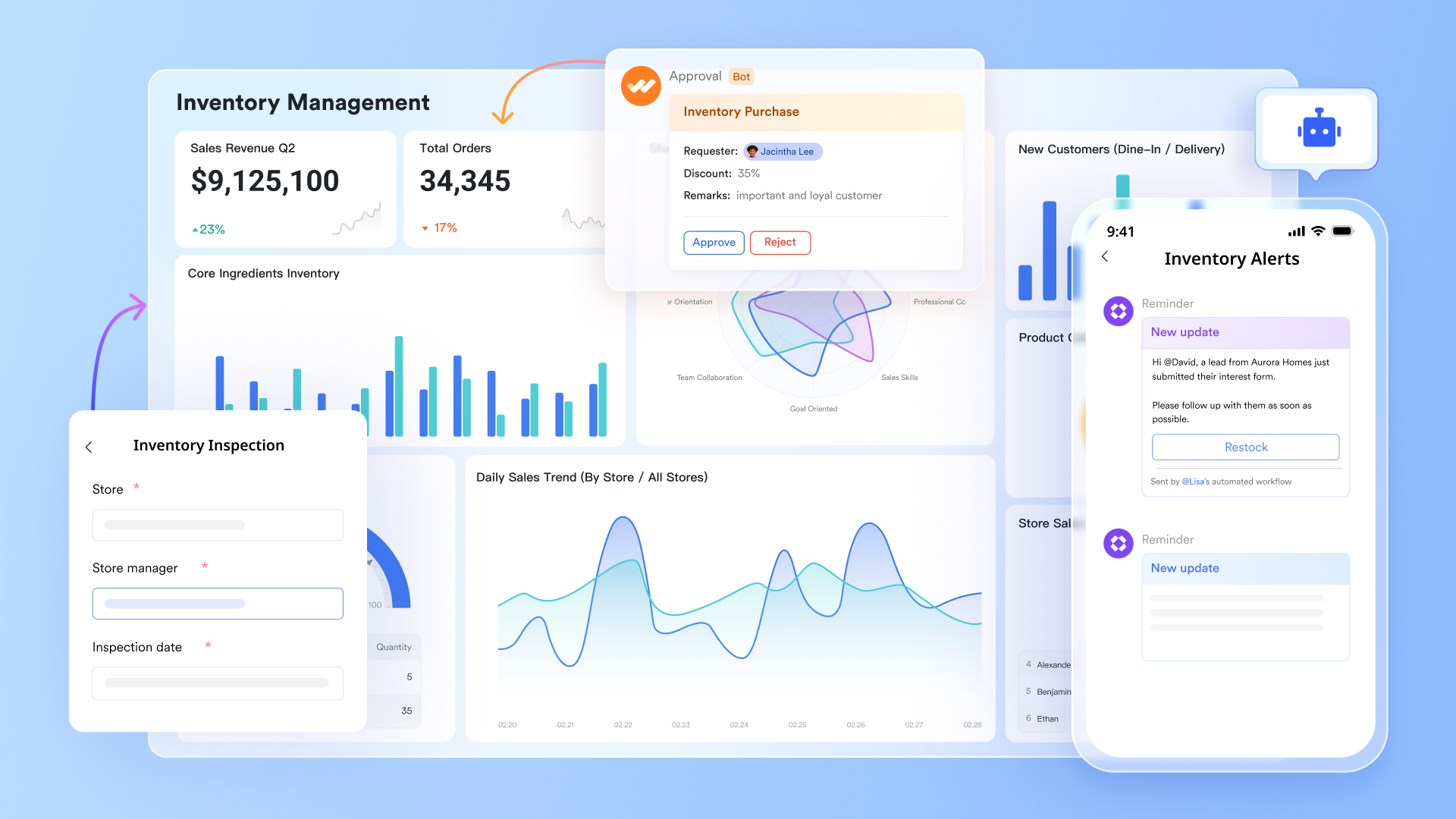
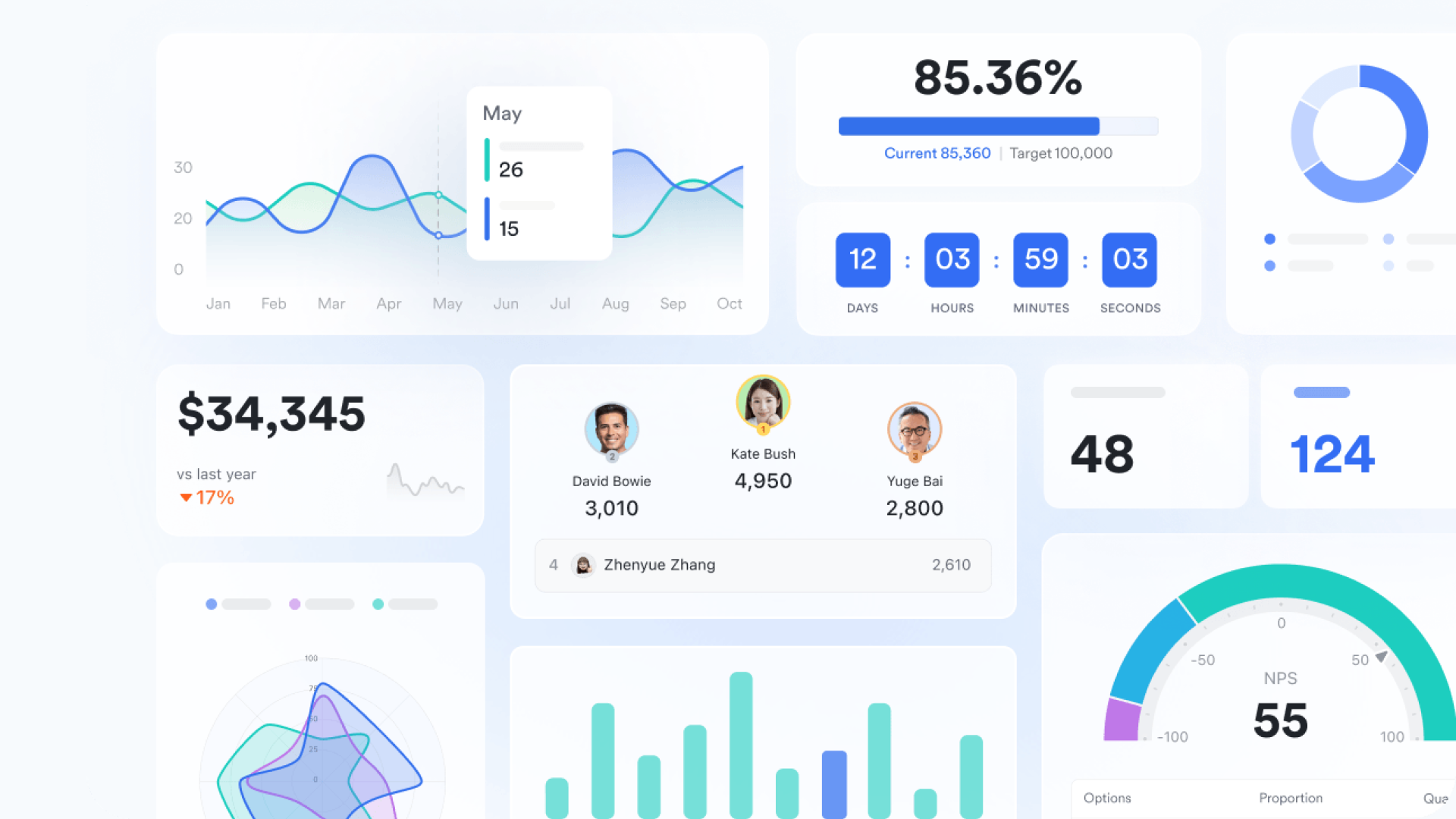
Real-time operational visibility: While Salesforce offers powerful reporting, obtaining immediate, digestible operational insights for specific team workflows can be less agile, potentially slowing down responsiveness. Lark provides smart notifications and real-time dashboards for instant visibility into stock levels, sales, and potential issues, ensuring decisions are always based on the latest data. Moreover, functions as a centralized operations hub where teams can visualize workflows, organize data, and build . It tracks stock levels, supplier data, and reorder workflows in a single, dynamic visual dashboard.
Streamlined communication and : Salesforce's focus often leads to fragmented communication during unexpected inventory events like stock discrepancies or delayed shipments, causing delayed responses and unclear accountability across diverse teams. serves as the communication backbone, enabling real-time messaging, file sharing, and instant notifications across procurement, warehouse, and finance teams. Lark Tasks provides structured task management, converting every inventory action into an assigned, trackable task, keeping order fulfillment and audits on schedule, with the ability to turn Messenger conversations directly into tasks. 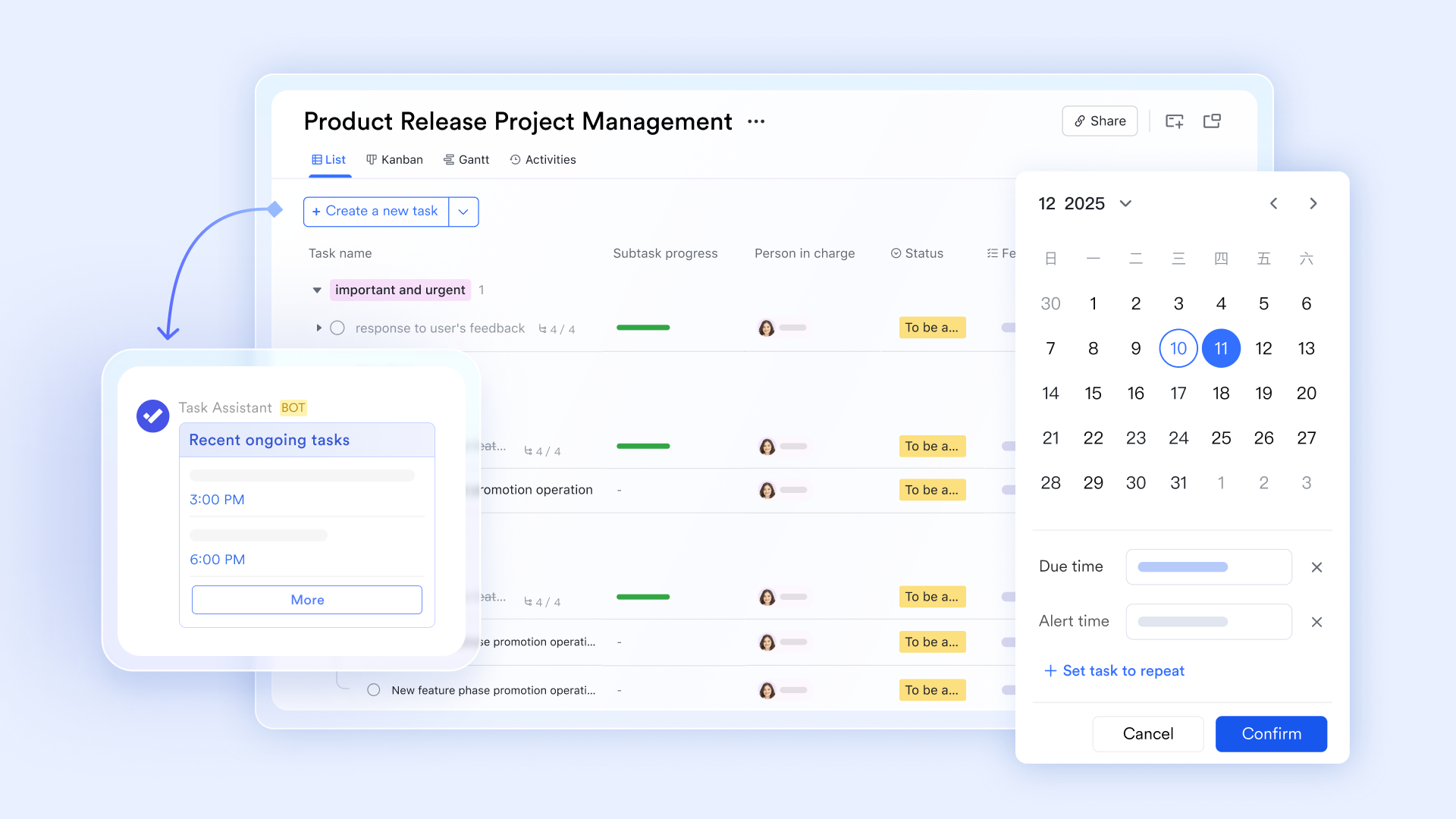
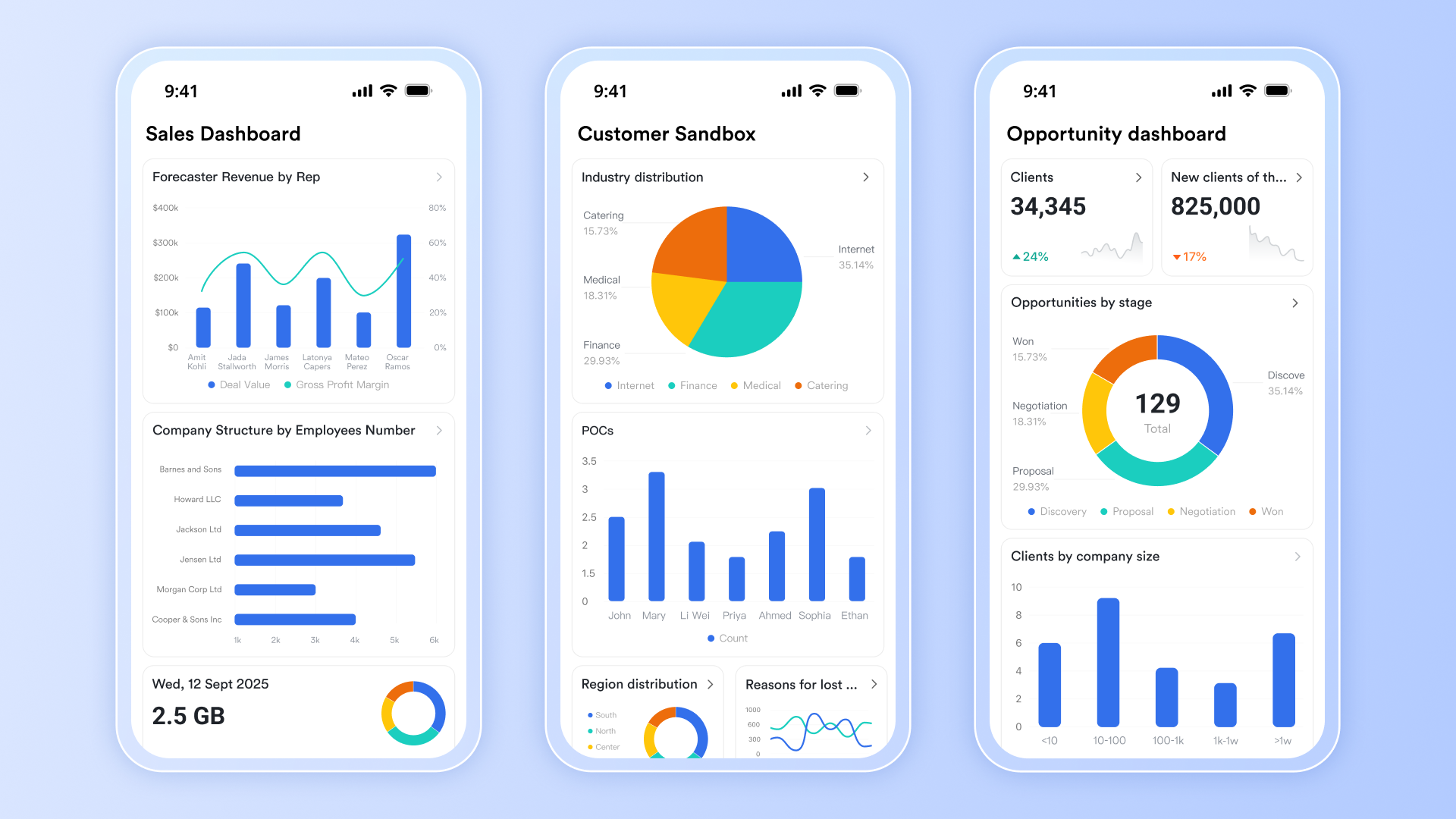
Empowered mobile-first execution: While Salesforce's mobile app excels in CRM, it often lacks the seamless, intuitive experience needed for rapid, on-the-ground inventory tasks like scanning, photo capture, or offline data entry by warehouse teams. Lark's mobile-first design empowers teams to efficiently process deliveries, upload receipts and photos, scan codes, and flag quality issues directly through the . This reduces paperwork and makes supplier communication faster and more transparent, ensuring inventory updates are captured accurately and in real-time.
Accelerated deployment with templates: Setting up custom objects, fields, and workflows for operational inventory tasks in Salesforce can be time-consuming and require specific technical expertise, delaying deployment. With a vast library of , Lark allows you to skip lengthy setup processes. You can quickly deploy and customize solutions for various inventory use cases, helping you launch faster and realize operational efficiencies sooner.
:
- Starter plan: Free forever plan with 11 powerful tools for up to 20 users, 100GB storage, 1,000 automation runs, AI translations, and more. No credit card needed.
- Pro plan: $12/user/month (billed annually) for up to 500 users. Includes everything in Starter plus group calling for up to 500 attendees, 15TB storage, 50,000 automation runs, and more.
- Enterprise plan: for custom pricing. Supports unlimited users and includes advanced automation, security, compliance, and management features.
For small teams with simple communication needs

18 months message history
1000 Base automation runs/month
2000 rows per table in Base
Most POPULAR
For companies with comprehensive collaboration and management needs
Unlimited message history
500-participant video meetings
50k Base automation runs/month
20k rows per table in Base
For large companies with advanced security and organizational management needs
Get a personalized demo and pricing
Unlimited message history
500-participant video meetings
15 TB storage + 30 GB storage/user
500k Base automation runs/month
50k Base automation runs/month
Most POPULAR
For companies with comprehensive collaboration and management needs
Unlimited message history
500-participant video meetings
50k Base automation runs/month
20k rows per table in Base
: Switching to Lark's Pro plan can lead to significant cost savings— for example, a 100-employee company using Salesforce and Google Workspace could save approximately $26,400 annually by consolidating its tools with Lark.
Salesforce vs. Lark: Which is better and how to choose
The question "Salesforce vs. Lark: Which is better?" for inventory management isn't about choosing one over the other. Instead, it's about understanding their distinct strengths and how they can be leveraged together to create a more comprehensive, efficient, and collaborative Salesforce . While Salesforce serves as the robust, data-centric engine for your inventory, Lark stands out as the agile, team-centric operational and collaboration layer crucial for dynamic inventory management and . To illustrate their respective roles, consider the following feature comparison:
When to opt for Salesforce
You should leverage the core Salesforce platform as the primary engine for your inventory management system Salesforce offers when your priority is:
- A single source of truth for all inventory data: Salesforce is ideal for maintaining precise, real-time records of exact quantities, locations, and values of every SKU, serving as the ultimate authority on your available stock.
- Integrating inventory with CRM and sales processes: If you need your sales team to have immediate visibility into stock availability, or for customer service to manage order fulfillment statuses directly alongside customer interactions, Salesforce is the definitive choice.
- Complex data modeling and transactional management: For businesses requiring detailed tracking of serial numbers, lot batches, expiration dates, or managing intricate inbound and outbound inventory transactions, Salesforce provides the flexibility to model these requirements accurately.
- Scalability for core business operations: As your business grows, handling increasing order volumes, more products, and additional locations, Salesforce provides a robust and scalable platform to manage these foundational inventory processes.
- Extensive ecosystem integration for transactional data: When your Salesforce inventory management system needs to with your ERP for financial accounting, your OMS for order routing, or your e-commerce platform for product synchronization, Salesforce's API-first approach and AppExchange solutions are unmatched.
In essence, Salesforce is where your inventory lives in a structured, transactional, and reportable way. It's the central nervous system for your inventory data.
When to choose Lark
Lark excels where human collaboration, operational agility, and streamlined communication around inventory events are paramount. You should choose Lark to complement your Salesforce inventory management system when your goal is to:
- Streamline and collaboration around inventory events: When a low-stock alert in Salesforce requires immediate cross-functional discussion, decision-making, and coordinated action, Lark provides the perfect environment for rapid, transparent communication across procurement, warehouse, and sales teams. It fosters an environment where team members can quickly share updates, ask questions, and resolve issues without constant email chains or scattered messages.
- Centralize and operationalize SOPs and playbooks: For complex inventory processes (e.g., handling returns, managing stock discrepancies, onboarding new warehouse staff), Lark Base is ideal for housing easily accessible, up-to-date standard operating procedures. This ensures consistency and reduces errors, acting as a living knowledge base that can even link directly to specific Salesforce records for context, guiding employees through the correct procedures at every step.
- Empower mobile-first, on-the-ground data capture: For warehouse personnel, field technicians, or retail staff, Lark's mobile capabilities enable quick, accurate data entry via barcode scanning, photo evidence, and simple forms. This ensures that physical stock movements and conditions are updated in near real-time, feeding crucial information back to your Salesforce inventory management system without delays caused by manual data entry or reliance on desktop access. This mobile flexibility significantly improves data accuracy and operational speed.
- Orchestrate cross-functional tasks around inventory alerts: When a Salesforce trigger necessitates action from multiple departments (e.g., "stock below threshold" requiring a procurement task, a warehouse verification task, and a sales notification), Lark can and tracking of these tasks. This ensures nothing falls through the cracks and responses are timely, providing a clear audit trail of who is responsible for what action.
- Bridge the gap between structured data and dynamic human action: Lark helps translate the data points within Salesforce into actionable steps for teams, ensuring that information isn't just recorded but actively utilized to drive operational efficiency and resolve issues proactively. It's about making the data work harder for your people.
Choosing Lark means acknowledging that while Salesforce provides the definitive data, effective inventory management also requires optimal human execution and communication—an area where Lark truly shines. Together, they create an ecosystem where your Salesforce inventory management system is not just technically sound but also operationally brilliant.
Embark on a smoother inventory journey with Lark
Conclusion
Achieving excellence in inventory management demands both robust data and agile collaboration. Salesforce serves as the indispensable data engine, providing real-time visibility, forecasting, and integration for precise stock control. However, true optimization extends to efficient human execution and collaborative workflows. This is precisely where Lark acts as a powerful amplifier, centralizing knowledge, orchestrating cross-functional tasks, and empowering mobile data capture. Embracing for inventory management ensures data actively drives smarter, more collaborative, and highly efficient operational outcomes.
FAQs
Does Salesforce have inventory management?
Salesforce is primarily a CRM platform. While it doesn't offer a native, out-of-the-box inventory management module, its flexible platform allows for extensive customization, building custom solutions, or integrating with specialized AppExchange inventory management systems.
What are the 4 types of inventory management systems?
Common types include: 1. Periodic: Manual counts at regular intervals. 2. Perpetual: Real-time tracking of stock movements. 3. ABC Analysis: Prioritizes inventory based on value. 4. Just-in-Time (JIT): Minimizes stock by receiving goods only as needed.
What is the best software for inventory management?
There's no universal "best." It depends on your business size, industry, and complexity. Dedicated inventory management systems like Brightpearl, an ERP like SAP, or platforms like Salesforce with AppExchange solutions, are strong contenders.
Does Salesforce have supply chain management?
Salesforce provides strong demand-side capabilities (CRM, sales forecasting). However, for comprehensive supply chain management (procurement, logistics, manufacturing planning), it typically requires integration with dedicated ERP, WMS, or SCM solutions, rather than being a full SCM suite itself.
How can teams collaborate effectively around inventory data from Salesforce?
Salesforce centralizes inventory data, but effective execution requires seamless team communication. Traditional communication tools often create silos. Lark centralizes conversations, workflows, and knowledge, ensuring everyone is aligned and can act quickly on inventory insights from Salesforce.
Related reading






























