Zoho One is often positioned as the "operating system for business," bundling 40+ apps into a single subscription model. However, Zoho One Pricing can quickly become complex—especially when considering differences between the All-Employee plan and the Flexible-User plan, implementation requirements, hidden add-ons, and storage upgrades. This guide breaks down everything you need to know, including exact plan costs, feature differences, inclusions, and real-world considerations that affect the total cost of ownership.
What is Zoho One?
Zoho One is a comprehensive business-software suite designed to serve as an "operating system for business." Rather than adopting many separate apps, Zoho One bundles over 40 integrated applications covering CRM, finance, HR, email, collaboration, marketing, , and workflow automation. This makes it a one-stop solution for teams seeking to unify multiple functions under a single platform.
Zoho One offers different licensing models: the All-Employee plan (licensing every employee) and the Flexible-User plan (licensing only selected users). Organizations can use a Zoho One pricing calculator to estimate costs depending on seat count, region, and user type. Pricing varies by region — for example, Zoho One pricing in India tends to be lower than U.S./global rates. With Zoho One, teams get deep integration, broad functionality, and centralized control over users, data, and workflows. 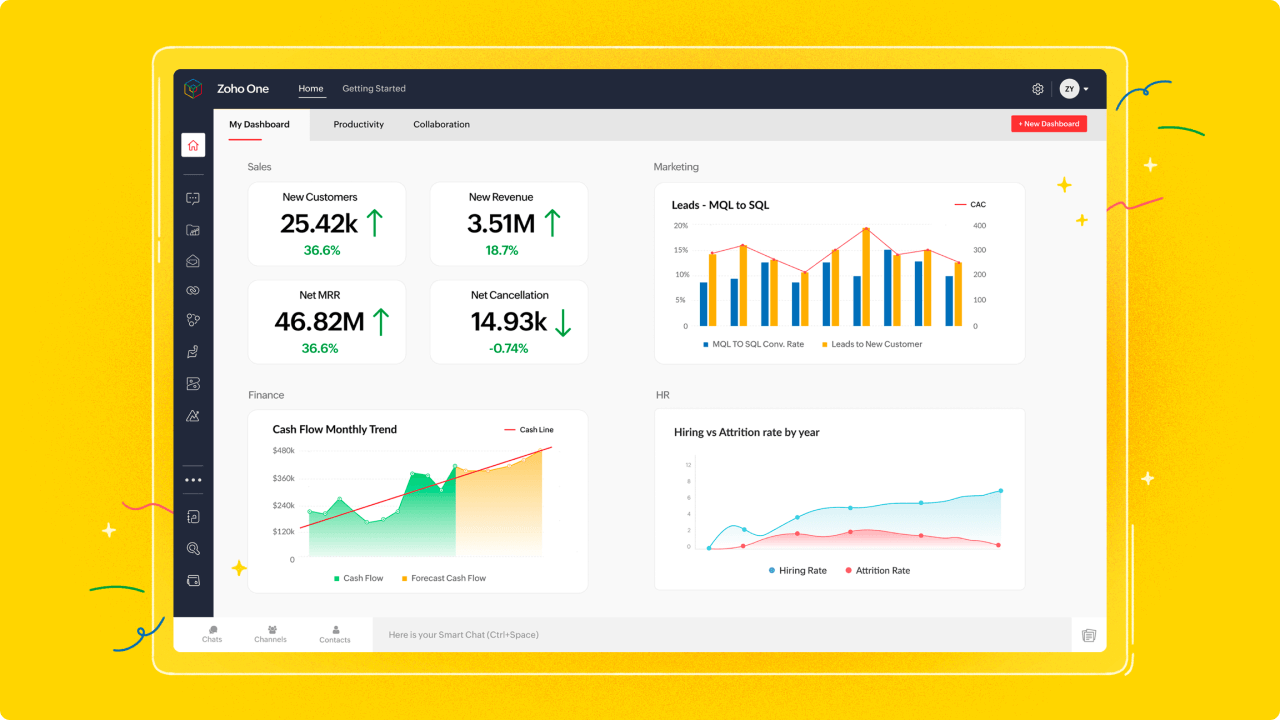
Image source: zoho.com
Improve daily workflows and team coordination today
Zoho One pricing overview
Information source: zoho.com
Update time: 2025-11-26
Note: Pricing and plan details reflect publicly available data as of the update date and may vary based on region, billing cycle, and number of agents.
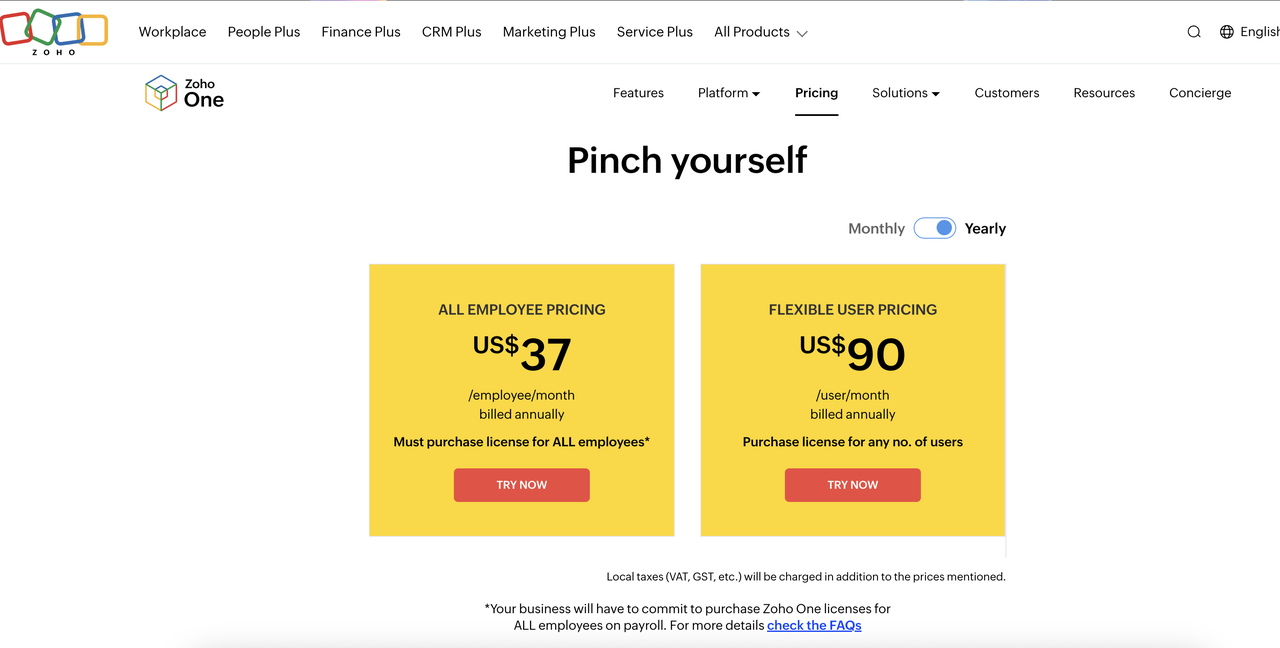
Image source: zoho.com
Zoho One all-employee pricing model
The All-Employee Pricing plan is Zoho One's most cost-efficient option, designed for organizations willing to license every employee on their payroll. At US$37 per employee per month, it provides complete access to 40+ Zoho applications across CRM, finance, HR, marketing, collaboration, and analytics. This plan is ideal for companies that want consistent tool without gaps in user permissions. By standardizing software usage, teams can streamline operations, reduce data silos, and maintain a unified experience. While it offers excellent value per employee, it requires a commitment to onboard everyone—including roles that may not actively use every app. This makes it more suitable for teams with broad digital adoption goals.
Key features:
- Full suite access for every employee: With this plan, each employee receives access to all Zoho One apps by default, eliminating the need to select which teams get which modules. This supports organization-wide alignment because sales, finance, HR, marketing, and operations all operate on the same ecosystem. It reduces friction caused by tool disparities and ensures uniform permissions and governance. This feature is beneficial for mid- to large-sized companies adopting digital systems at scale. It ensures that no employee is left without essential tools during workflow expansion.
- Lower cost per user through mandatory licensing: The most significant advantage of this plan is its discounted per-user rate, made possible by the organization's commitment to licensing every person on payroll. For teams with many active users, the cost savings accumulate significantly over time. This predictable structure makes and avoids the hidden costs of acquiring apps individually. While it may feel limiting for companies with many non-technical roles, teams focused on standardization benefit from the simplified structure. Overall, it delivers maximum value when most employees actively rely on Zoho tools.
- Ideal for uniform processes & centralized governance: Because every employee is included, administrators can enforce consistent policies, workflows, security settings, and app access across the entire organization. This simplifies compliance, onboarding, training, and change management. Instead of juggling separate licensing setups for different teams, businesses gain a consolidated environment. Maintaining data consistency across multiple departments becomes easier because all functions operate within the same ecosystem. This feature is helpful for organizations prioritizing standardization and long-term operational clarity.
Zoho One flexible user pricing
The Flexible User Pricing plan gives companies the freedom to purchase licenses only for employees who require full Zoho One access. At US$90 per user per month, it costs more per seat than the All-Employee plan but removes the requirement to . This model is ideal for companies where only specific teams—such as sales, finance, or operations—need access to the full suite. It also suits organizations adopting Zoho One gradually, as well as those with seasonal workers, contractors, or part-time staff who do not need full access. While the per-user rate is higher, it helps maintain cost efficiency when license usage varies across departments. This makes it a practical option for selective rollouts or hybrid digital environments.
Key features:
- Buy licenses only for required users: This plan allows businesses to selectively assign Zoho One licenses to the roles and teams that genuinely need them. It prevents unnecessary spending on employees who use only limited tools or do not require advanced functionality. For smaller teams, this selective licensing can significantly reduce spending compared to buying the All-Employee plan. It supports phased adoption by enabling organizations to expand usage as needs evolve. This flexibility is particularly valuable for dynamic or cost-conscious teams.
- Scalable deployment for growing teams: The Flexible User Pricing model supports incremental rollout strategies. Companies can start with a few departments and expand their license footprint over time. This reduces disruption and minimizes upfront change-management burdens. As operational needs mature, teams can gradually introduce more applications or onboard additional users. It strikes a balance between capability and spending, making scaling predictable and manageable. This flexibility is ideal for organizations in transition or those exploring digital transformation in stages.
- Same complete feature set as the all-employee plan: Despite the higher per-user cost, each licensed user receives full access to all Zoho One applications. This ensures that even selective deployments don't compromise functionality for active users. Teams still benefit from the unified , finance, HR, collaboration, and analytics. They can use automation, integrations, and cross-app workflows without restrictions. This keeps the experience identical to the All-Employee plan—just targeted at fewer users. For companies optimizing cost while preserving capability, this is a significant advantage.
6 key business categories of Zoho One applications
Zoho One brings together more than 40 integrated applications designed to support every primary function within a modern organization. To make the suite more straightforward to understand, these tools are best viewed through the lens of core business categories that map to real operational needs. Grouping the apps this way helps teams identify which modules they'll actually use and which ones are secondary. It also allows companies to evaluate adoption potential across departments, especially when comparing licensing models. Whether teams are reviewing capabilities before purchasing or exploring how the suite fits daily workflows, this breakdown provides a clean, of what Zoho One delivers. It serves as a practical guide for understanding the system beyond its long list of individual apps.
Sales & CRM
This category focuses on lead generation, pipeline management, customer communication, and sales automation. Tools like Zoho CRM, Bigin, SalesInbox, and SalesIQ help teams manage prospects, track deal progress, and engage customers through email, chat, and website interactions. Scheduling tools like Bookings streamline client appointments, while Motivator supports gamified performance tracking. Together, these applications provide a consolidated view of the customer lifecycle, helping sales teams stay organized and consistent. This structure is beneficial for companies assessing value during the Zoho One trial sign-up stage. Marketing
Zoho One's marketing tools empower teams with email campaigns, social publishing, landing page optimization, forms, surveys, and . Marketing Plus integrates these touchpoints for consistent branding and coordinated execution across channels. Teams can automate drip campaigns, measure website behavior, gather feedback, and host virtual events with minimal friction. Each tool contributes to a unified approach to customer outreach, analytics, and experimentation. This category becomes particularly helpful for organizations comparing budgets and adoption needs during Zoho One pricing explained research.
Finance & Accounting
The suite's finance apps include Zoho Books, Invoice, Expense, Billing, Checkout, and Inventory. Together, they help teams manage accounting, billing cycles, receipts, VAT compliance, inventory movements, and subscription payments. These tools eliminate siloed financial processes by syncing transactions, tax rules, and business reports across modules. reduce manual entry and improve the reliability of economic data. This category supports organizations looking to centralize financial operations without adding multiple external systems.
Human resources
Zoho People, Recruit, Workerly, and Payroll streamline hiring, , compliance, and staff scheduling. HR teams can manage onboarding, attendance, leaves, performance reviews, and shift planning with clear workflows and audit trails. Payroll integrates employee data to ensure accurate salary processing and statutory compliance. Recruit simplifies candidate tracking and interview coordination, while Workerly supports contract staffing needs. For companies with complex or distributed teams, these tools help maintain clarity and consistency across HR operations.
Collaboration & Productivity
Apps like Projects, Sprints, WorkDrive, Cliq, Connect, Mail, Writer, Sheet, Show, and Meeting form the backbone of Zoho One's productivity suite. These tools help teams manage documents, track projects, communicate through chat, coordinate tasks, and run virtual meetings. WorkDrive centralizes storage, while Writer and Sheet support real-time editing. Sprints provides for engineering and product teams, while Connect serves as an internal knowledge hub. This category is beneficial for organizations evaluating rollout phases under the Zoho One flexible plan.
Business intelligence & Admin
Zoho Analytics, Creator, Flow, DataPrep, Vault, Directory, and Sign build the framework for , workflow automation, security, and identity control. Teams can create dashboards, build low-code applications, automate cross-app processes, clean datasets, manage passwords, and define user access rules. These tools enhance administrative efficiency while improving data accuracy and visibility. For organizations with complex reporting or automation needs, these apps provide the backbone for structured, scalable operations.
Bonus apps
Additional tools such as Commerce, Desk, Assist, Lens, Backstage, Qntrl, FSM, Learn, and Contracts extend the suite's capabilities into customer support, e-commerce, AR troubleshooting, field servicing, event management, and learning systems. These apps are designed for more specialized workflows that go beyond standard organizational functions. Their inclusion helps companies adopt niche capabilities without having to purchase separate point solutions. Although not every business will rely on all these tools, they widen the scope of what Zoho One can support across industries. Enjoy an all-in-one solution without tool sprawl
Hidden costs users often overlook
While Zoho One appears cost-effective at first glance, many organizations discover that the total cost of ownership is higher than expected once operational realities set in. The suite's wide range of apps brings power but also adds complexity, leading to extra charges during setup and scaling. Costs often arise from onboarding, custom configurations, storage needs, integrations, and maintenance across multiple tools. These expenses affect budgeting accuracy, especially for teams that rely solely on headline subscription rates. Even businesses reviewing Zoho One pricing in India or other region-specific rates might underestimate these add-ons. Understanding these hidden costs helps companies plan better and avoid surprises after deployment.
- Implementation & onboarding: Implementing Zoho One usually involves configuring dozens of apps, setting user permissions, cleaning legacy data, and establishing organization-wide processes. Many teams require paid consulting support to configure workflows, , HR policies, finance modules, and integrations. This onboarding phase can take longer than expected, especially for teams migrating from multiple older systems. The need for external help increases the overall investment even before active usage begins. These early-stage expenses often become more apparent when evaluating Zoho One enterprise pricing for large deployments.
- Storage upgrades: Zoho One includes baseline storage, but growing teams quickly exceed limits across WorkDrive, Zoho Mail, Projects, and analytics modules. Additional storage requires paid upgrades, charged per user or per storage block. As files, attachments, recordings, and backups accumulate, organizations must invest in scalable long-term storage. This becomes more significant for teams that rely heavily on and email. Storage costs often surface only after several months of active system use, particularly in areas related to Zoho email pricing.
- Additional automation credits: Automations in tools like Zoho Flow, CRM, Creator, and Analytics are subject to usage-based limits. Once teams begin relying on automated workflows for approvals, notifications, data sync, or cross-app triggers, the default quota is often insufficient. Extra automation credits are billed separately and can become a recurring cost as volume increases. Companies implementing complex workflows or handling high-frequency transactions face these expenses early. Teams frequently discover this gap when exploring budgets with a Zoho One pricing calculator to achieve more accurate projections.
- Advanced support: Zoho One offers standard support, but organizations with high dependency on CRM, finance, HR, and mission-critical workflows often require faster response times. Premium or advanced support packages come at an added cost, including priority routing and dedicated assistance. These upgrades are significant for larger companies that need immediate solutions to prevent operational downtime. As more apps are adopted internally, the demand for timely support naturally rises. This results in incremental spending beyond the basic subscription tier.
- External integration fees: Many companies integrate Zoho One with ERPs, HRMS platforms, accounting tools, payment gateways, or third-party CRMs. These connections require technical setup, middleware, or custom APIs, which often involve external consultants or API credit costs. Some integrations may also require purchasing separate plugins from the Zoho Marketplace. As integration needs evolve, these costs can grow significantly, especially for businesses operating across multiple systems. This is a common oversight during early evaluation phases when teams focus mainly on the suite's bundled features.
- Cost of unused apps in the bundle: Zoho One includes more than 40 apps, but most organizations use only 8–12 consistently. Paying for the entire suite means absorbing the cost of tools that may never fit the . This reduces overall ROI, especially for companies with streamlined operations or specialized needs. Adoption challenges, overlapping features, and department-specific preferences contribute to low utilization. This becomes more apparent during scaling, where unused apps accumulate administrative overhead and licensing waste.
Zoho One advantages & limitations
Zoho One is designed as an all-in-one ecosystem intended to replace dozens of separate business tools with a unified subscription. Its scale and breadth make it appealing to teams seeking a comprehensive digital foundation across sales, marketing, HR, finance, collaboration, and analytics. Organizations often choose Zoho One to centralize and simplify the management of multiple vendors. For better understanding, here is the review of the advantages and limitations of Zoho One:
Advantages
- Wide toolset: Zoho One offers more than 40 integrated apps covering core business functions, giving teams access to CRM, finance, HR, marketing, communication, and analytics in one suite. This breadth allows companies to reduce their reliance on multiple external tools. It also helps simplify and unify data across departments.
- Affordable per-employee pricing: The All-Employee plan's flat rate makes Zoho One cost-effective for organizations willing to license all staff. This pricing model significantly reduces per-user costs when adoption is high. Businesses can equip their entire workforce with access to critical tools without steep software expenses.
- Administrative control: Zoho One centralizes user management, permissions, and policy enforcement across its ecosystem. Administrators can easily assign apps, set access restrictions, and standardize workflows for different departments. This unified control environment reduces security risks and simplifies IT governance.
- Broad ecosystem: Zoho One spans client management, internal operations, customer support, automation, analytics, and even niche areas such as and field service. This broad functional coverage enables teams to manage end-to-end processes in a single platform. The ecosystem is also supported by integration within the Zoho family, reducing compatibility issues.
Limitations
- Suite is complex to adopt: Because Zoho One includes so many apps, initial configuration and onboarding can be overwhelming. Teams must understand , varied settings, and different workflow logics. Implementing the suite often requires extended training and change management efforts. Many companies need external consultants to handle setup and customization.
- Some apps are lightweight vs specialized competitors: While Zoho One covers many use cases, some tools offer only basic functionality compared to leading standalone alternatives. Specialized apps for analytics, customer service, or project management often provide deeper capabilities. Organizations with advanced needs may find themselves supplementing certain Zoho tools with external systems.
- Performance varies across modules: Not all Zoho apps are equally mature; some perform exceptionally well while others feel limited or outdated. This inconsistency can create adoption issues within teams that expect uniform quality. Certain modules handle or complex workflows slower than others.
- Learning curve across 40+ apps: With so many tools available, employees must learn multiple interfaces, features, and settings. This creates a steep learning curve, especially for organizations adopting several apps simultaneously. Training becomes a continuous process rather than a one-time activity. Coordinating learning across departments adds additional overhead.
- Automations & cross-tool workflows require heavy setup: Although Zoho offers powerful automation through Flow, Creator, CRM, and other modules, setting up can be time-consuming. Each app has its own automation logic, requiring configuration across several systems. Maintaining these workflows becomes harder as processes evolve.
- Not ideal for teams wanting a single unified workspace: Zoho One's multi-app structure means teams must switch between interfaces for chat, projects, documents, HR tasks, and analytics. This fragmentation contrasts with platforms that offer a single, unified workspace for collaboration and execution.
While Zoho One offers an extensive collection of apps, its breadth often comes with complexity—multiple modules, uneven UX across products, and a steeper learning curve for teams that need fast, cohesive workflows. As organizations scale, they frequently look for a platform that keeps collaboration, data, communication, and execution tightly connected instead of spread across dozens of tools. This is where Lark stands out. Take a closer look at this different solution.
Review plan details to decide what works for you
Meet Lark: An affordable, unified alternative fused with robust features
Where Zoho One provides an extensive collection of individual applications, many teams find that its multi-app structure creates fragmentation as work scales across departments. This is where Lark takes a fundamentally different approach: offering a rather than a bundle of disconnected tools. Instead of navigating dozens of apps, teams work from a single environment where communication, , workflows, and . This unified model reduces friction, improves visibility, and helps teams move faster. By consolidating core operations into a single hub, Lark brings clarity and cohesion to everyday work.
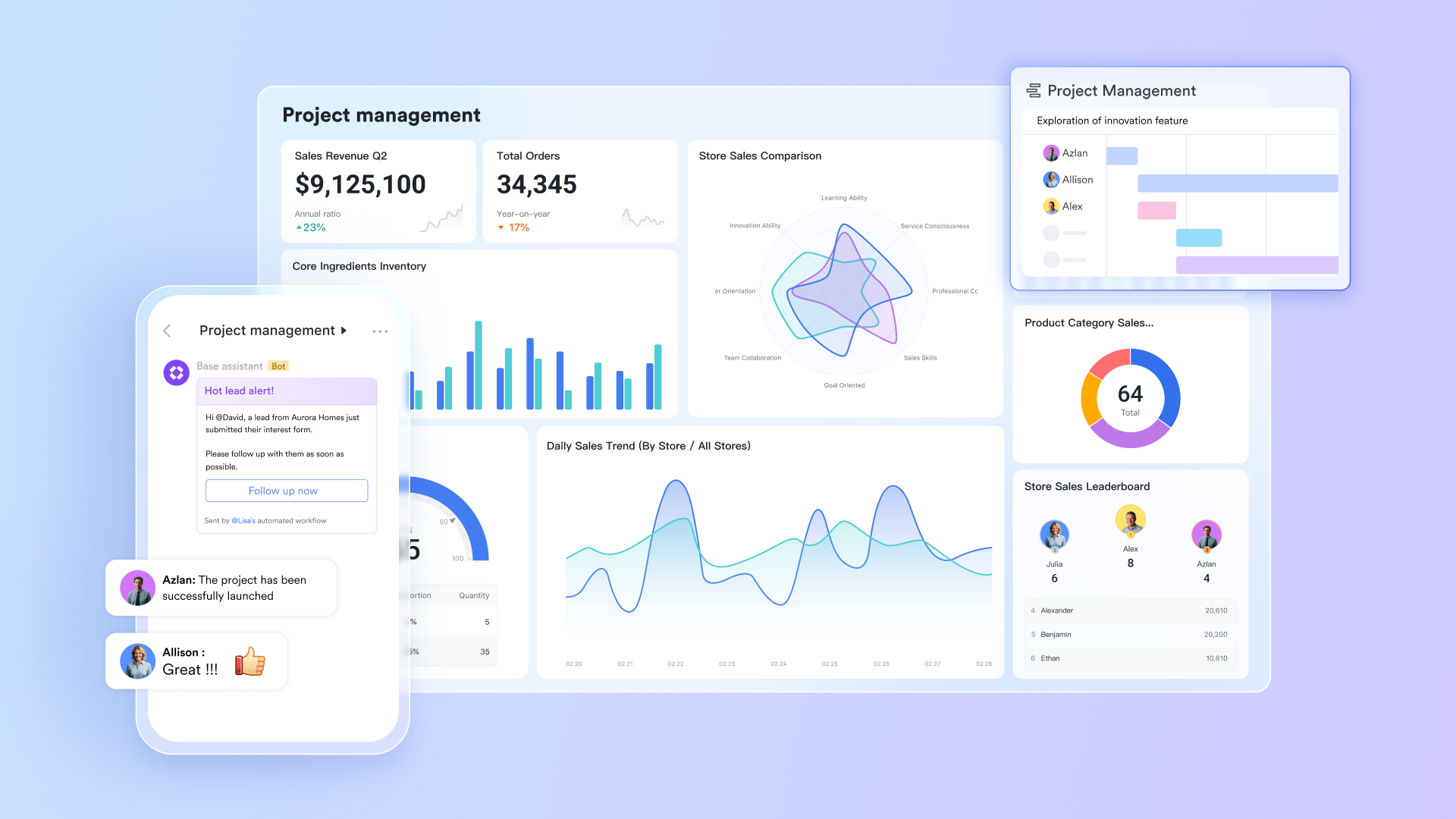
Lark Base: Structured data records, automation, and dashboards
gives teams a flexible way to manage structured operational data—projects, employee records, tasks, , and time logs—in a single, unified system. Because records, fields, and dashboards live in the workspace, teams always work from a single source of truth without jumping between dozens of apps. Base also supports rules and automated workflow actions, reducing repetitive admin tasks and ensuring data stays accurate as work progresses. This clarity is especially valuable for growing teams that need predictable, consistent processes. Compared to Zoho's scattered module structure, Base keeps everything connected and easy to maintain.
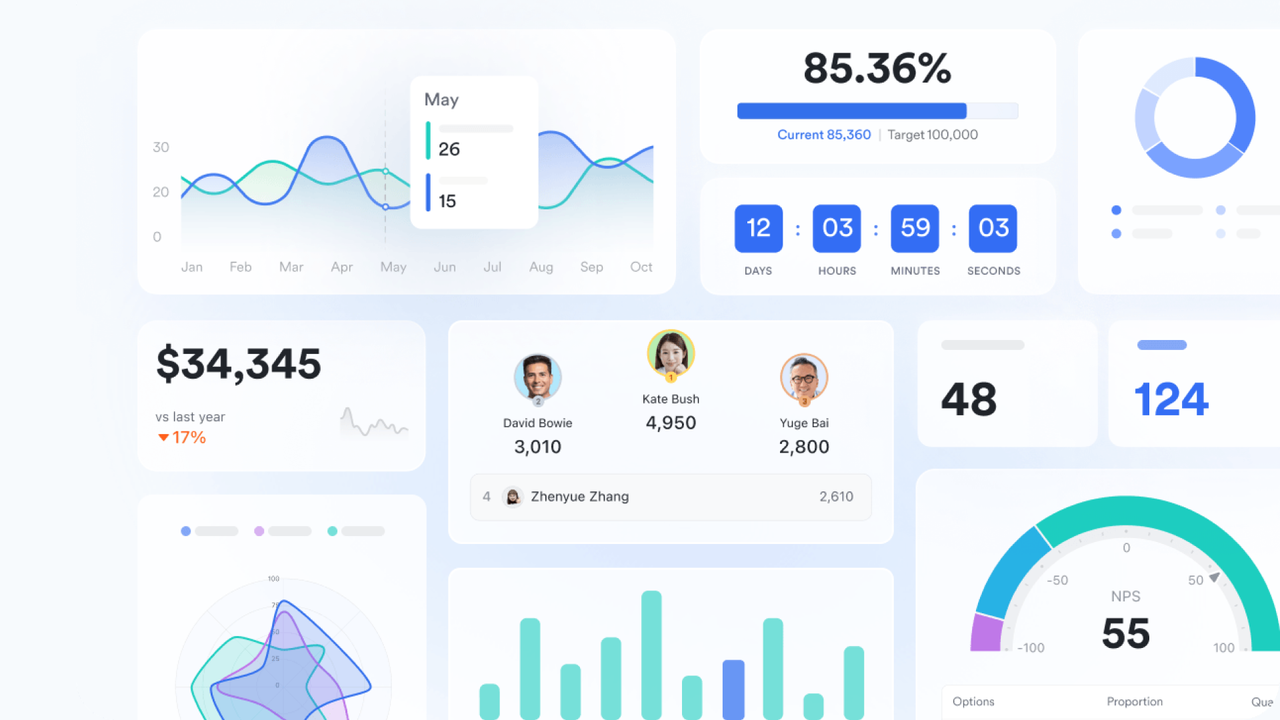
Lark Docs + Wiki: Standardized knowledge management inside your daily workflow
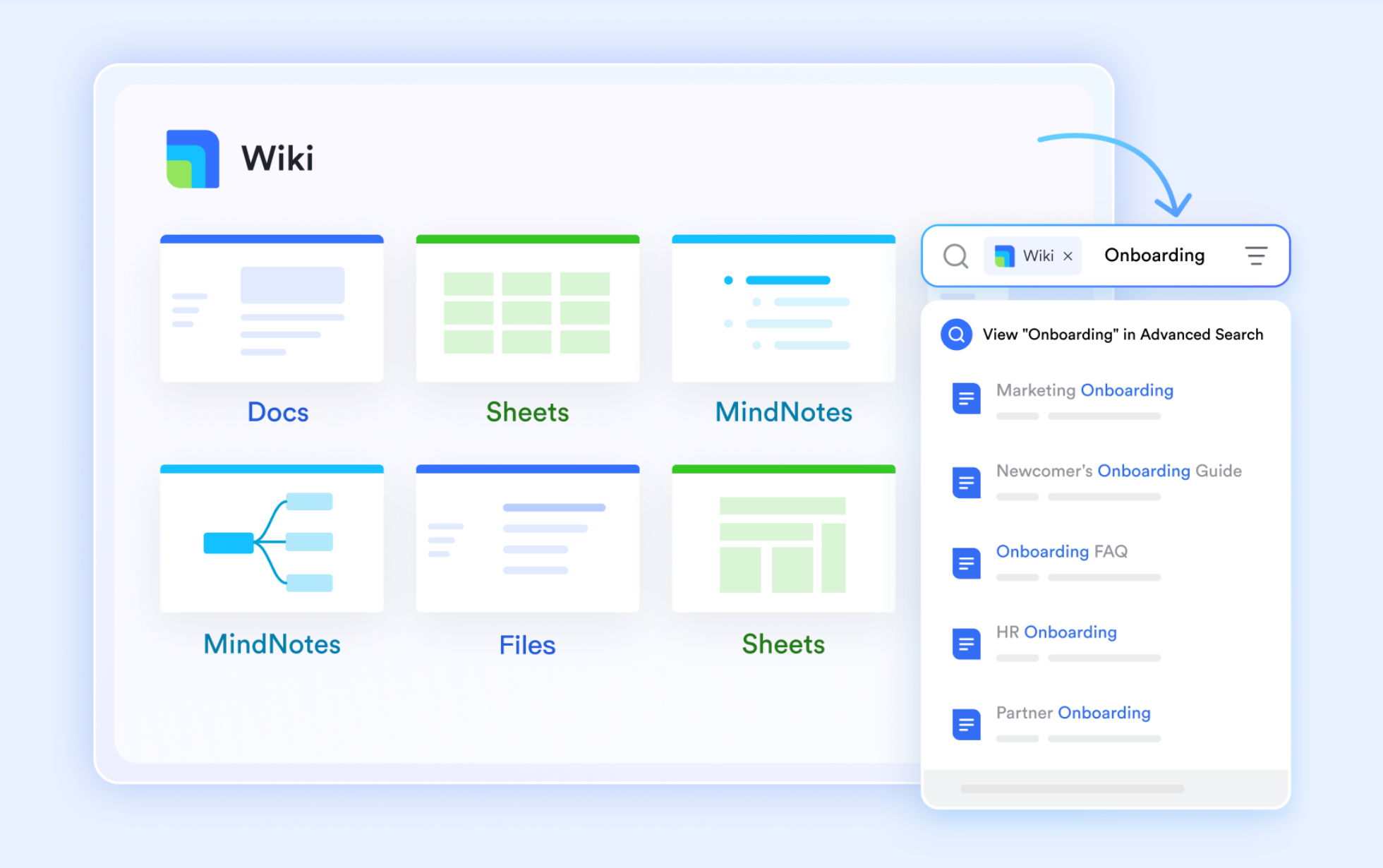
and provide a smooth, real-time editing environment where teams create plans, reports, SOPs, and structured knowledge bases without leaving their workspace. Documents can embed tables, Base records, calendars, tasks, or files, letting teams keep reference material and live data together. Wiki allows policies, guidelines, and internal knowledge to stay organized with a clean hierarchy and search. Because documentation sits beside communication and tasks, teams avoid the fragmentation often seen in Zoho's separate Writer, WorkDrive, and Connect modules. The result is a more manageable, unified knowledge system.
Messenger: Contextual communication that stays tied to the work
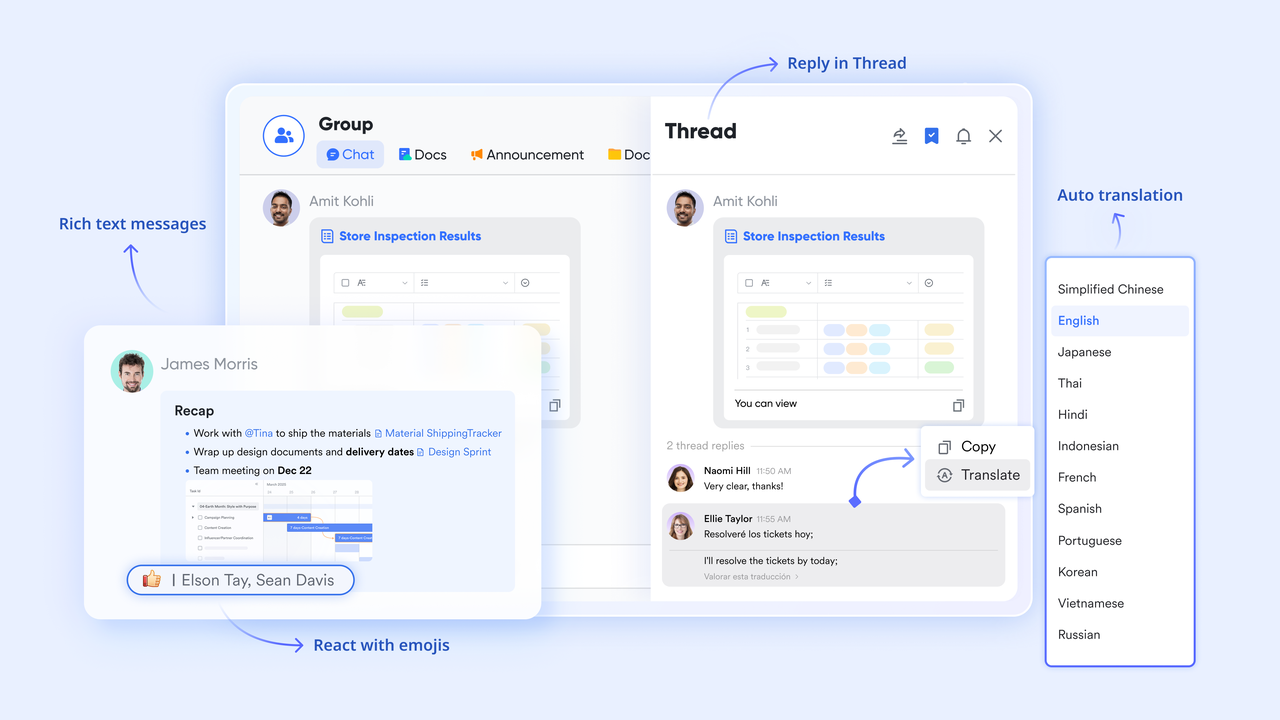
keeps conversations tightly linked to work items such as tasks, approvals, documents, and Base records. This makes it faster to ask questions, align decisions, and resolve blockers because the context never gets lost. Teams can send messages, voice notes, screenshots, and files directly within the workspace—reducing reliance on external chat tools. Threaded discussions remain attached to the relevant workflow element, so updates are easier to follow. In contrast to Zoho's multi-app communication flow, Lark provides one channel for collaboration across every department.
Lark Approval: Precise execution and streamlined governance
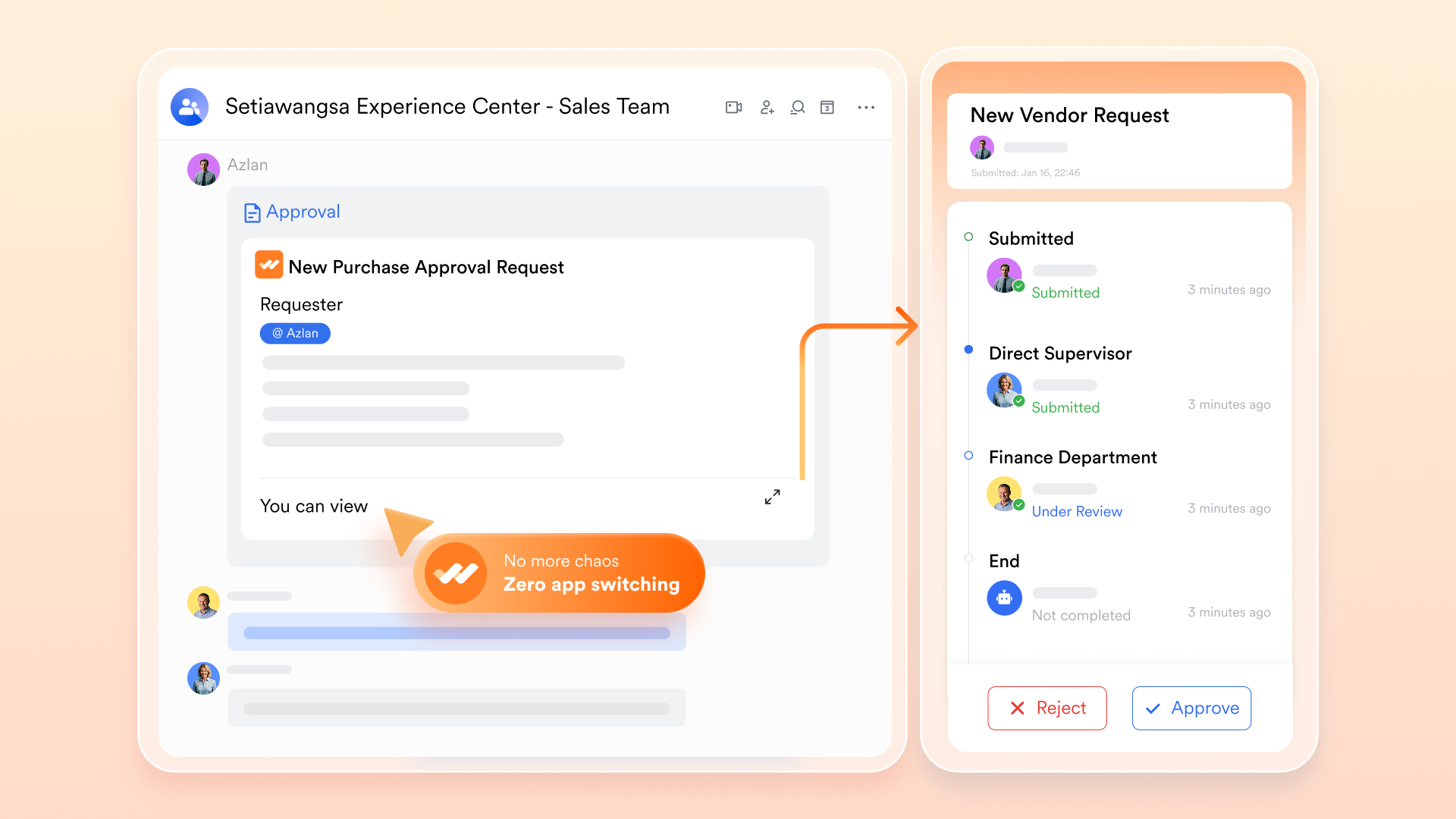
Built-in approvals, through , support multi-step sequences for budgets, designs, HR requests, procurement, or project milestones—complete with reminders, routing, and audit history. This creates consistency and accountability across departments without needing separate tools. Instead of juggling requests across Zoho Projects, People, Sprints, and , teams in Lark operate from one system for both execution and governance. It removes unnecessary friction and makes cross-functional work far simpler.
Lark Calendar+Meetings: Coordinated planning with real-time alignment
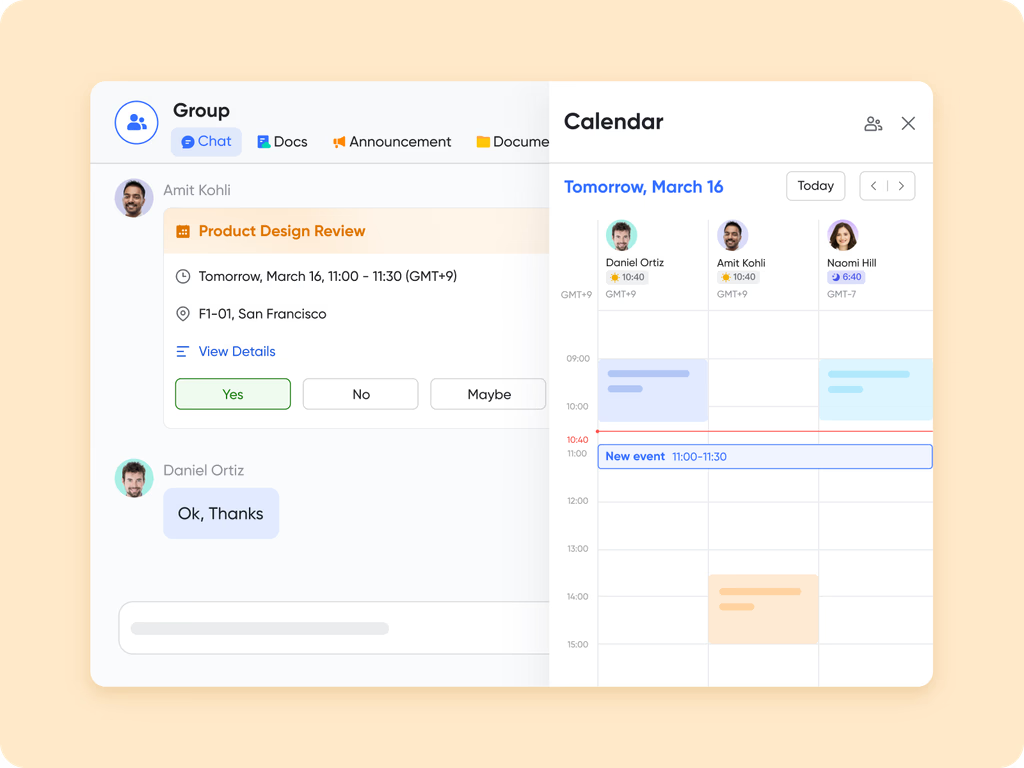
and work together to help teams coordinate schedules, plan projects, and keep communication aligned. Events connect to tasks, documents, and workflows, making meeting preparation and follow-up faster. Meeting summaries and transcripts can automatically generate action items linked directly to the workspace. Because everything updates in real time, teams avoid scheduling conflicts and manual follow-ups. Unlike Zoho's separate calendar and meeting tools, Lark provides a cohesive environment where scheduling, collaboration, and execution flow together.
:
- Starter plan: Free forever plan that includes 11 powerful tools for up to 20 users. It also includes 100GB of storage, 1,000 automation runs, AI translations, and more.
- Pro plan: $12/user/month (billed annually) for up to 500 users. It includes everything in Starter, plus group calling for up to 500 attendees, 15 TB of storage, 50,000 automation runs, and more.
- Enterprise plan: for custom pricing. Supports unlimited users and includes even more automation runs and advanced security, compliance, and management features.
For small teams with simple communication needs

18 months message history
1000 Base automation runs/month
2000 rows per table in Base
Most POPULAR
For companies with comprehensive collaboration and management needs
Unlimited message history
500-participant video meetings
50k Base automation runs/month
20k rows per table in Base
For large companies with advanced security and organizational management needs
Get a personalized demo and pricing
Unlimited message history
500-participant video meetings
15 TB storage + 30 GB storage/user
500k Base automation runs/month
50k Base automation runs/month
Most POPULAR
For companies with comprehensive collaboration and management needs
Unlimited message history
500-participant video meetings
50k Base automation runs/month
20k rows per table in Base
Lark vs Zoho One: Comparison table
Conclusion
Zoho One delivers an extensive suite of 40+ applications that cover nearly every business function, making it a strong option for organizations seeking breadth and ecosystem variety. Its pricing models, app categories, and tool diversity appeal to teams that want access to CRM, finance, HR, marketing, and collaboration tools under one subscription. However, the suite's complexity, varying app maturity, onboarding demands, and multi-interface structure often introduce operational challenges—especially for teams needing tight alignment and minimal switching between tools. When workflows span multiple departments, the fragmented experience can reduce speed and clarity.
Lark offers a modern alternative built around a unified workspace where messaging, docs, tasks, approvals, meetings, records, and operate seamlessly together. By consolidating these elements into one environment, teams reduce friction and maintain a more streamlined daily workflow. If you're exploring a more straightforward, more connected way for your organization to collaborate and operate, provides a compelling direction to consider.
Manage all business flows within one tool today
FAQs
Is Zoho One cost-effective for small teams with fewer than 5 employees?
Zoho One can feel expensive for tiny teams because the All-Employee plan requires licensing everyone, even if only a few people actively use the tools. The Flexible plan helps, but the higher per-user cost reduces overall value for micro-teams. Small businesses often end up paying for far more apps than they actually use. In comparison, Lark offers a simpler structure that small teams often find easier to adopt gradually.
Does Zoho One require all employees to be added under the same plan?
Yes, if you choose the All-Employee plan, every employee must be included—even part-time or occasional users. The Flexible User plan avoids this but comes at a significantly higher rate per seat. This underscores the importance of assessing how widely each Zoho app will actually be used. Teams looking for more selective sometimes prefer models like Lark's, which don't require full-company licensing.
What happens after the Zoho One trial ends?
Once the trial expires, most premium features become inaccessible until you upgrade to a paid plan. Your data remains stored, but workflows, automation, and many apps are locked. Teams must decide quickly whether they want to commit to one of Zoho's pricing models. With Lark, users can continue on a free plan without losing access to essential tools while evaluating fit.
Are there extra fees for storage, automation limits, or advanced features?
Yes—storage expansions, credits, premium support, and some integrations may cost extra depending on usage. These add-ons often appear only after teams scale their workflows. The result is a total cost that can exceed initial expectations. Platforms like Lark provide more precise limits and larger included allowances, helping teams manage budgets more predictably.
How does Zoho One pricing compare to buying Zoho apps individually?
Zoho One is generally cheaper than purchasing CRM, Books, People, Projects, and other apps separately. However, many organizations still use only a fraction of the suite, reducing the practical value of the bundle. It's essential to evaluate which apps your teams truly need before committing to the complete package. Some organizations compare this against unified platforms like Lark to avoid paying for unused modules.
Related reading






























