I often see businesses pour massive budgets into acquiring new users, only to watch them leave months later. Keeping an existing customer costs significantly less than acquiring a new one. Tracking client health requires the right technology stack, not just guesswork. Customer retention management software ensures you clearly see who is thriving and who is at risk of churning. I have reviewed the top market tools and will walk you through the best options for various business models—whether you run a SaaS company, a mobile app, or a complex enterprise.
What is a customer retention management system?
A customer retention management system is a dedicated technology stack designed to track user engagement, product usage, and overall account health to prevent churn. Unlike traditional marketing tools that focus primarily on lead generation and acquisition, retention software shifts the spotlight to the post-purchase lifecycle. The primary goal of a client retention management system is to maximize Customer Lifetime Value (CLTV).
It achieves this by aggregating data points from various interactions—such as support tickets, feature usage, and billing history—into a . This allows account managers and customer success teams to identify behavioral patterns accurately. For example, if a client stops logging into your platform or their ticket volume spikes unexpectedly, the system flags them as "at-risk," giving your team the necessary window to intervene before a cancellation occurs.
Whether you manage a small agency or a large enterprise, centralizing customer data is non-negotiable for sustainable growth. Without a clear system of record, your team will constantly react to customer complaints rather than proactively guiding them toward success.
Core features to look for in a customer retention management platform
Selecting the right platform goes beyond just looking at the price tag. The most effective retention ecosystems share a few critical capabilities that help teams anticipate client needs rather than just reacting to them.
Data and analytics
Raw data is practically useless if you cannot interpret it quickly. A reliable customer retention management platform needs robust health scoring and internal . This feature assigns a numerical value or color code to each account based on their activity levels. Predictive analytics take this a step further by identifying micro-trends. If a previously highly active user suddenly stops exporting reports or skips their weekly login, the system should catch this anomaly long before a human account manager notices. To maintain a healthy portfolio, your team also needs a built-in way to track team . Aligning your customer success metrics directly within the platform ensures everyone is working toward the same retention goals.
Internal collaboration
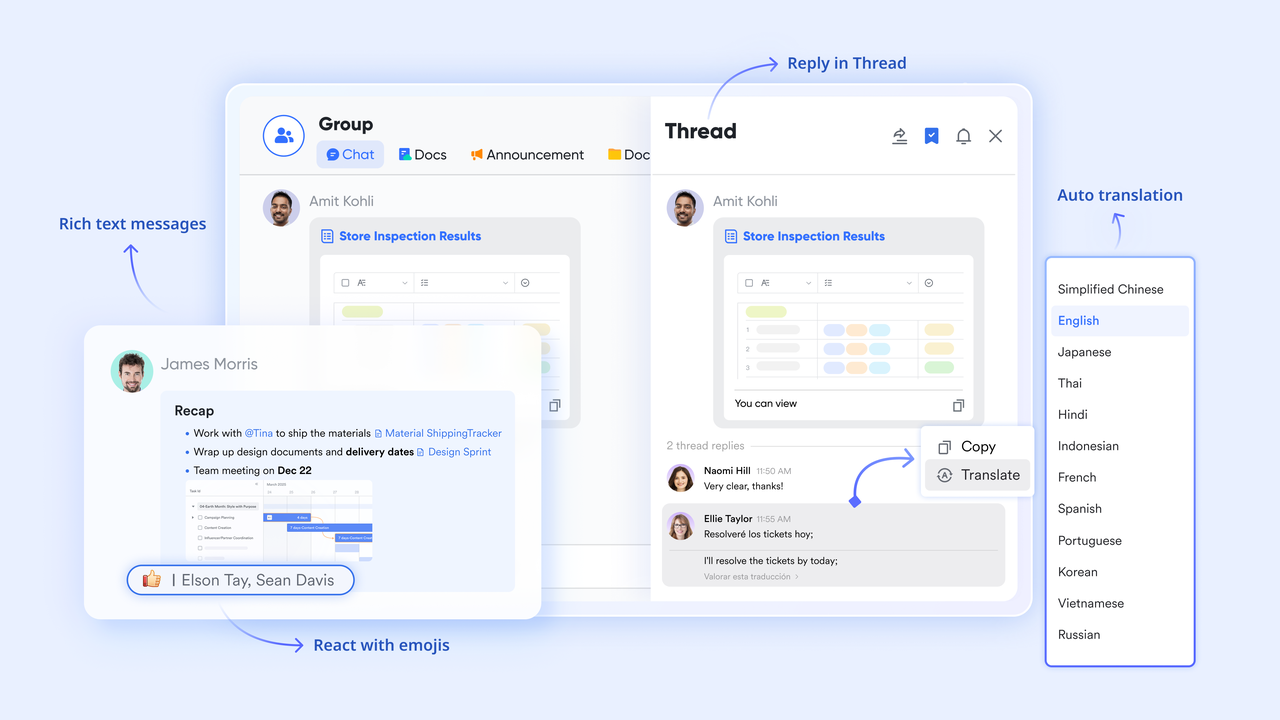
Retention is not an isolated function belonging solely to the . It requires between sales, product, and support teams. When a client reports a bug that impacts their daily workflow, the support team needs a clear channel to escalate this to engineering. Meanwhile, the account manager needs visibility into this issue so they do not attempt to upsell that same client the next day. The best platforms offer a where teams can hop on video meetings, chat in instant messaging channels, and co-edit cloud-native documents simultaneously. A platform that consolidates internal communication ensures everyone speaks to the customer with full context.
Workflow automation
Manual follow-ups are highly prone to human error. Your retention software should offer automated triggers based on specific customer behaviors or internal operational metrics. For instance, if a client’s health score drops below a certain threshold, the system should automatically create a task for the account manager to schedule a check-in call. Advanced systems will even allow you to automate or send based on form submissions. ensures that high-touch strategies scale effectively, even as your customer base grows.
10+ top customer retention management software options
Note: The landscape of retention tools is vast. The overviews below focus on specific use cases and public positioning as of 2026 to help you match the software to your internal workflow challenges.
1. Lark - Best for cross-functional team alignment and account management
For growing SMEs to large enterprises, stands out as an all-in-one productivity powerhouse. Traditionally, account managers struggle with siloed workflows: tracking customer health in isolated CRM spreadsheets, discussing churn risks in separate chat apps, and drafting quarterly reviews in disconnected document tools. This constant context switching creates dangerous information gaps.
solves this fragmentation by acting as a truly unified workspace. By integrating communication, , and into a single interface, it is the ultimate choice for customer success teams looking to proactively defend recurring revenue.
Key Features for Customer Retention
Unified Internal Collaboration: If an urgent software bug reported by a VIP client isn't escalated immediately, the account is instantly put at risk. brings messaging, , and together. Your team can seamlessly escalate issues in and jump into a quick huddle without leaving the app.
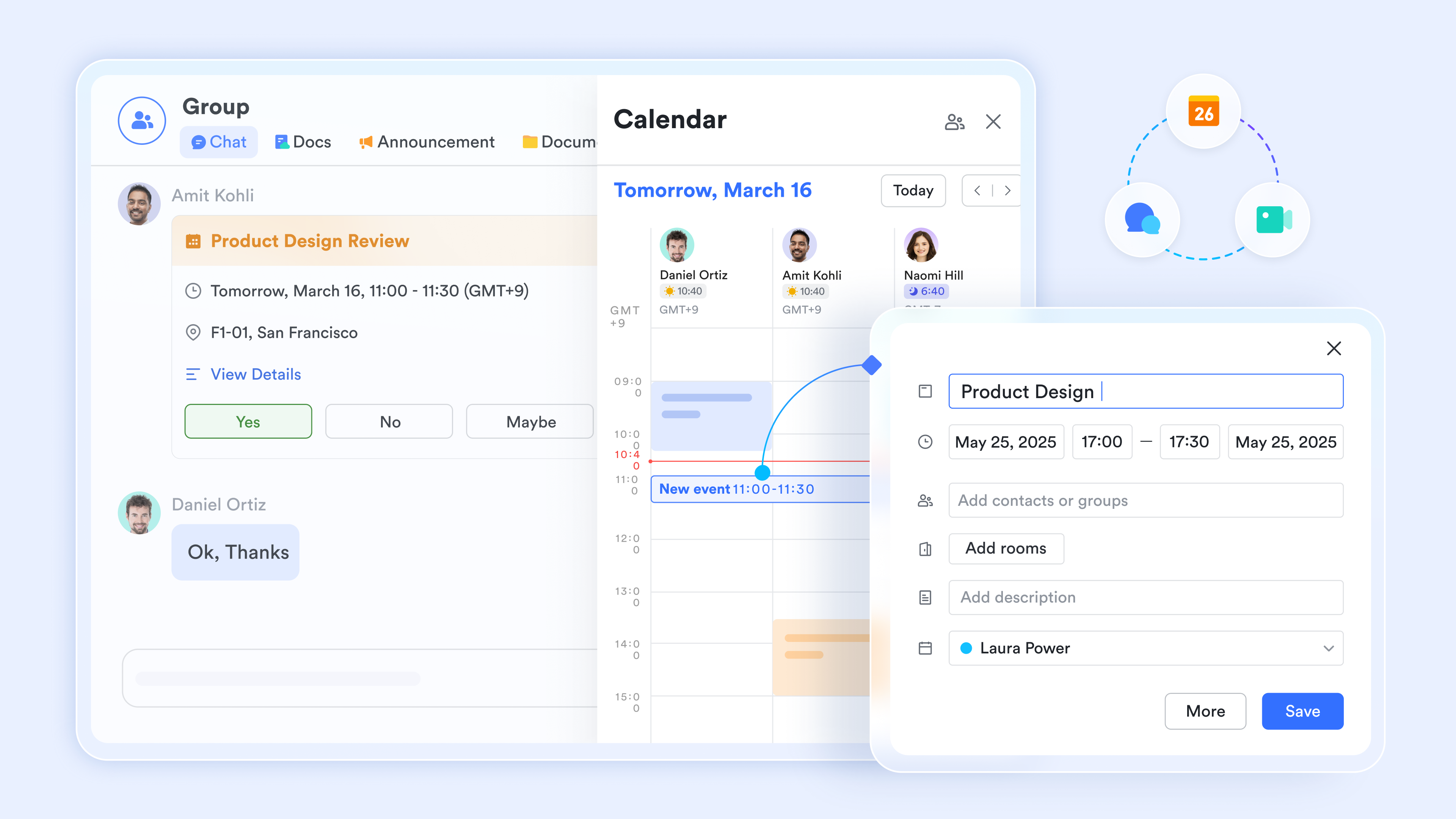
Co-editing & Strategy Alignment: With integrated , your team can co-edit client strategy notes and align on retention targets without ever leaving the chat window, ultimately turning reactive support into proactive account management.
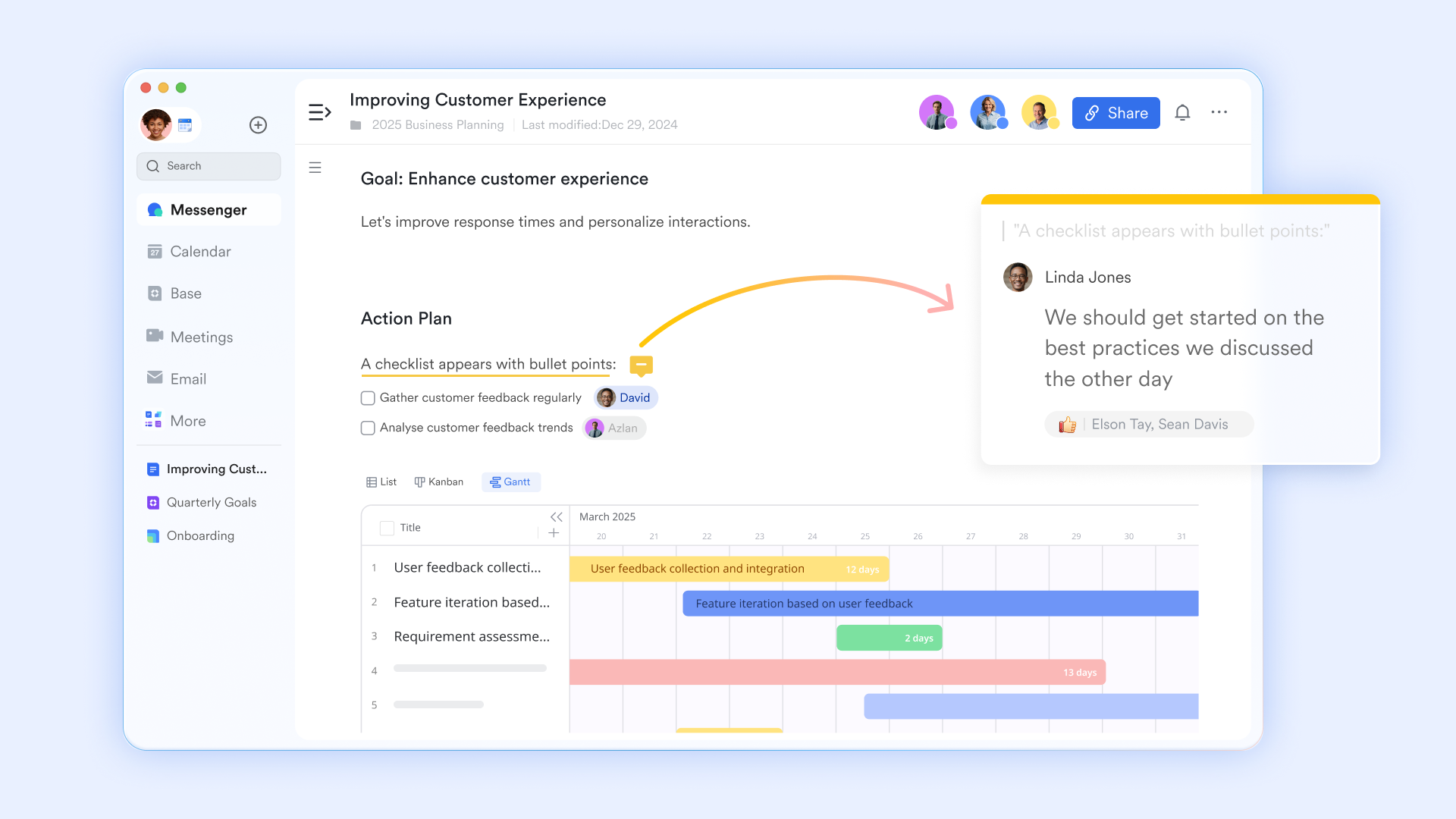
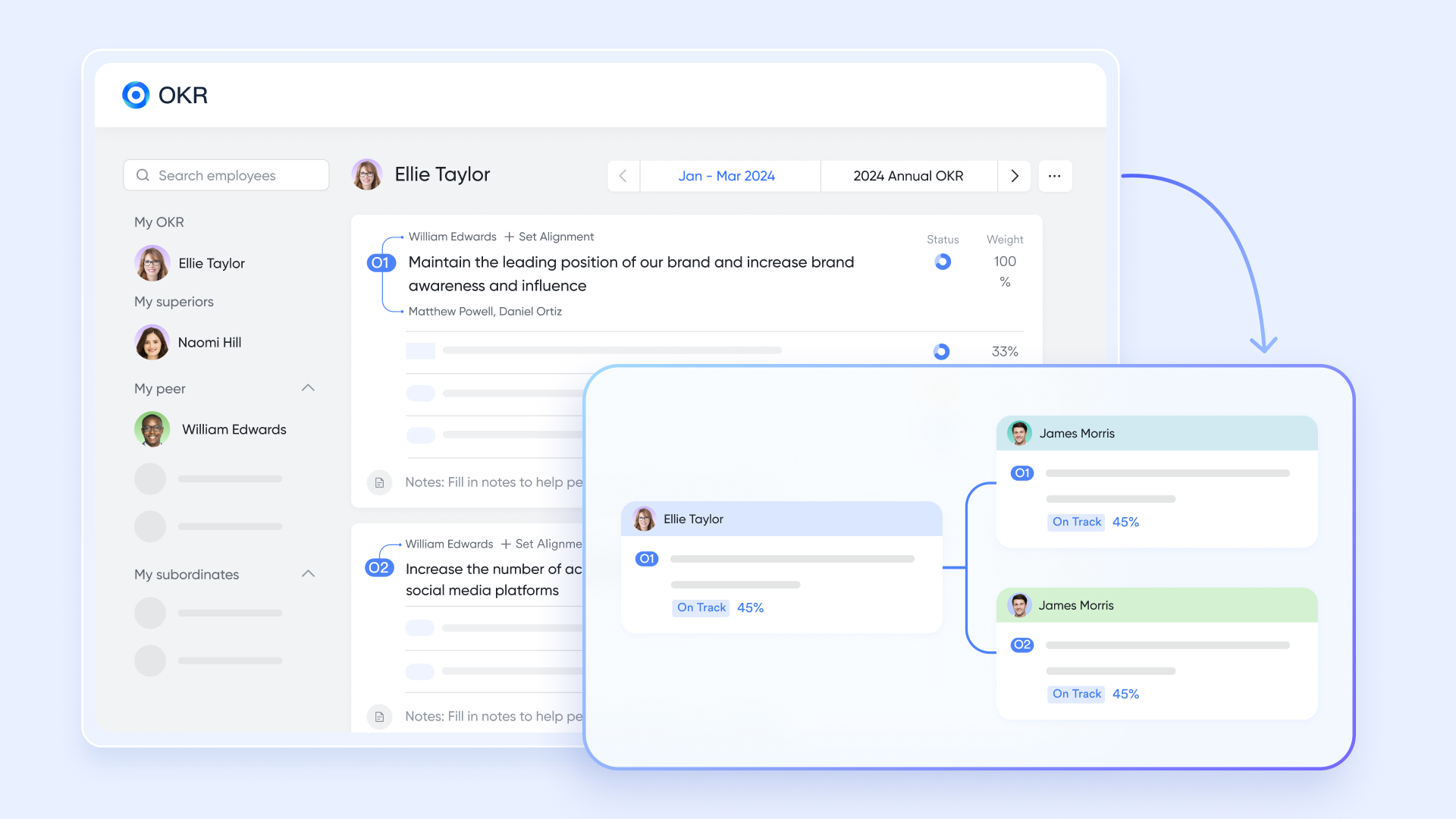
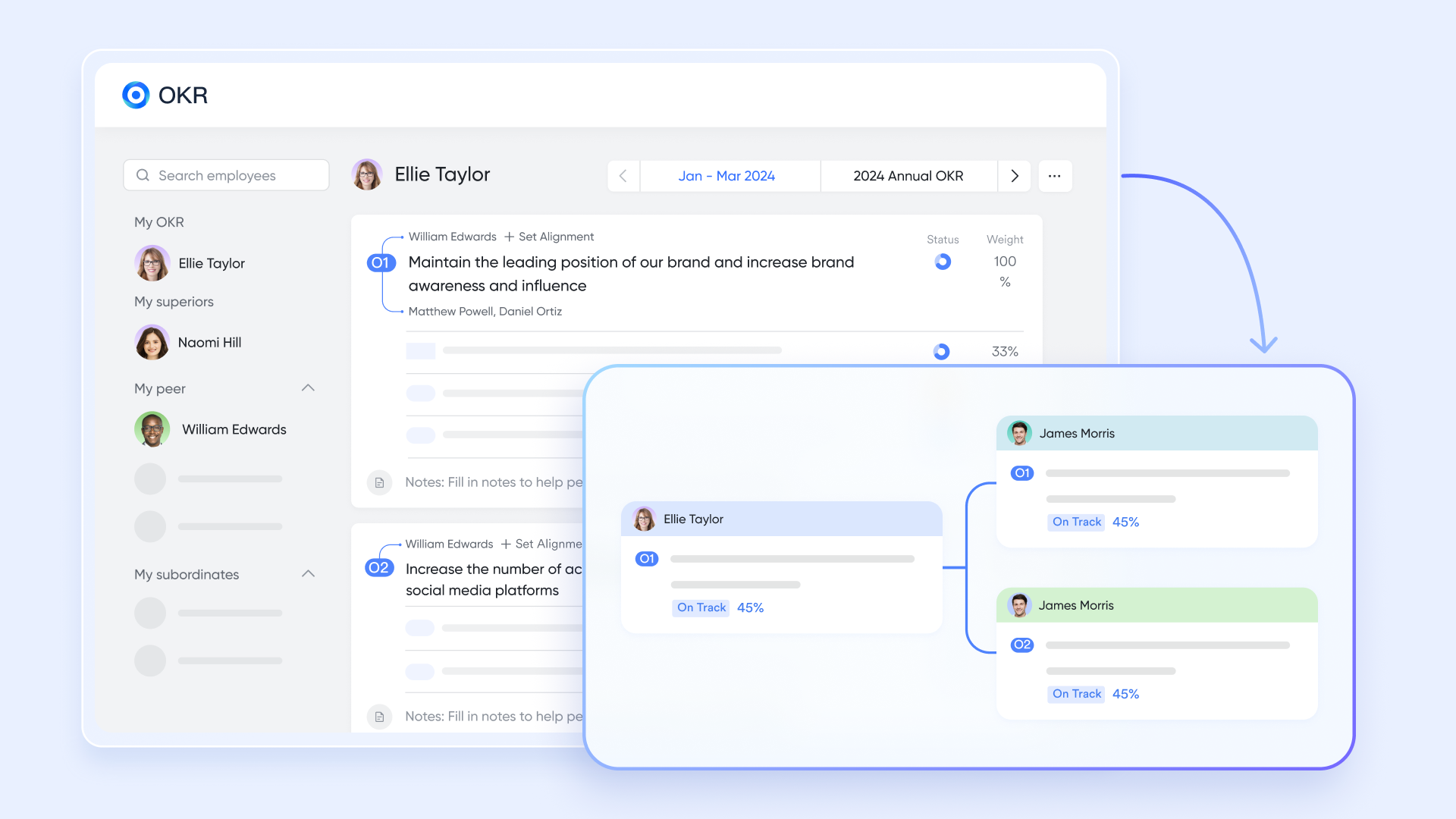
Health Tracking & OKRs: Instead of juggling tabs, your customer success team can track account health statuses using highly customizable databases in . Furthermore, Lark's built-in ensures the entire company’s metrics are aligned toward the same retention goals directly within the platform.
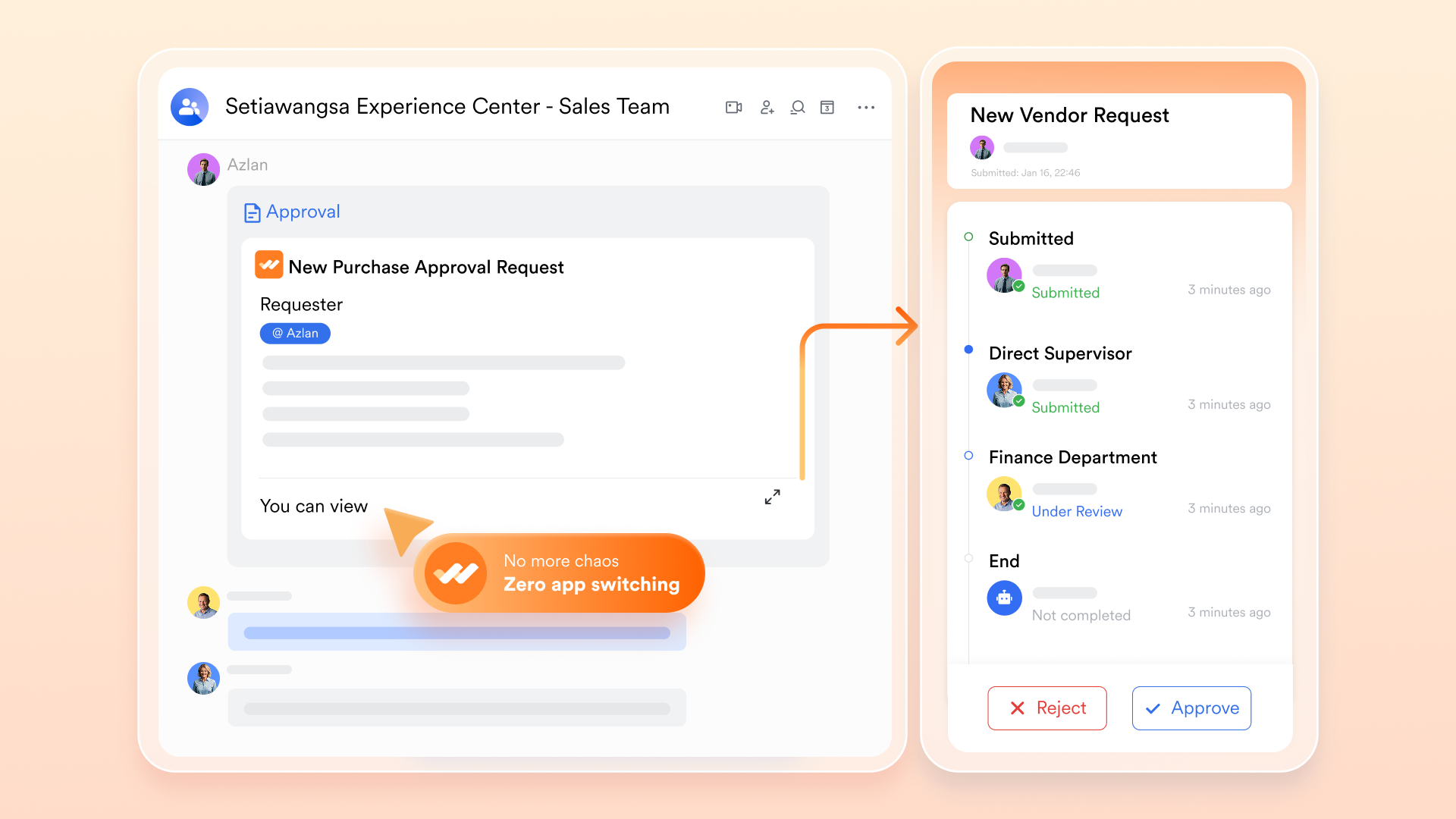
Workflow Automation: Lark allows you to set up automated workflows that trigger instantly. For example, you can build an in Lark Base that instantly pings the engineering group chat or alerts an account manager when a specific client's risk score drops, eliminating manual follow-up delays.
Pros:
- Replacing multiple subscriptions (chat, video, docs, project management) with one unified suite drastically reduces software costs.
- Automated workflow triggers instantly alert relevant departments about at-risk clients, eliminating manual follow-up delays.
- Built-in OKRs and powerful approval flows ensure the entire company is aligned on the exact same retention goals.
Cons:
- There are just so many features on the platform that it takes some time to try them out. The initial switch from using basic spreadsheets to Lark Base also took some getting used to, but the comprehensive and made it painless.
- Starter plan: Free forever plan with 11 powerful tools for up to 20 users, 100GB storage, 1,000 automation runs, AI translations, and more. No credit card needed.
- Basic plan: $6/user/month (billed annually) for up to 500 users. Includes everything in Starter plus unlimited message history, 5TB storage, 1,000 automation runs, and more. Some users may need to to purchase.
- Pro plan: $12/user/month (billed annually) for up to 500 users. Includes everything in Basic plus group calling for up to 500 attendees, 15TB storage, 50,000 automation runs, and more.
- Enterprise plan: for custom pricing. Supports unlimited users and includes advanced automation, security, compliance, and management features.
For small teams with simple communication needs

18 months message history
1000 Base automation runs/month
2000 rows per table in Base
Most POPULAR
For companies with comprehensive collaboration and management needs
Unlimited message history
500-participant video meetings
50k Base automation runs/month
20k rows per table in Base
For large companies with advanced security and organizational management needs
Get a personalized demo and pricing
Unlimited message history
500-participant video meetings
15 TB storage + 30 GB storage/user
500k Base automation runs/month
50k Base automation runs/month
Most POPULAR
For companies with comprehensive collaboration and management needs
Unlimited message history
500-participant video meetings
50k Base automation runs/month
20k rows per table in Base
2. Zendesk - Best for advanced customer service management
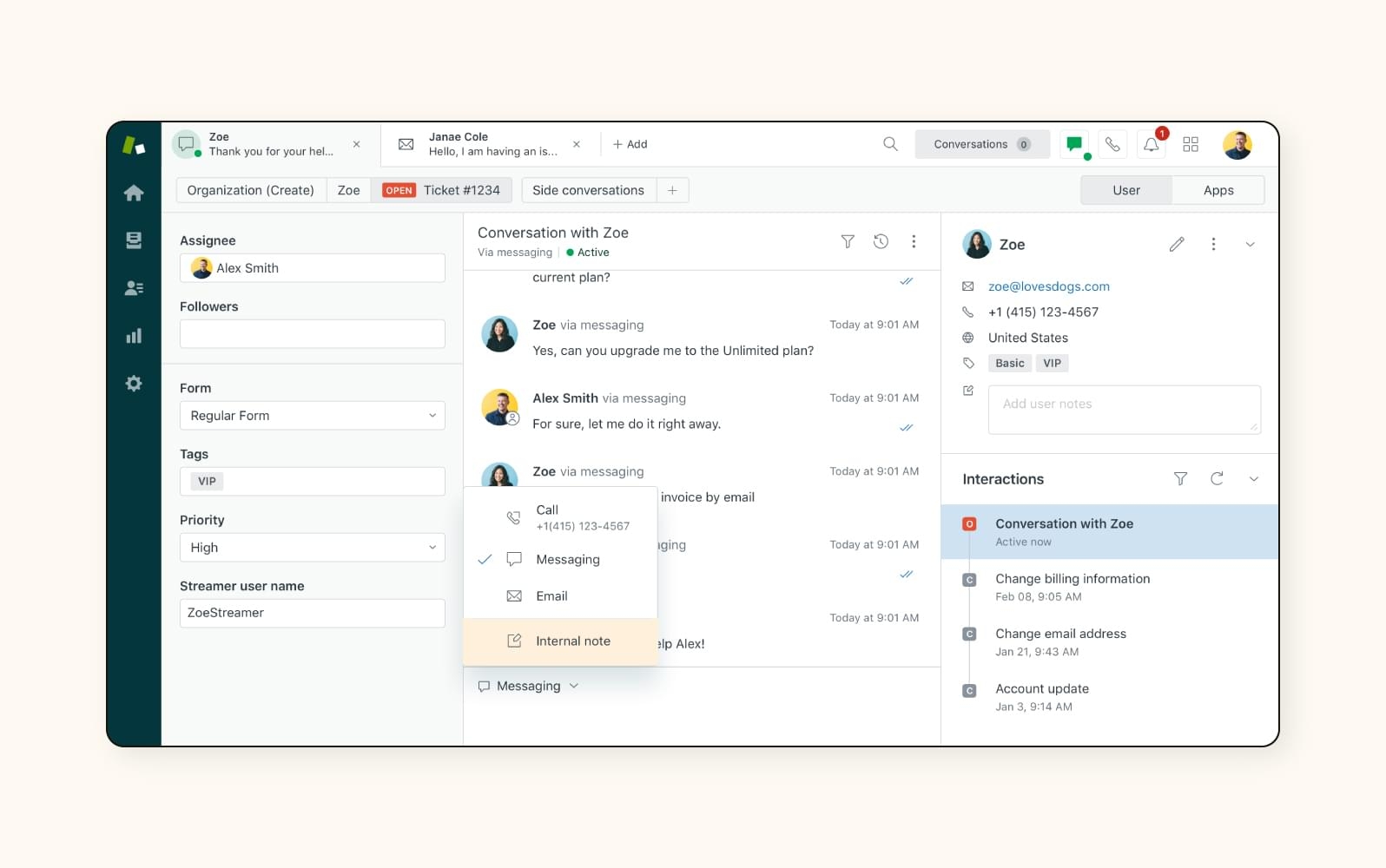
Image source: zendesk.com
Zendesk is a heavy hitter for ticket resolution and omnichannel support. It is best suited for organizations where fast, highly organized multi-channel technical support is the primary driver of customer retention.
Zendesk approaches customer retention by tackling one of the biggest reasons clients churn: a poor support experience. The platform acts as a deeply organized help desk environment where support agents can view customer inquiries from email, social media channels, SMS, and live chat, all routed into a single, prioritized dashboard.
Quick resolution times directly reduce customer frustration. When a client encounters a billing error, Zendesk’s intelligent routing features ensure the ticket reaches the right expert immediately. By maintaining a thorough, accessible history of previous support interactions, agents never have to ask clients to repeat their issues, creating a that builds long-term loyalty.
Pros:
- Exceptional omnichannel routing that prevents any client query from falling through the cracks.
- A massive marketplace of over 1,000 app integrations to connect with your existing tech stack.
- Highly advanced reporting and analytics to track support agent performance and customer satisfaction scores.
Cons:
- The interface can be overly complex for small teams to set up and customize initially.
- Premium features, especially advanced AI add-ons, are notoriously expensive.
Pricing:
Zendesk does not offer a free plan. Paid plans start at 19/agent/month (billed annually) for basic support.
3. Custify - Best for SaaS customer health tracking
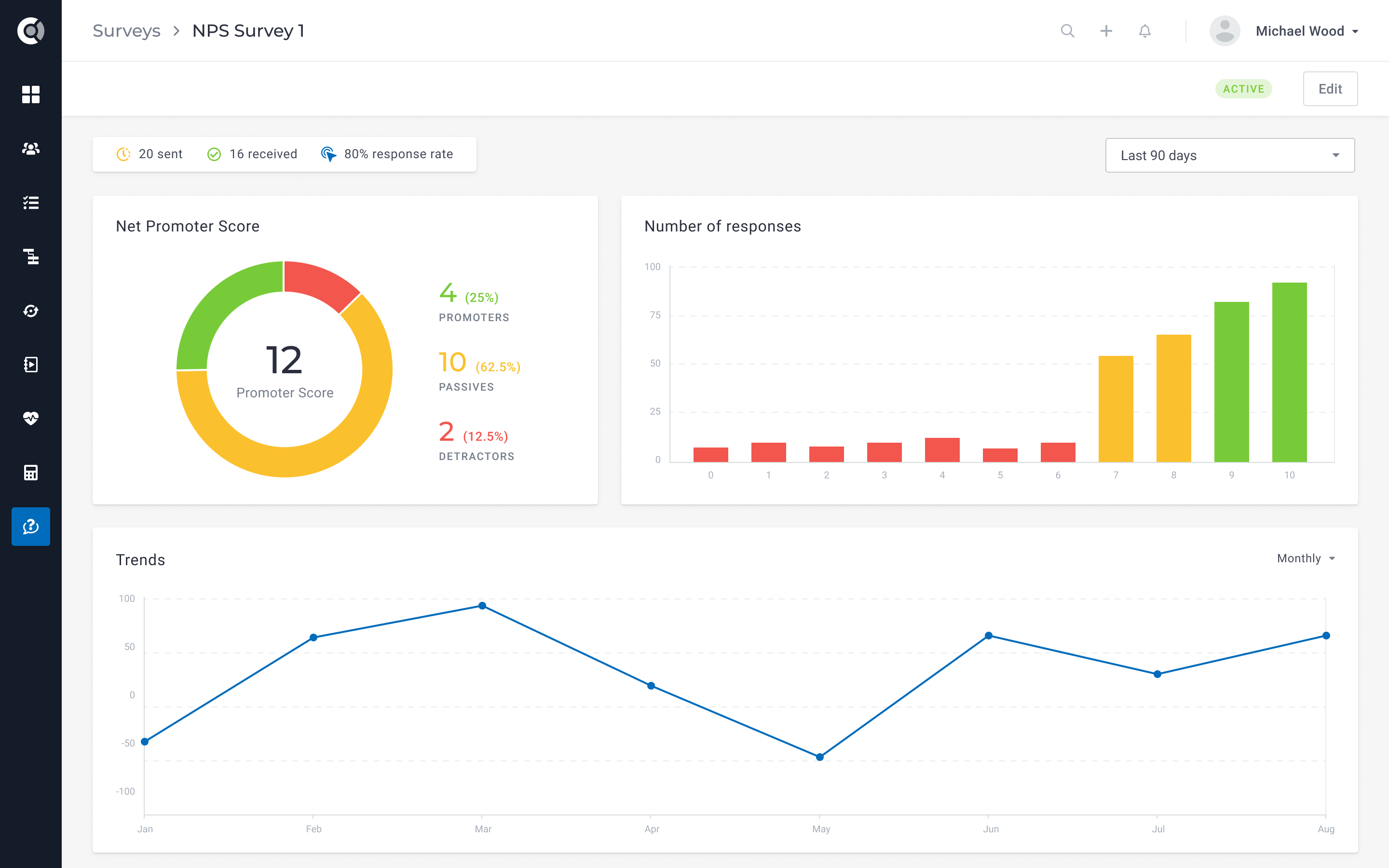
Image source: custify.com
Custify is specifically tailored for B2B SaaS companies focusing on product-led growth. It stands out by tying customer health scores directly to in-app user behaviors and daily product adoption.
For software-as-a-service businesses, product usage is the clearest indicator of whether a client will renew their contract. Custify integrates directly into your software to track specific product usage metrics, feature adoption rates, and user session lengths. It then processes these data points to assign highly accurate, dynamic health scores to different client accounts.
This platform completely eliminates the guesswork for Customer Success Managers (CSMs). Instead of relying on random check-in emails, your team can look at the Custify dashboard and instantly see if a once-active user has stopped logging in over the past two weeks. By setting up proactive alerts, CSMs can step in with targeted training exactly when engagement drops.
Pros:
- Highly accurate health scoring based entirely on real-time SaaS product usage.
- Proactive automated alerts tell CSMs exactly when and why to contact a client.
- A clean, modern interface that is highly intuitive for customer success teams.
Cons:
- It is a highly niche product and not suitable for non-software (e.g., physical goods or traditional agency) businesses.
- Initial setup requires dedicated developer bandwidth to integrate APIs properly.
Pricing:
Custify does not publicly list pricing on its website, as plans are customized based on the size of your business and user base. There is no free plan available.
4. HubSpot - Best for CRM customer retention management
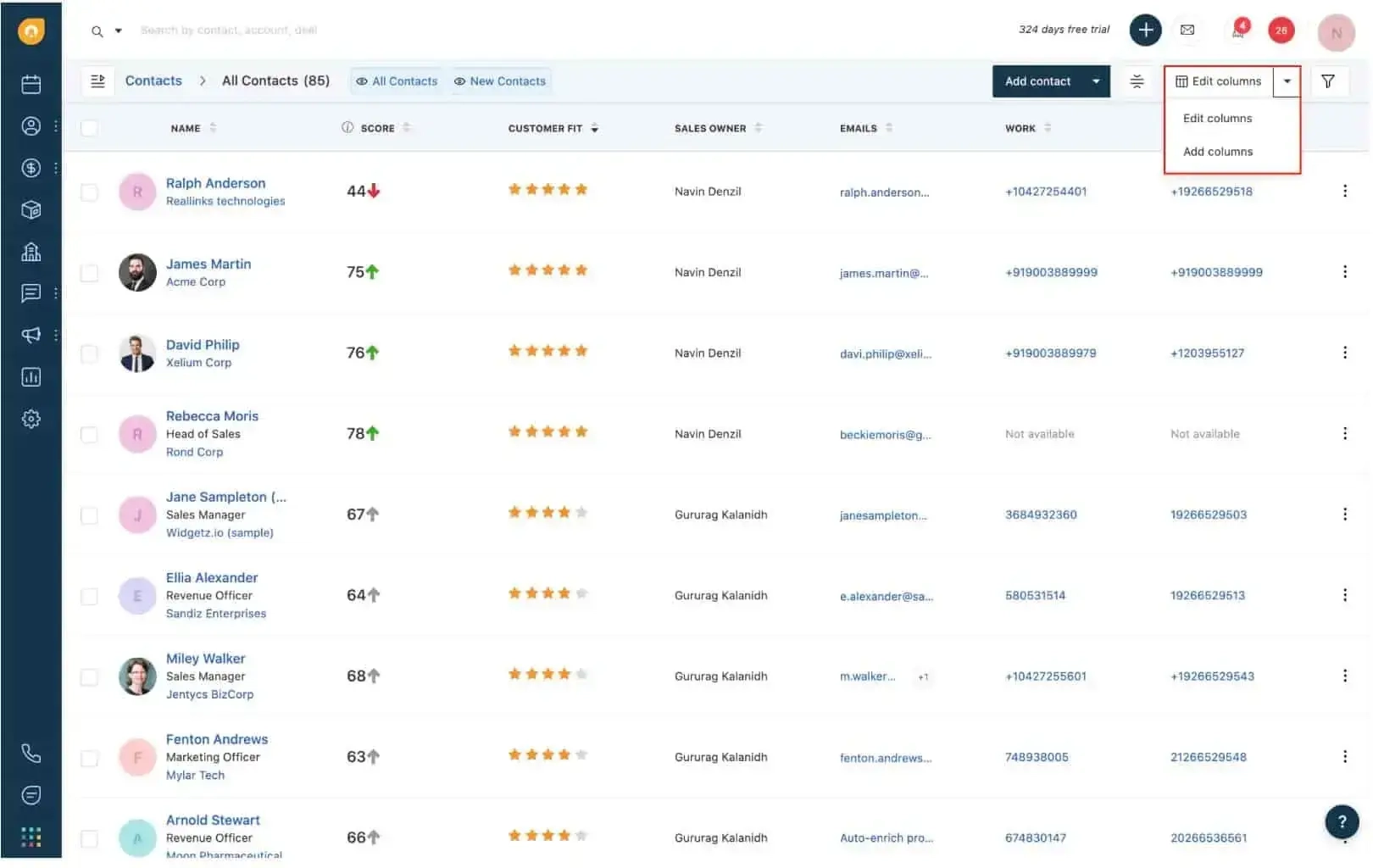
Image source: hubspot.com
HubSpot is renowned for its all-in-one CRM approach, connecting marketing, sales, and service hubs. It is the ideal choice for organizations wanting to track the entire customer journey from the first lead click to the final renewal.
Many organizations suffer from churn because of a massive disconnect between what the sales team promised and what the customer success team actually delivers. HubSpot solves this through its unified . Whether a client is reading a blog post, downloading a whitepaper, or submitting a complaint, every touchpoint is logged on a single .
Because the Service Hub shares the exact same database as the Sales Hub, service reps have full context on the client's historical journey. If an account manager is preparing for a quarterly business review, they can see exactly what features the client requested during the sales cycle years ago, allowing for deeply personalized account management that prevents churn.
Pros:
- A perfectly unified database that ensures complete alignment between marketing, sales, and support.
- Exceptionally user-friendly interface that boasts one of the highest adoption rates in the industry.
- Extensive educational resources (HubSpot Academy) that help teams maximize the software's value.
Cons:
- Pricing scales very aggressively as your contact database grows, becoming cost-prohibitive for growing companies.
- The Service Hub is less advanced in pure technical ticketing features compared to dedicated tools like Zendesk.
Pricing:
HubSpot offers a robust Free CRM with basic contact management tools. The premium Service Hub Starter plan begins at $9/seat/month (billed annually).
5. Gong - Best for revenue intelligence and client calls
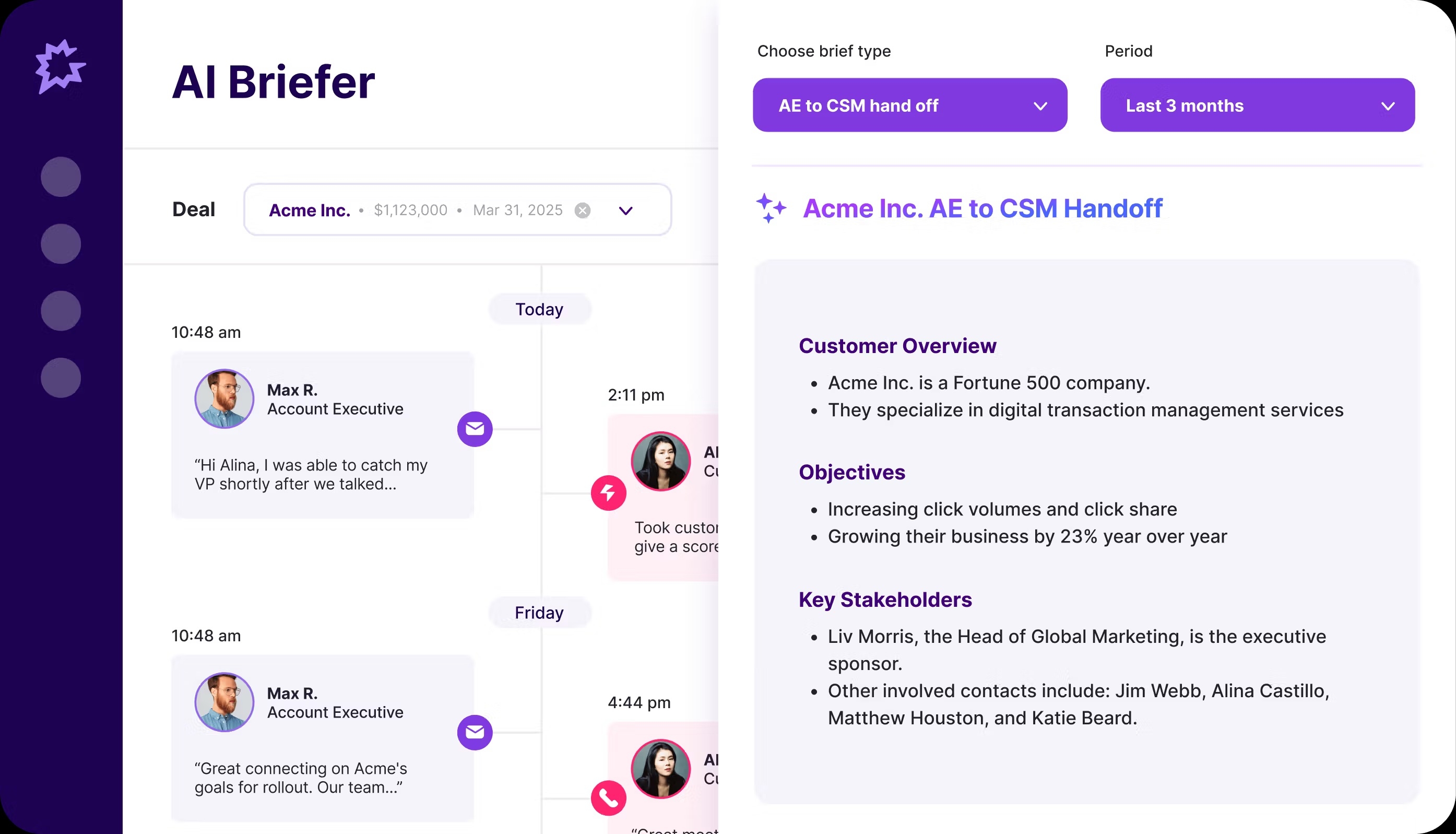
Image source: gong.io
Gong brings revenue intelligence to retention by analyzing customer interactions on sales and success calls. It is perfect for high-touch B2B enterprises where client relationships rely heavily on video or phone meetings.
The earliest warning signs of an unrenewed contract often happen verbally during meetings, long before they show up in usage metrics. Gong records, transcribes, and leverages artificial intelligence to analyze the sentiment of every single customer conversation, automatically categorizing the health of the relationship based on .
Identifying risk keywords during client meetings helps managers step in before an account cancels. If a client mentions a competitor's name or repeatedly uses words expressing budget constraints, Gong highlights these specific moments. This intelligence allows retention leaders to review exactly what was said and coach their account managers on how to navigate the risk.
Pros:
- Unmatched AI conversation analytics that catch churn risks hidden in verbal conversations.
- Excellent for onboarding and coaching new Customer Success Managers using real call data.
- Automatically syncs call notes and action items directly to your CRM.
Cons:
- The platform comes with a very premium price tag suited only for well-funded sales organizations.
- Strict call recording features may face compliance and legal hurdles in certain regions or industries.
Pricing:
Gong does not offer a free plan. Pricing is entirely custom based on your team size and requires a conversation with their sales department.
6. Mixpanel - Best for mobile app retention metrics
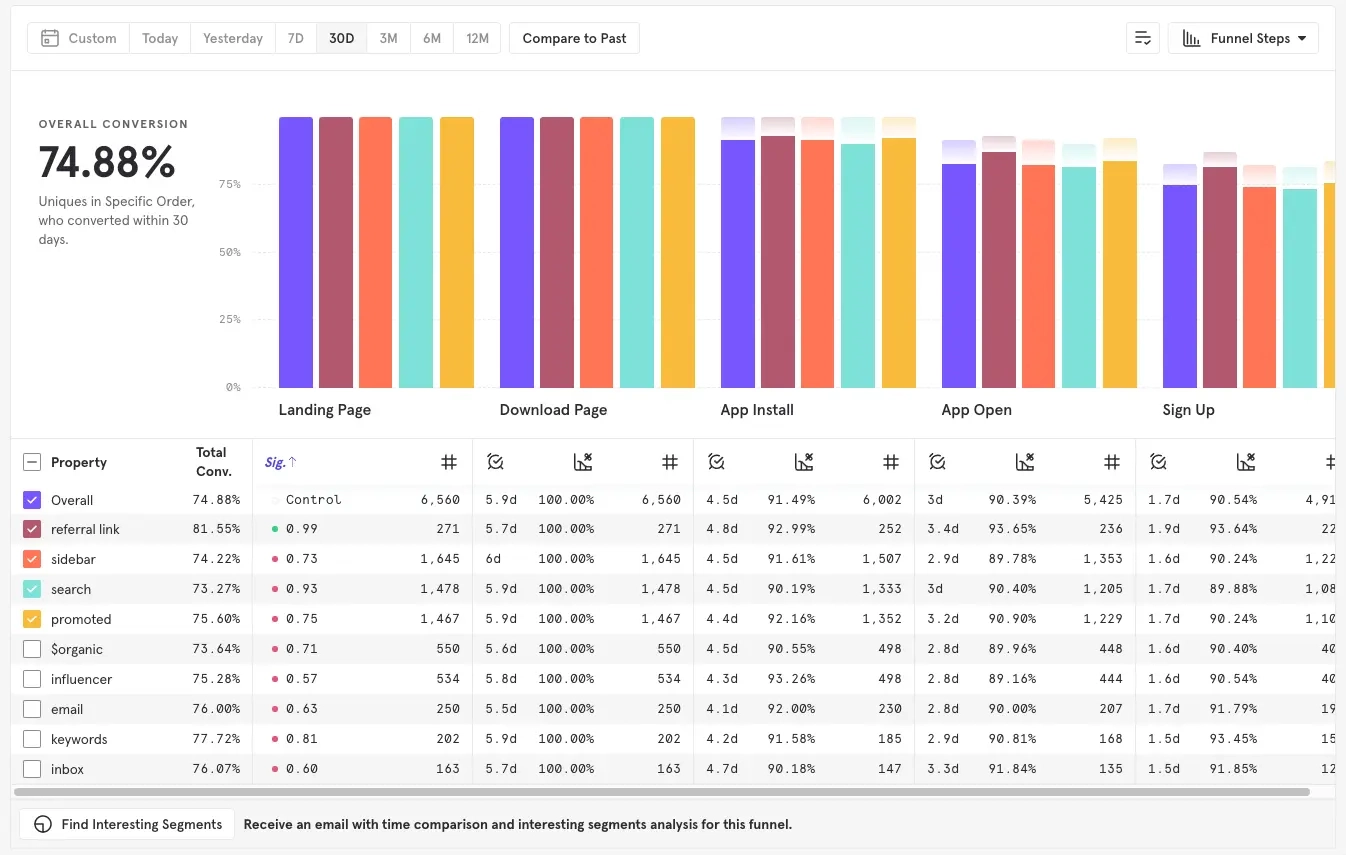
Image source: mixpanel.com
Mixpanel is an advanced product analytics platform built for mobile apps and digital products. It excels at helping product teams pinpoint exactly where users drop off and fix internal friction points.
Unlike traditional CRMs that focus on human-to-human relationships, Mixpanel focuses purely on user-to-product interactions through event tracking. It allows teams to build complex funnels to see exactly how users navigate through a mobile app or web platform, measuring retention by cohorts (e.g., users who signed up in January vs. February).
By analyzing user paths, product teams can identify the exact screen or feature that causes users to abandon the app. If you notice a 40% drop-off at the payment setup screen, you know exactly where to deploy engineering resources. Fixing these native friction points improves retention at a foundational level without needing human intervention.
Pros:
- Deep, interactive reporting that handles massive amounts of user event data in real-time.
- Highly customizable dashboards that allow product managers to slice data by any user attribute.
- Excellent cohort analysis for comparing retention rates over different time periods.
Cons:
- It has a very steep learning curve for non-technical users who do not understand data modeling.
- Requires rigorous and time-consuming initial event-tagging implementation by developers.
Pricing:
Mixpanel offers a generous Free plan covering up to 1 million monthly events. Paid plans should contact sales.
7. ChurnZero - Best for subscription-based businesses
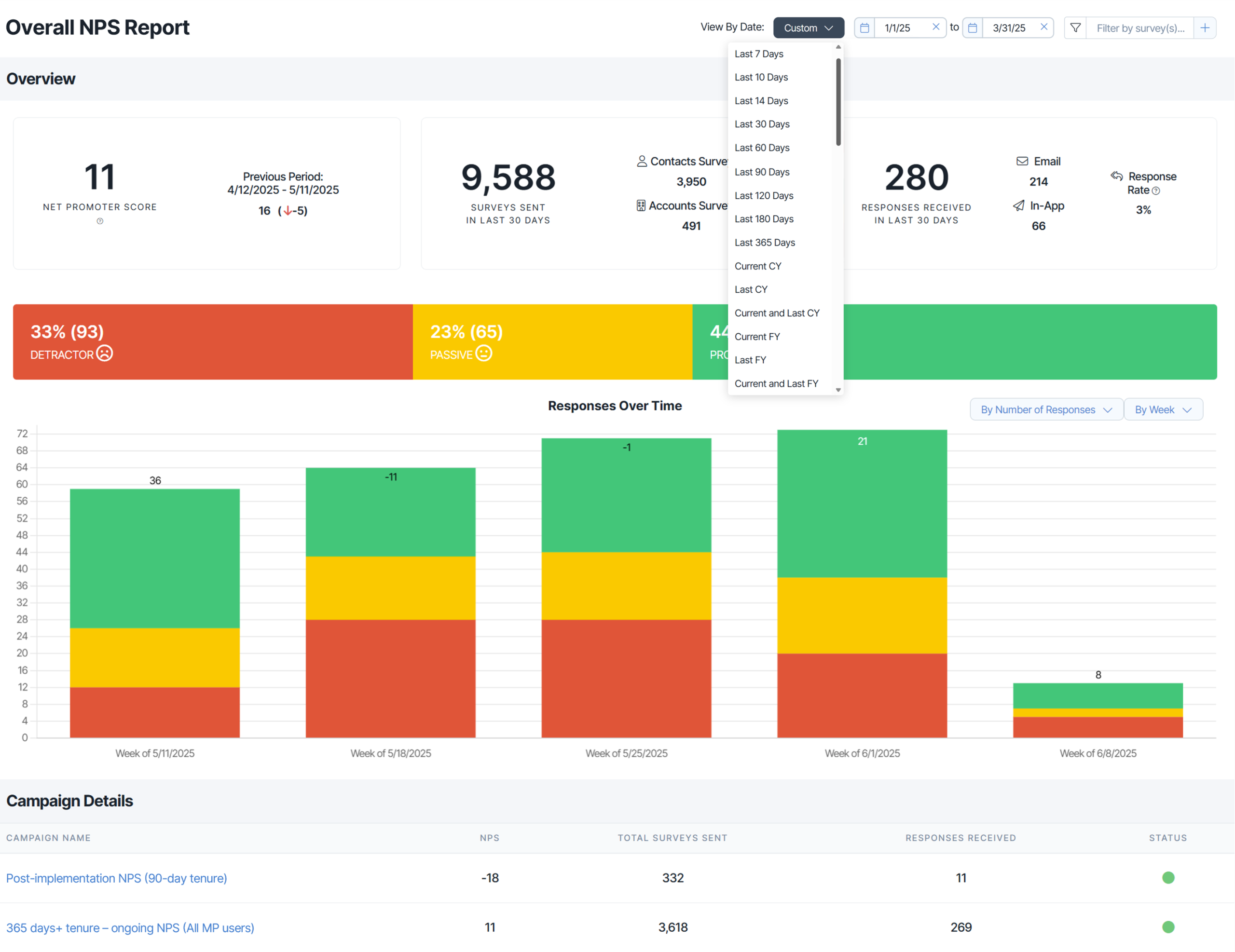
Image source: churnzero.com
ChurnZero is a dedicated customer success platform explicitly built for subscription-based models. It stands out with its targeted playbooks and built specifically for Customer Success Managers.
ChurnZero is designed to integrate with your CRM and product to give CSMs . It provides real-time alerts on account health, usage drops, and upcoming renewal dates, ensuring that no client reaches the end of their subscription without being actively engaged by the success team.
What sets ChurnZero apart is its ability to communicate with customers directly inside your product. CSMs can launch in-app NPS surveys, walkthroughs, and targeted announcements without needing engineering help. This allows success teams to proactively guide users to value, reinforcing the reason they subscribed in the first place.
Pros:
- Powerful segmentation and automated playbooks tailored specifically for CSMs.
- Native in-app messaging capabilities allow you to reach customers while they are actively working.
- Comprehensive health scores that combine financial data, support tickets, and product usage.
Cons:
- The sheer volume of features can make the interface feel overwhelming upon initial login.
- Implementation takes significant time and resources to map out customer journeys correctly.
Pricing:
ChurnZero does not offer a free plan. Pricing is strictly custom and tailored to the specific needs of enterprise and mid-market companies.
8. Intercom - Best for in-app messaging and engagement
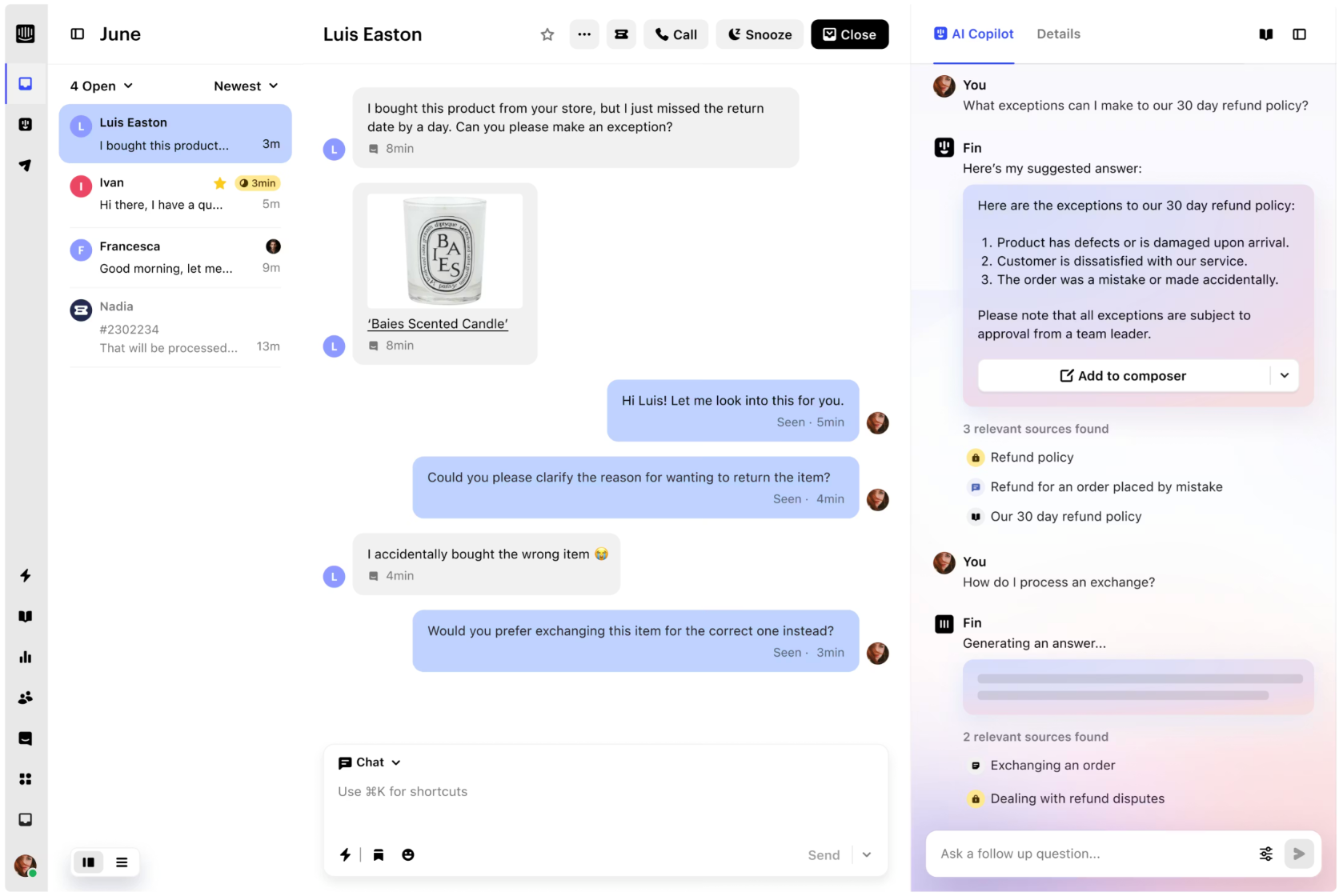
Image source: capterra.com
Intercom is the industry leader for in-app messaging and user engagement. It is best for businesses that want to drive retention by proactively reaching out to users while they are actively using the product.
Intercom shifts the focus of retention from reactive emails to proactive, . Its core strength lies in its iconic chat widget, which allows businesses to deploy targeted messages, product tours, and automated chatbots directly within their application.
Reaching out to users while they are actively engaged with the product dramatically increases response rates and long-term loyalty. If a user gets stuck on a specific settings page, Intercom can trigger a contextual message offering a help article or a live chat with an agent. Resolving issues instantly prevents the frustration that leads to software abandonment.
Pros:
- Best-in-class conversational UI that feels natural and non-intrusive for end-users.
- Powerful AI bot capabilities (such as Fin) that can resolve standard queries instantly without human agents.
- Excellent for building interactive product onboarding tours that drive initial user activation.
Cons:
- Pricing becomes notoriously expensive as your active user volume scales.
- Customer support for lower-tier plans can sometimes be slow to respond.
Pricing:
Intercom does not offer a free tier for general users. The Essential plan starts at $29/seat/month (billed annually), but costs increase based on the number of people you reach.
9. Gainsight - Best for enterprise customer success
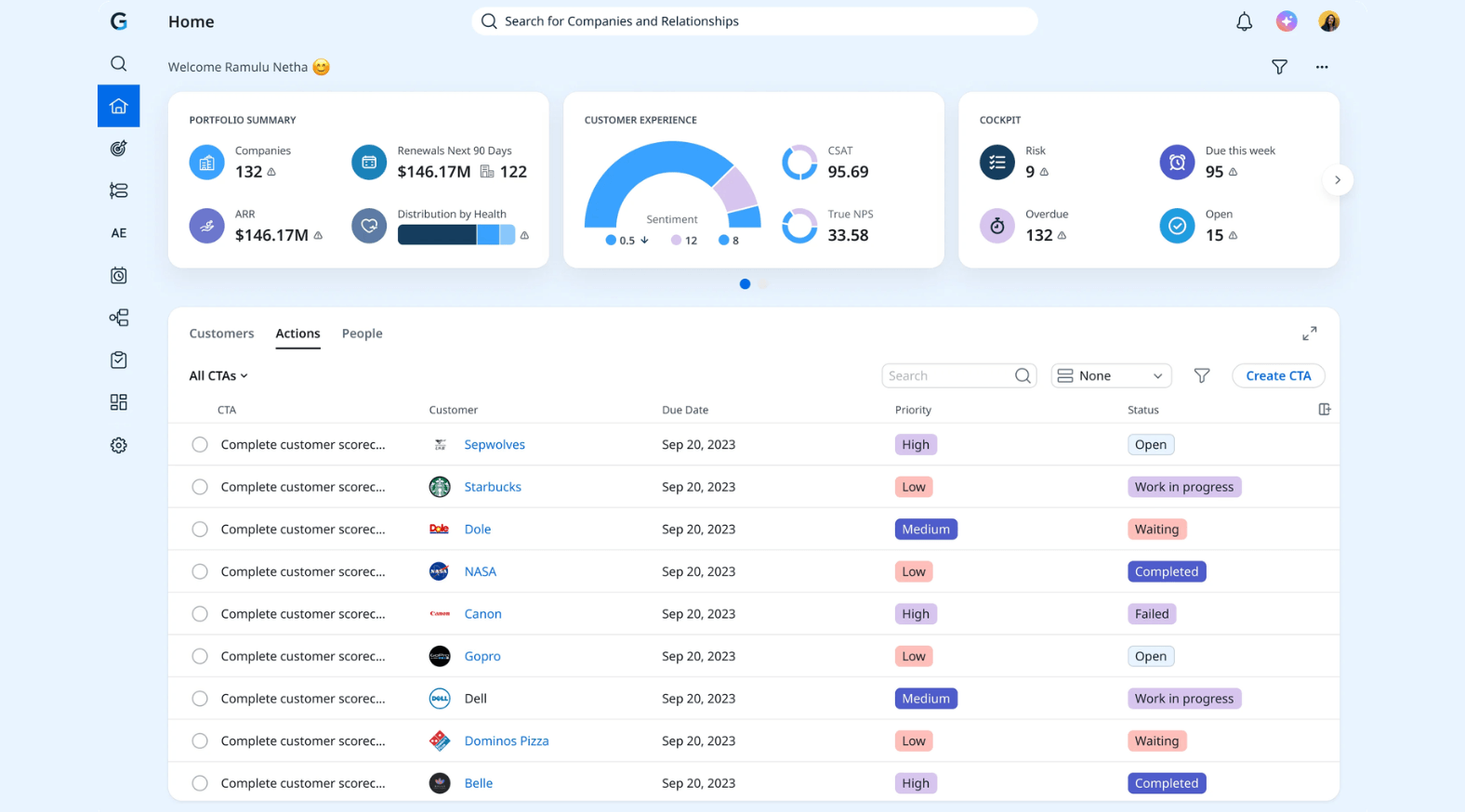
Image source: g2.com
Gainsight is the undisputed heavyweight in the customer success category, designed specifically for complex, large-scale enterprise organizations managing multi-million dollar accounts.
Gainsight practically invented the modern category. It is built to handle the immense complexity of enterprise accounts, where a single client might have hundreds of users, multiple subsidiaries, and highly customized contracts. The platform provides deep organizational mapping and robust risk management frameworks.
For enterprise teams, retention requires high-touch strategies. Gainsight allows leaders to build highly customized scorecards, track executive sponsorships, and manage complex renewal cycles across global teams. It forces large organizations to adopt a standardized, metrics-driven methodology for defending enterprise revenue.
Pros:
- Unparalleled depth in customer success frameworks and enterprise methodology.
- Enterprise-grade security, scalability, and compliance features.
- Excellent executive reporting dashboards for presenting to board members and stakeholders.
Cons:
- It is extremely expensive and only viable for large enterprises with high contract values.
- The platform is so complex that it typically requires a full-time, dedicated system administrator to maintain.
Pricing:
Gainsight offers no free plan and does not disclose pricing publicly. Contracts are custom-built for enterprise budgets.
10. LiveX AI - Best for AI-driven post-purchase experiences
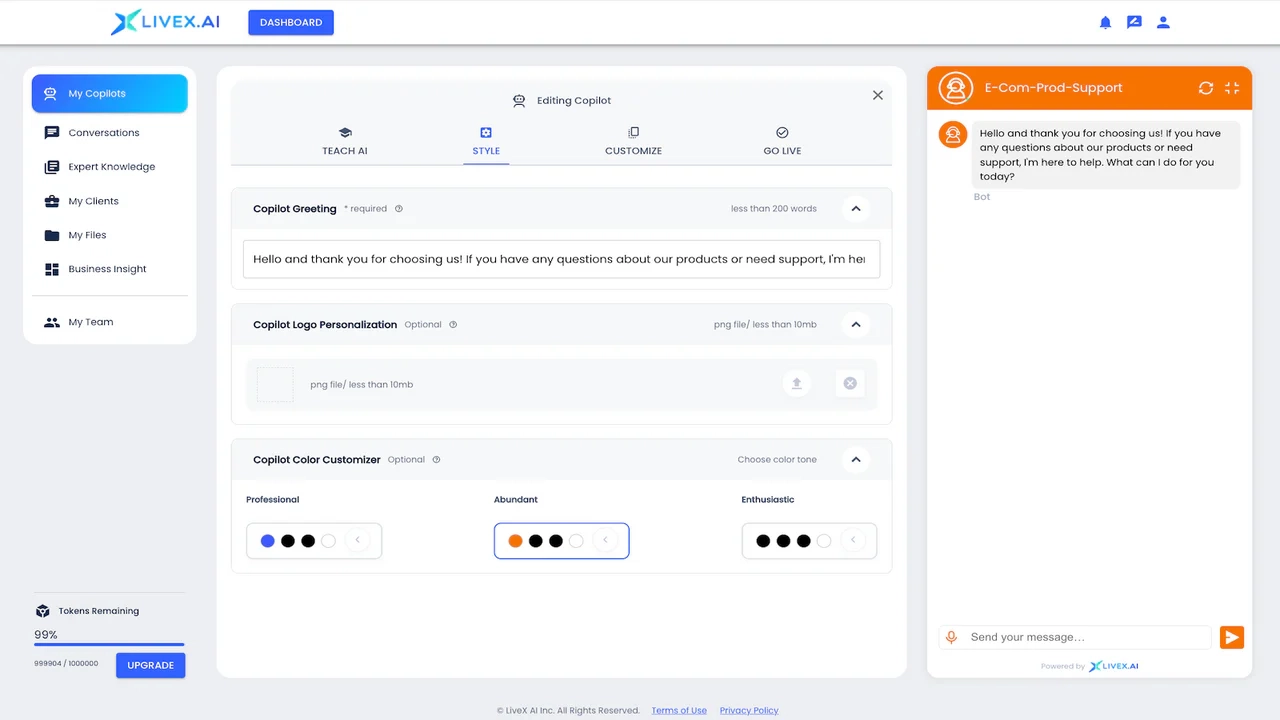
Image source: shopify.com
LiveX AI represents the next generation of post-purchase experiences, utilizing generative AI to manage post-sale queries. It is ideal for e-commerce and digital services looking to automate support and prevent churn at scale.
While traditional retention tools focus on equipping human agents with data, LiveX AI leverages to resolve customer issues autonomously. It ingests your company's , past tickets, and refund policies to act as a hyper-intelligent, always-on digital employee.
Conversational AI provides instant answers to customers, drastically improving their post-purchase experience. When a customer wants to change a subscription tier or asks about a delayed shipment, LiveX AI can handle the transaction instantly within the chat interface. Eliminating wait times builds brand trust and directly translates to higher customer retention.
Pros:
- Advanced generative AI capabilities that understand context far better than traditional decision-tree chatbots.
- Rapid deployment capable of significantly reducing support ticket volume within weeks.
- Operates 24/7 in multiple languages, ensuring global customers always receive instant support.
Cons:
- Being relatively new to the market, it has fewer native out-of-the-box integrations than legacy tools.
- AI can sometimes lack the necessary human nuance required for highly sensitive escalation issues.
Pricing:
LiveX AI’s Shopify app listing is free to install, and it notes that additional charges may apply. For full pricing details, LiveX directs users to book a pricing consultation rather than publishing a public price list.
11. Front - Best for collaborative customer operations and high-stakes communication

Image source: front.com
Front is a modern customer experience (CX) platform designed to handle complex customer operations by bringing teams, conversations, and AI into a single coordinated system. Unlike traditional shared inboxes, Front provides a unified workspace that eliminates siloed communication, ensuring every team member has the full context of a customer’s journey. By consolidating email, chat, and SMS into one interface, businesses can resolve high-stakes inquiries faster and more accurately.
The platform’s strength lies in its ability to combine human expertise with AI-powered efficiency. Front AI can automate standard responses and complex multi-step workflows, while features like shared drafts and internal comments allow teams to collaborate behind the scenes before replying to a customer. This level of coordination is essential for maintaining high retention rates in industries where speed and precision are critical.
Pros:
- Real-time collaboration through shared drafts and internal comments.
- Robust AI features like Autopilot and Copilot for scaling support operations.
- Comprehensive analytics to track team performance and customer satisfaction (CSAT).
Cons:
- The Starter plan is limited to a single channel type (Email, Chat, or SMS).
- Advanced AI capabilities require higher-tier plans or additional add-on fees.
- Initial configuration can be complex for teams with very simple support workflows.
Pricing:
- Starter: $25/seat/month (up to 10 seats, billed annually)
- Professional: $65/seat/month (up to 50 seats, billed annually)
- Enterprise: $105/seat/month (billed annually)
How to implement your new crm customer retention management tool
Selecting the right software is only half the battle. If you simply purchase a license and throw it at your team without a strategy, adoption rates will plummet. Here is how to ensure a smooth transition that immediately impacts your bottom line.
Audit current tools
Before migrating to a new platform, take a hard look at your existing tech stack. Are your account managers tracking health scores in isolated spreadsheets while support tickets pile up in a separate help desk app? Identifying these silos is step one. Fragmented tool stacks create a disjointed customer experience where clients feel like they are interacting with entirely different companies depending on the department they speak to. Documenting these pain points helps you map out exactly what data needs to be consolidated. Moving toward a unified workspace—like —can help bridge these gaps so your team isn't constantly just to find basic client info.
Set clear KPIs
Software alone will not save at-risk accounts; you need measurable targets. Define exactly what a "healthy" account looks like for your specific business. such as Net Promoter Score (NPS), Customer Lifetime Value (CLTV), and overall churn rate, and input these baseline metrics into your new platform. Connecting your daily work to high-level goals makes a huge difference. Using a system with , such as Lark, allows you to align these retention KPIs directly within the same workspace your team uses every day, keeping organizational goals highly visible and actionable.
Establish workflows
The most dangerous time for customer churn is during the transition from sales to customer success. Create highly structured, automated workflows for this handoff. Ensure that every promise made by the sales representative during the pitching phase is meticulously documented and transferred. Instead of relying on manual emails, use your platform's automation capabilities—like setting up a custom trigger in —to instantly alert the account manager and automatically generate an onboarding checklist when a new client is assigned. Establishing these clear, automated guidelines ensures nothing falls through the cracks as your customer base grows.
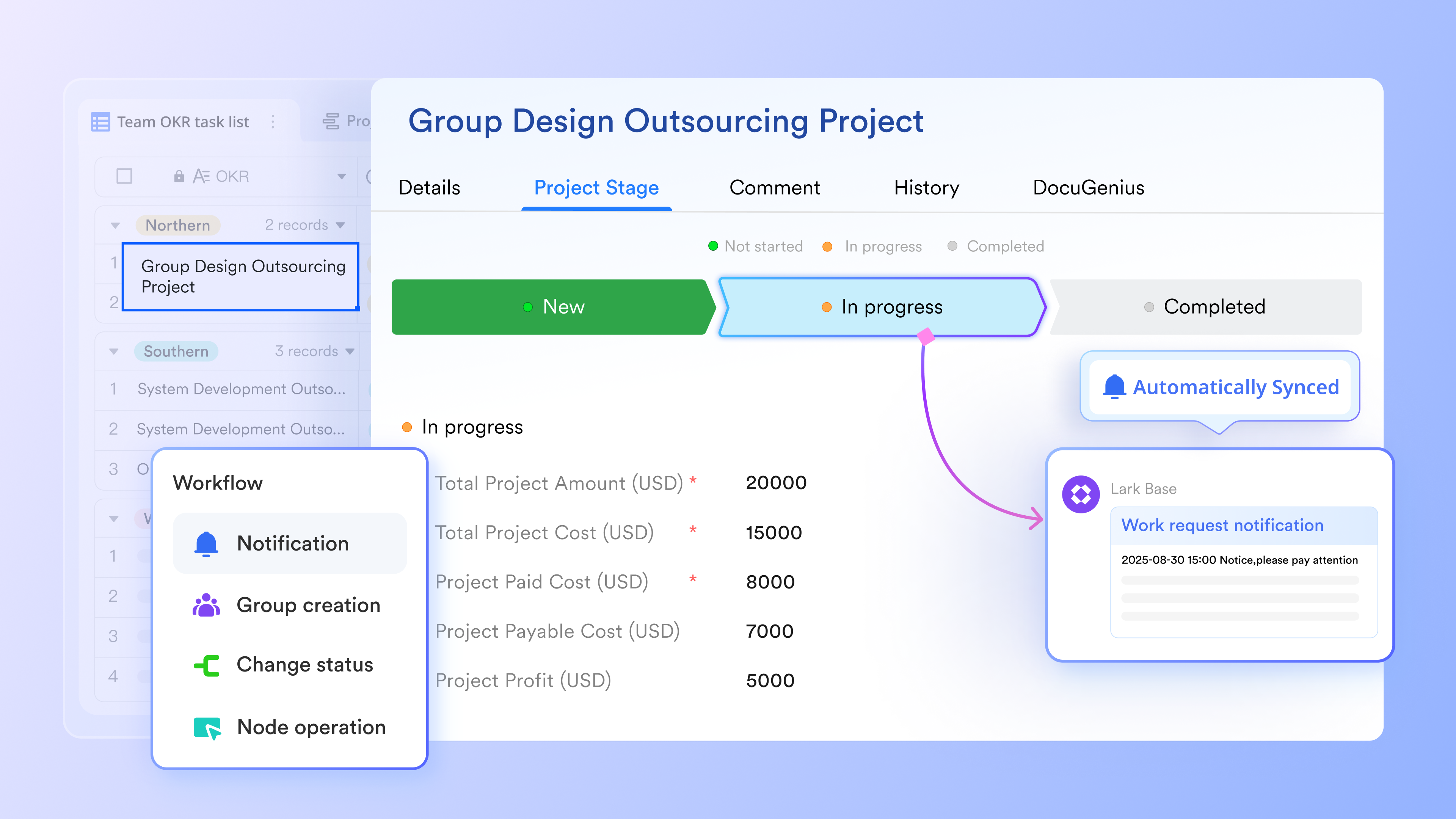
Streamline customer handoff workflows and consolidate data in Lark
Conclusion
Choosing the right customer retention management software ultimately depends on your specific business model and current internal workflow challenges. Whether you need deep enterprise organizational mapping, SaaS product usage tracking, or seamless cross-functional team alignment, the right tool will shift your team from putting out fires to proactively driving growth.
If you are overwhelmed by fragmented tools and disconnected communication, I highly encourage starting with a risk-free option. ’s free forever Starter plan is a perfect testing ground. By consolidating your chat, documents, and project management into one unified space, you can instantly see how eliminating software friction drastically improves how your team manages and retains critical client relationships.
Drive proactive growth and prevent client churn with Lark.
FAQs
What is the 80 20 rule in customer retention?
The 80/20 rule, based on the Pareto Principle, states that approximately 80% of your future profits will come from just 20% of your existing customers. In the context of retention, it means identifying and fiercely protecting your most valuable, loyal clients, as they drive the vast majority of your revenue through renewals and upsells.
What are the 4 types of CRM?
Customer Relationship Management systems typically fall into four distinct categories:
1. Operational CRM: Focuses on automating sales, marketing, and service workflows.
2. Analytical CRM: Prioritizes data analysis, reporting, and predictive forecasting.
3. Collaborative CRM: Focuses on breaking down silos and aligning internal teams (sales, support, marketing) around the customer.
4. Strategic CRM: Concentrates on long-term relationship building and maximizing customer lifetime value.
Is there a 100% free CRM?
While many legacy CRMs charge per seat, there are highly capable free options depending on your needs. For basic contact tracking, HubSpot offers a robust free CRM tier. If your focus is on collaborative retention and account management, platforms like Lark offer a highly generous free Starter plan that includes customizable databases (Lark Base), automated workflows, and internal communication tools to function as a powerful, lightweight CRM.
What is the most used CRM tool?
Globally, Salesforce is widely considered the most used CRM, particularly among large enterprises. However, for mid-market companies, HubSpot is incredibly popular due to its user-friendly interface. Meanwhile, unified collaborative workspaces are rapidly gaining traction as modern alternatives for internal customer management.
Why is customer retention more important than acquisition?
The math is simple: keeping an existing customer happy offers a vastly better return on investment. It can cost up to five to 25 times more to acquire a new customer than to retain an existing one. Furthermore, existing clients are more likely to try new product features, forgive minor bugs, and refer your business to their network, organically driving down your overall acquisition costs.
How does a CRM help with customer retention?
A CRM acts as a single source of truth. By centralizing interaction history, emails, support tickets, and purchase data, it prevents clients from having to repeat themselves to different representatives. This deep historical context allows account managers to anticipate customer needs, personalize their outreach, and resolve issues before they escalate into cancellations.
Can small businesses benefit from retention software?
Absolutely. Many small business owners mistakenly believe retention software is only for large enterprises. However, implementing a central system early prevents the "data chaos" that inevitably happens as a business scales. Adopting free or low-cost unified suites early on builds healthy organizational habits, ensuring no customer falls through the cracks as your team grows.
Related reading