As businesses grow, managing customer relationships becomes more complex than storing contacts and emails. Many teams using Google Workspace eventually ask whether it can function as a CRM or support one effectively. While Google Workspace excels at productivity and collaboration, it was never designed to manage full customer lifecycles. This gap leads teams to explore Google Workspace CRM integration as a way to connect emails, calendars, and files with structured customer data. Understanding how these integrations work, where they fall short, and what alternatives exist is essential before committing to the long term.
Why Google Workspace users look for a CRM
Many teams start with Google Workspace because it provides a strong foundation for daily productivity through Gmail, Google Calendar, Google Drive, and . For early-stage businesses and small teams, these tools are often enough to manage contacts, track conversations, and coordinate basic follow-ups. As customer interactions increase, teams naturally begin searching for the best free CRM for Google Workspace that can bring structure to emails, contacts, and files already living inside Google tools. This is where interest in Google Workspace CRM integration typically begins, especially for sales-driven or client-facing teams.
Over time, limitations become more visible when teams rely only on Gmail and Google Sheets to manage . Manual updates, duplicated data, and a lack of visibility across the customer lifecycle create gaps that slow growth. Teams looking for the best CRM for Google Workspace want features like deal pipelines, automation, reporting, and shared ownership that spreadsheets cannot support long-term. As collaboration expands beyond individuals to full teams, the need for a proper CRM Google Workspace setup becomes essential to maintain accountability, scale processes, and ensure customer data stays consistent across the organization.
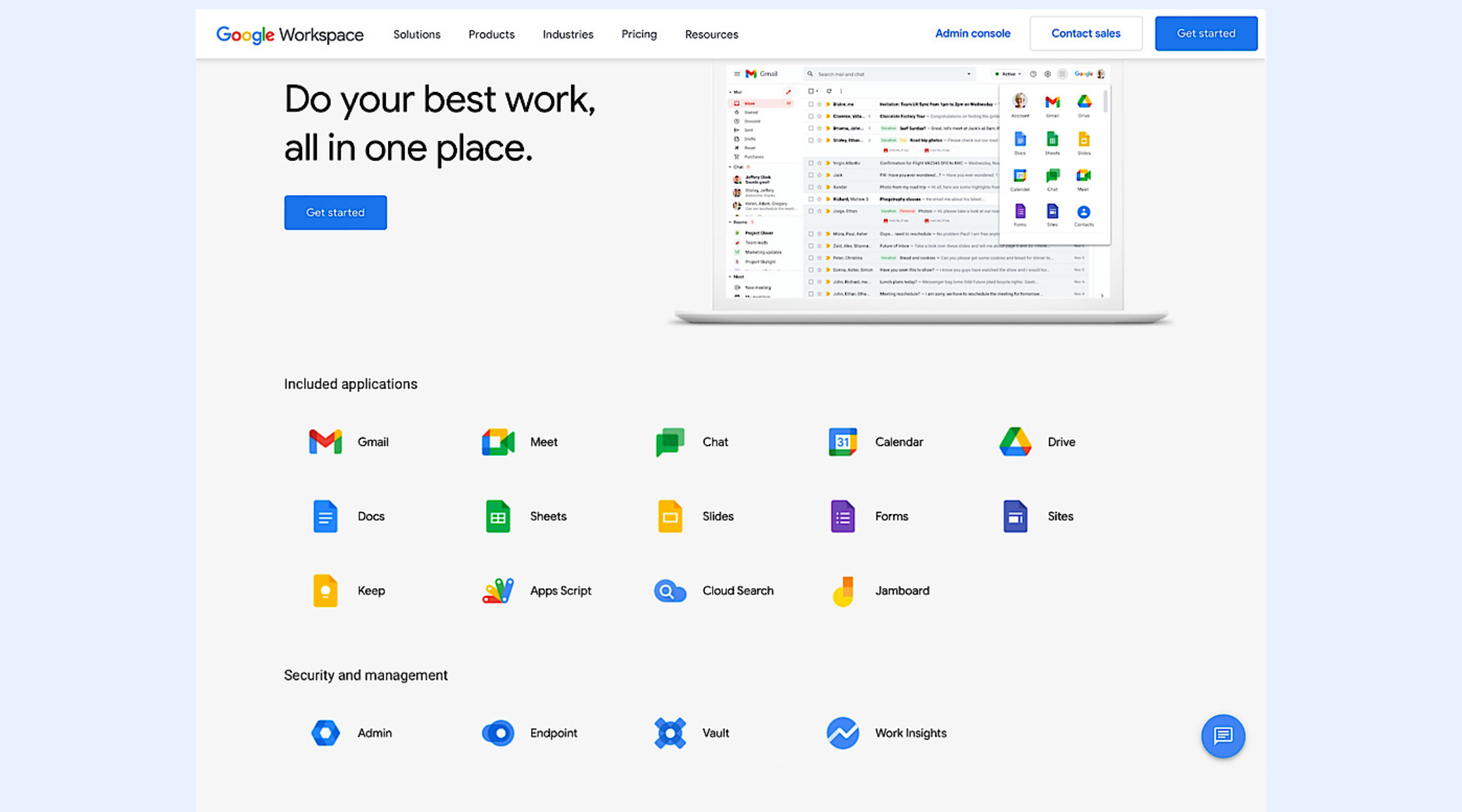
Image source: workspace.google.com
For more Google Workspace's information, you can refer to and .
Does Google Workspace have a CRM?
Google Workspace is widely used as a productivity foundation, which leads many teams to wonder whether it can also work as a . With Gmail, Google Contacts, and Google Sheets already handling communication and basic , extending these tools into customer management feels natural. For early-stage teams, this approach can seem practical because it is familiar, flexible, and quick to set up. However, as customer volume and workflow complexity increase, the limitations become harder to ignore.
- What Google Workspace offers natively (Gmail, Contacts, Sheets): Google Workspace provides strong communication through Gmail, basic contact storage via Google Contacts, and flexible data tracking in Google Sheets. Teams can manually record leads, log conversations, and share customer information across collaborators. This setup works for freelancers or very small teams that value simplicity. However, everything relies on manual updates and consistent discipline, with no built-in structure for managing customer relationships.
- Strengths as a productivity foundation: Google Workspace excels at , document sharing, and accessibility across devices. Teams can easily collaborate in Docs, coordinate through Calendar, and manage shared information in Sheets. This makes it an excellent foundation for internal productivity and communication. However, productivity tools alone do not provide the structure needed for customer lifecycle management.
- Why it's not a true CRM (no pipelines, automation, reporting): Google Workspace lacks essential CRM features such as , automated workflows, and structured reporting. There is no native way to track deal stages, automate follow-ups, or analyze performance without heavy customization. As customer data grows, this manual approach becomes fragile and difficult to scale, prompting many teams to look for dedicated CRM solutions.
Experience true CRM software now
Google Workspace vs dedicated CRM
Comparing Google Workspace to a dedicated CRM highlights the difference between storing information and actively . Google Workspace tools help teams capture and share data, but CRMs are designed to guide sales processes, ownership, and follow-ups. This gap becomes more visible as teams move from a small customer list to managing full pipelines. Understanding this difference helps teams recognize when spreadsheets stop being effective. It also explains why many DIY CRM setups eventually break down.
- vs relationship management: Google Workspace supports basic contact management through Google Contacts and Sheets, but it does not manage relationships in a structured way. Dedicated CRMs automatically track interactions, ownership, deal stages, and engagement history. Relationship management requires consistent visibility that spreadsheets struggle to enforce. As data spreads across emails and files, context is often lost. CRMs centralize this information by design.
- Email history vs full customer : Gmail provides easy access to email history, but it does not connect conversations to a customer lifecycle. CRMs link emails, meetings, tasks, and deals into a single timeline. This helps teams understand customer status and next actions clearly. With Google Workspace, this history must be assembled manually. As volume increases, maintaining accuracy becomes more challenging.
- Why Google Sheets works short-term but fails long-term: Google Sheets can serve as a short-term CRM due to its flexibility and low setup effort. Teams can track leads and assign owners quickly. However, sheets do not scale for automation, accountability, or real-time visibility. Duplicate data, inconsistent updates, and permission gaps create confusion. These limits often signal the need for a dedicated CRM or a more unified system.
Can Google Workspace work as a basic CRM?
For many early-stage teams, the idea of using Google Workspace as a basic CRM feels practical and cost-effective. With Gmail handling communication and Google Sheets tracking leads, teams can create lightweight systems without adopting new software. This approach appeals to businesses that value familiarity, speed, and minimal setup. However, its effectiveness depends heavily on team size, deal volume, and how structured the needs to be.
- When Gmail and Sheets are "good enough": Gmail and Google Sheets can be sufficient when customer volume is low and are simple. Teams can manually log leads, track follow-ups, and share basic customer data using shared spreadsheets. This setup works best when everyone follows the same conventions and updates data consistently. It offers flexibility but relies entirely on discipline rather than system-enforced structure.
- Freelancers and very small teams: Freelancers, consultants, and very often succeed with Google Workspace as a basic CRM because workflows are informal and easy to oversee. One or two people can manage contacts, emails, and deals without complex handoffs. The lack of automation or reporting is less problematic at this scale. For these users, Google Workspace functions as a temporary CRM substitute rather than a long-term solution.
- The breaking point of DIY Google CRMs: As teams grow, DIY Google CRMs begin to show clear cracks. Data duplication becomes common when multiple sheets and inboxes are used. Manual handoffs increase the risk of missed follow-ups, and there is no built-in accountability or visibility into deal status. Without pipelines, automation, or reporting, managers struggle to understand performance. This breaking point often signals the need for a dedicated CRM or a more unified platform.
Turn static spreadsheets into a powerful automated CRM.
Top CRM options for Google Workspace users
As teams outgrow basic spreadsheets and inbox-based tracking, many begin searching for CRM tools that work naturally with , Google Calendar, and Google Drive. The best CRM for Google Workspace users minimizes friction by syncing emails, events, and files automatically while adding structure for pipelines, reporting, and accountability. Each option varies in depth, complexity, and scalability, making it important to match the CRM to team size and workflow needs. Below are some of the most commonly chosen CRM tools for Google Workspace integration.
- Streak-Gmail-native CRM for individuals: Streak lives directly inside Gmail, making it appealing for solo users and very small teams that want lightweight CRM functionality without leaving their inbox. It tracks pipelines, notes, and email history inline, reducing setup effort. However, it offers limited automation and reporting, which can restrict growth over time. It works best as a personal CRM rather than a full team system.
- Copper-built specifically for Google Workspace: Copper is designed from the ground up for Google Workspace users, with deep integration into Gmail, Calendar, and Drive. Emails and meetings are logged automatically, and contacts stay synced without manual entry. This makes Copper a strong fit for teams that want CRM structure while staying close to Google tools. As complexity grows, pricing and customization limits can become considerations.
- Lark custom, no-code CRM: Unlike traditional CRMs that integrate via plugins, Lark lets teams use Lark Base to build a CRM that is natively part of their workspace. Because it is built-in, you can link customer records directly to internal chats, sync task lists into Base tables, and build up automated workflows without third-party connectors. It is an excellent choice for teams that find rigid CRM structures too restrictive and prefer a highly visual, database-driven system.
- Insightly-CRM plus : Insightly combines CRM functionality with basic project management, appealing to teams that manage customers beyond the sale. It integrates with Gmail and Google Calendar while offering task tracking and delivery workflows. This makes it useful for service-based businesses. However, the interface and setup can feel heavier for teams wanting simplicity.
- Nutshell-balanced SMB CRM: Nutshell offers a balanced approach for small and mid-sized teams needing clear pipelines, reporting, and Google Workspace integration. It connects with Gmail and Calendar while keeping the interface relatively straightforward. The platform focuses on usability and visibility rather than deep customization. It suits teams that want structure without complexity.
- Zoho CRM-feature-rich with complex workflows: Zoho CRM provides extensive features, automation, and customization alongside Google Workspace integration. It supports advanced workflows, reporting, and multi-department use cases. While powerful, setup and maintenance can be demanding for smaller teams. Zoho is best suited for organizations that need flexibility and are prepared to manage a more complex system.
How to set up Google Workspace CRM integration
Google Workspace does not natively include full CRM functionality, but it does offer a platform where CRM tools can integrate seamlessly with Gmail, Calendar, Drive, and other Workspace apps. These setup tasks help teams streamline lead tracking, tie customer interactions directly to calendar events, and attach relevant files to CRM records. The steps below walk through the practical process of enabling CRM tools to work inside the Google Workspace ecosystem without losing productivity or collaboration benefits.
Step 1: Finding CRM apps in Google Workspace Marketplace
The first step to a working Google Workspace CRM integration is locating that are compatible with Google Workspace. The Google Workspace Marketplace hosts a wide variety of CRM tools, including Gmail-native CRMs and connectors that sync with Drive, Contacts, and Calendar. Teams should search with clear criteria, such as "CRM for Google Workspace" or "CRM that integrates best with Google Workspace," to find options tailored to their workflows. Reviews, ratings, and integration depth are useful filters when evaluating which CRM will meet both short-term and long-term needs.
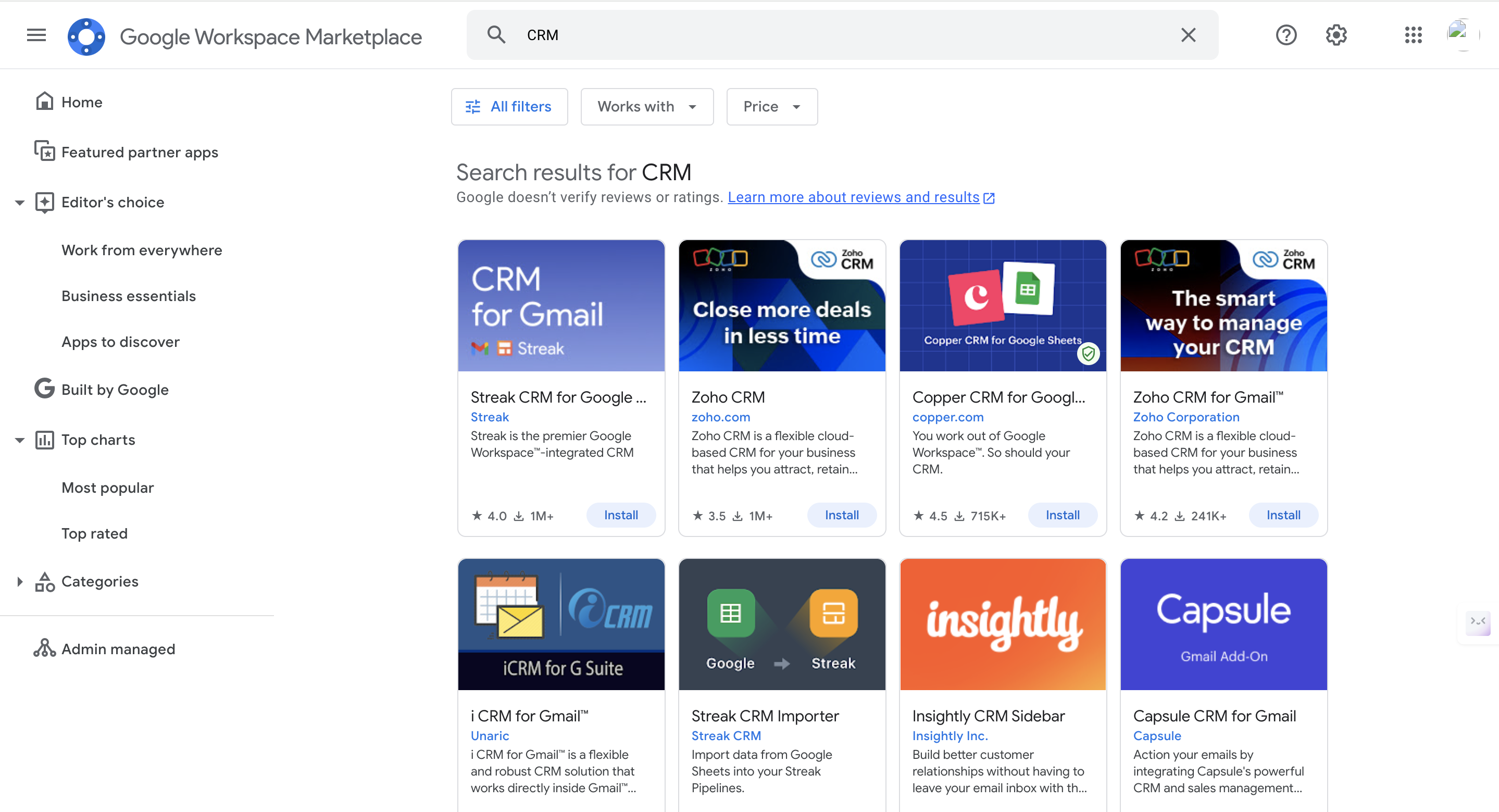
Image source: workspace.google.com
Step 2: Connecting Gmail and Google Calendar
Once a CRM is selected, connecting it with Gmail and Google Calendar is critical for unified . CRM tools that integrate with Gmail can log email communications automatically and pull message history into the CRM's timeline. Connecting the CRM with Google Calendar ensures that meetings, reminders, and sales calls are tied back to customer records. These integrations help eliminate manual data entry and improve visibility across sales and support teams. Most CRM integrations will prompt users to authorize Gmail and Calendar access during setup, making it straightforward for admins to establish secure links.
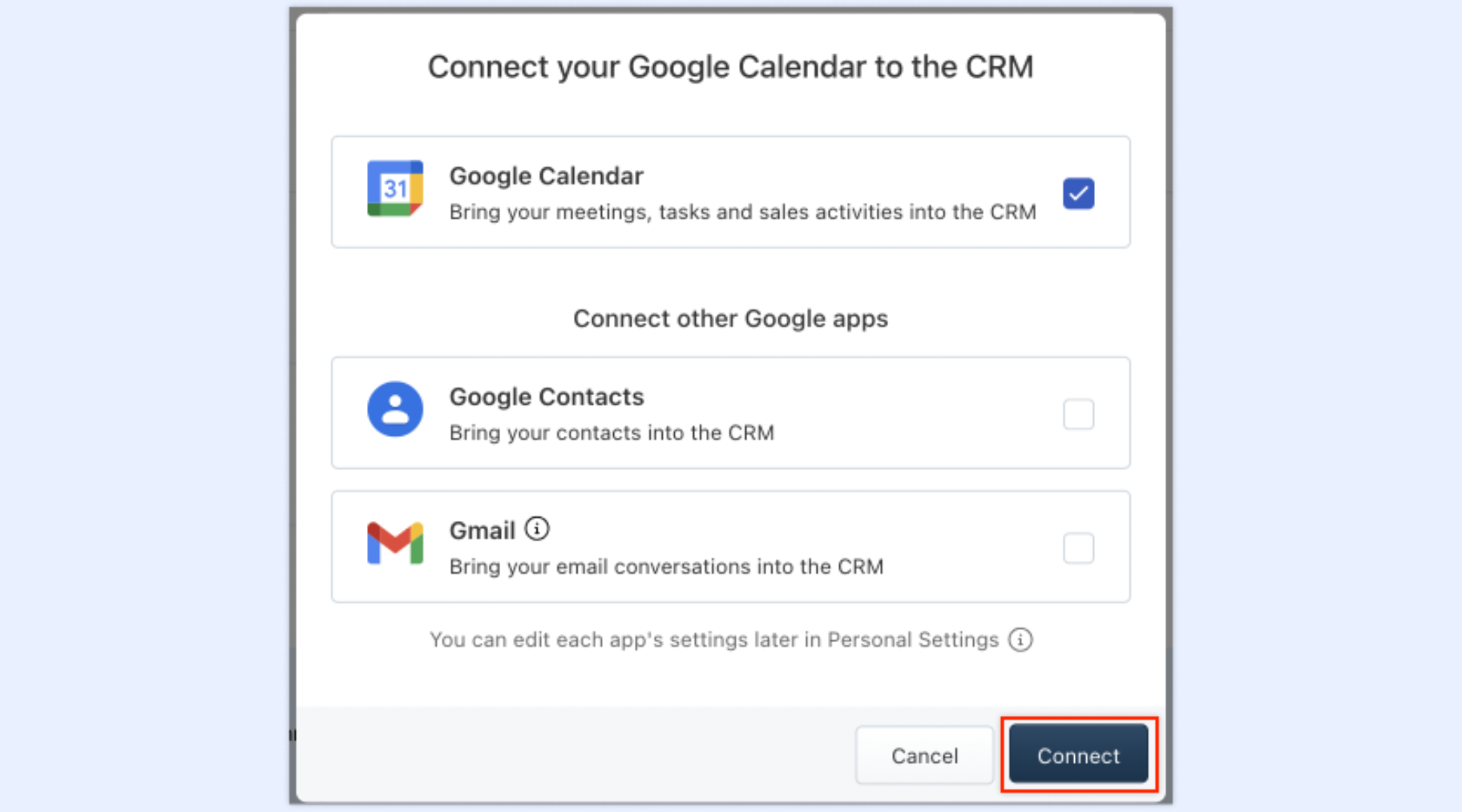
Image source: workspace.google.com
Step 3: Managing permissions and avoiding duplicates
Managing permissions and preventing duplicate records is a key but often overlooked step in Google Workspace CRM integration. Admins should carefully configure access rights so that CRM connections respect domain policies and protect customer data. Sync tools may create duplicates if multiple users import contacts or calendar events without consistent rules. Using Google Workspace's admin console to set clear sharing and sync policies reduces errors and keeps databases clean. Proper permission and duplicate management improve data quality and ensure teams collaborate with confidence.
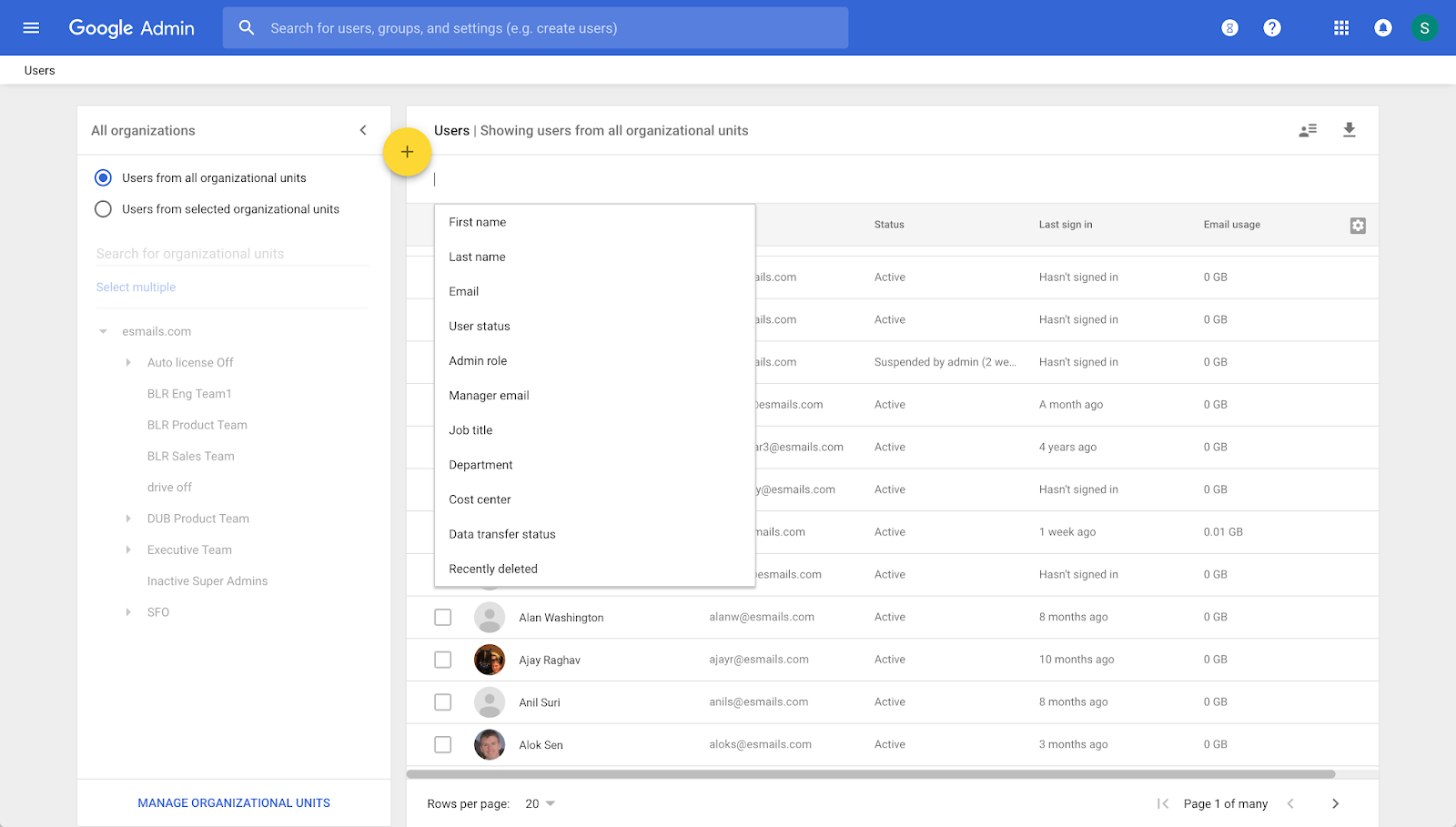
Image source: workspace.google.com
Skip complex integrations with an all-in-one CRM
As teams grow beyond basic spreadsheets and email-driven tracking, the limits of a Google Workspace CRM setup become harder to ignore. Manual updates, scattered context, and weak accountability make it difficult to manage , pipelines, and internal coordination at scale. Lark addresses these gaps by bringing structured records, automation, and communication into a single workspace.
Instead of stitching together Gmail, Google Sheets, and third-party CRMs, teams can manage relationships, workflows, and collaboration in one connected system. This shift reduces operational friction while preserving the familiarity teams value from Google Workspace. Over time, supports cleaner data, faster execution, and better visibility across the entire customer lifecycle.
Robust integration support saves trouble for data migration
Like most integration tools, Lark integrates with Google Workspace for a structured CRM. Through automated directory syncing, your Google Workspace departments and personnel roles are mirrored within Lark, ensuring that CRM access permissions and lead assignments always align with your current team hierarchy. This integration uses Google as the "single source of truth," allowing for seamless Single Sign-On (SSO) and the automatic onboarding or offboarding of sales staff. By bridging these platforms, you can link Google Calendar events and Drive files directly to customer records in Lark Base, creating a centralized, high-visibility database. 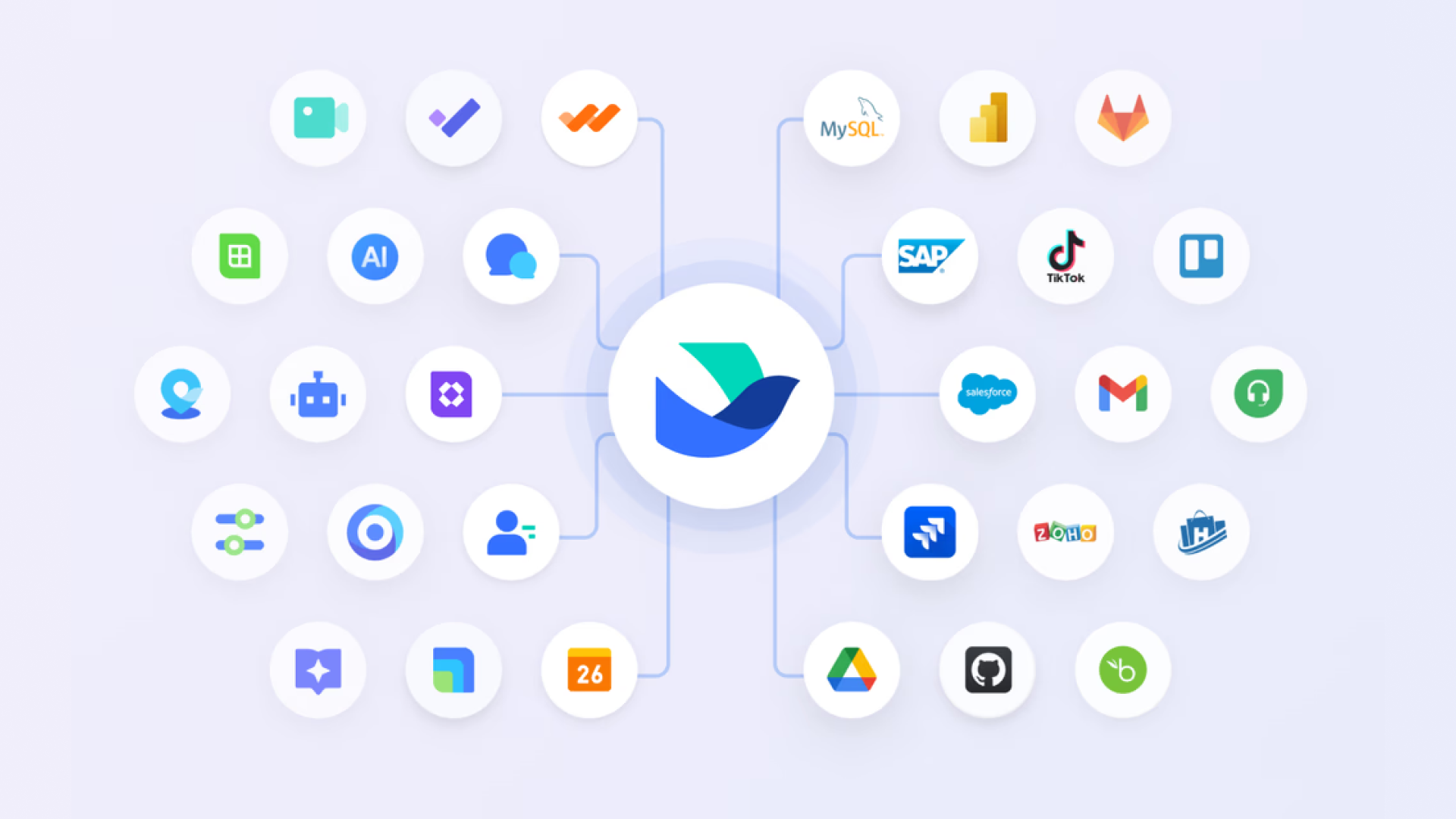
Structured customer data instead of scattered spreadsheets
allows teams to move beyond Google Sheets by organizing customer and deal information into structured, database-style tables. Records are linked across contacts, deals, activities, and ownership, which prevents duplication and inconsistency. Unlike spreadsheets, Base enforces structure while remaining flexible enough to adapt as workflows evolve. This makes it easier to maintain accurate pipelines and customer histories as teams scale. 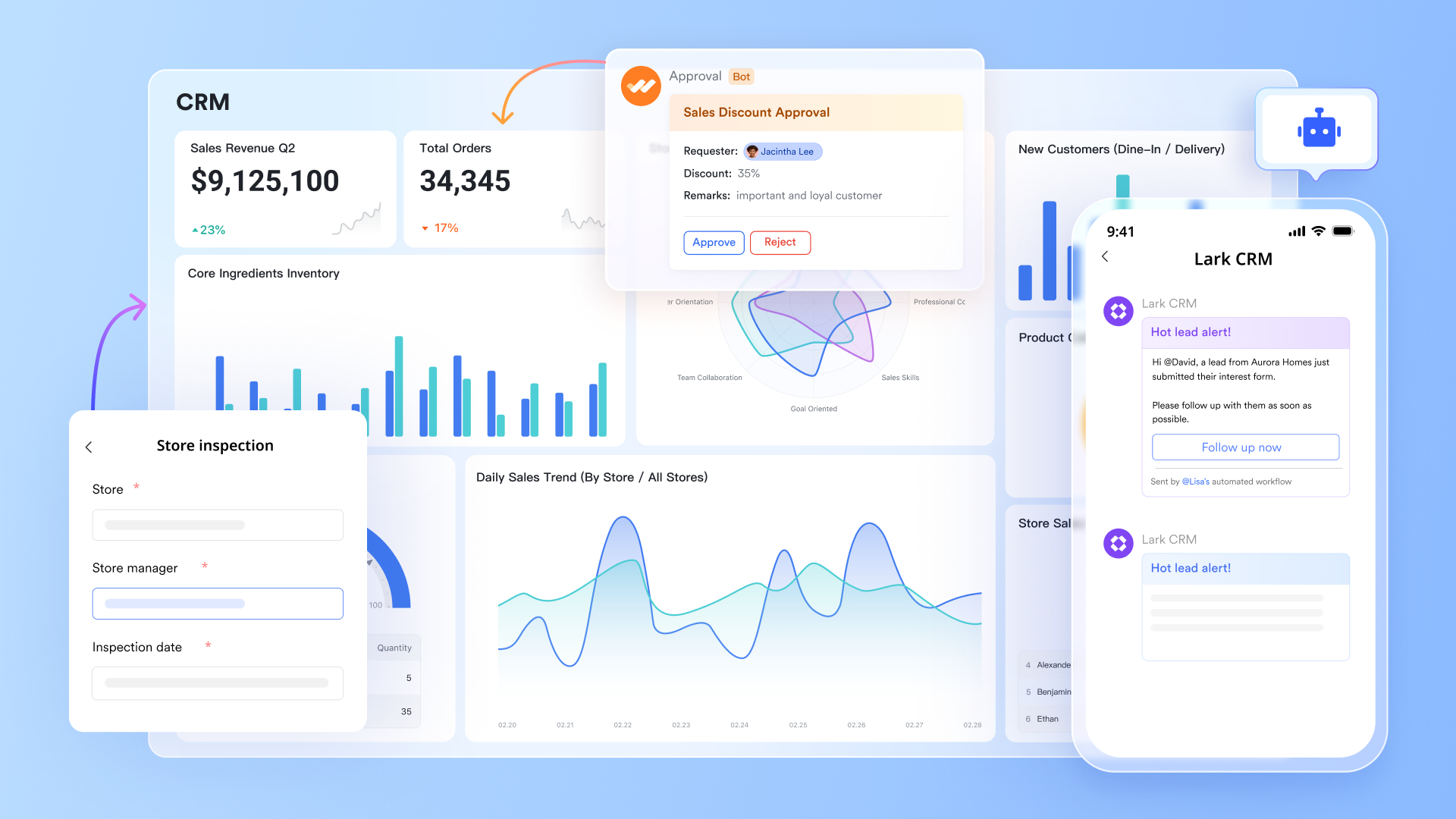
Real-time visibility with dashboards and reporting
With Lark Base dashboards, teams no longer need to build or maintain reports in Sheets manually. Leaders can monitor pipeline health, deal progress, and workload distribution through live dashboards that update instantly as records change. Visual blocks and filters replace static spreadsheets that quickly become outdated. This supports better forecasting and faster decision-making, eliminating the need for additional analytics tools. 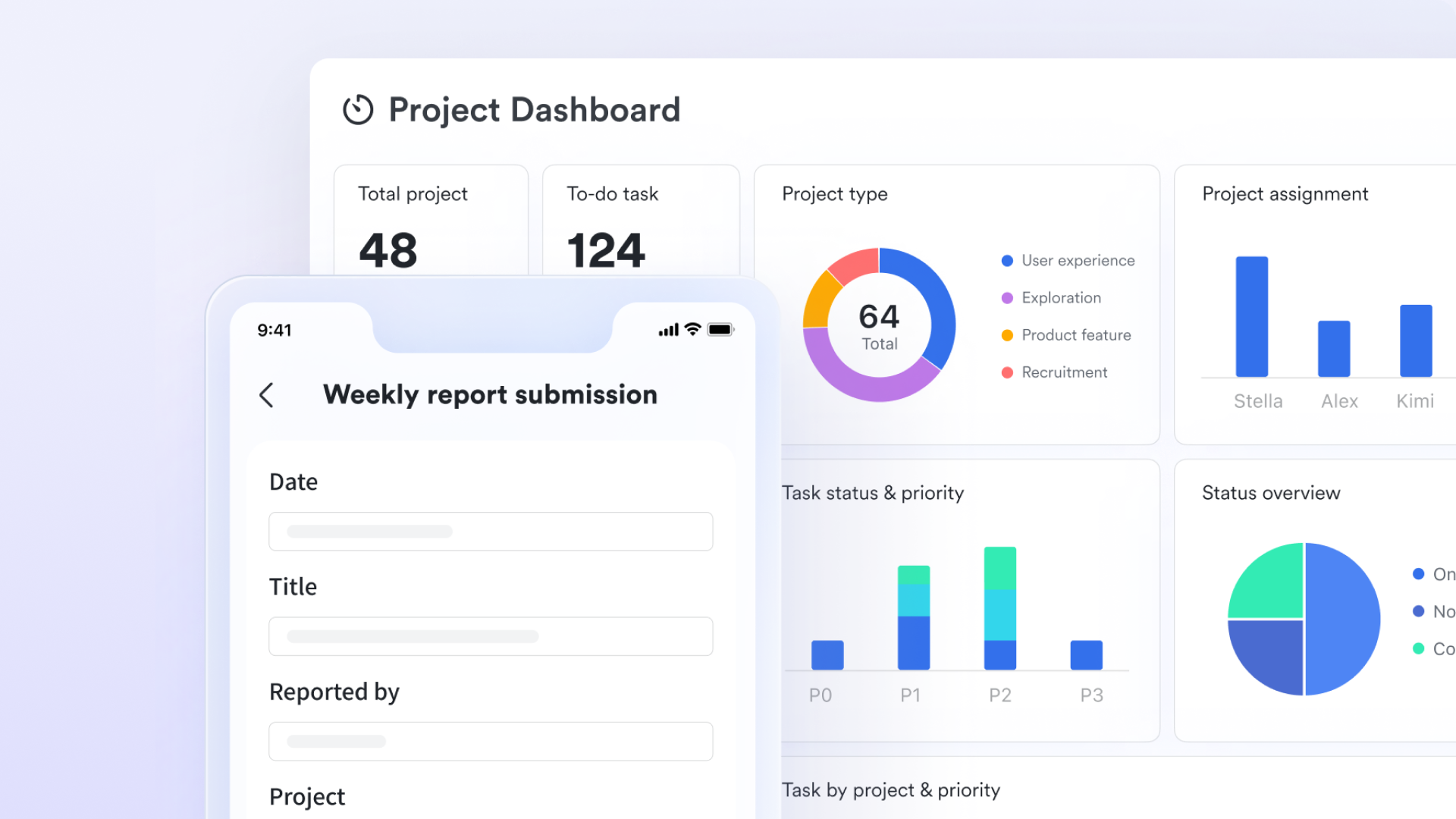
Automated workflows that replace manual handoffs
Using Lark Base workflows, teams can eliminate repetitive manual steps that are common in Google Workspace CRM setups. Actions like follow-ups, status changes, and notifications can run automatically based on defined rules. This reduces reliance on memory and constant coordination through email or chat. As a result, teams spend less time managing processes and more time moving deals forward. 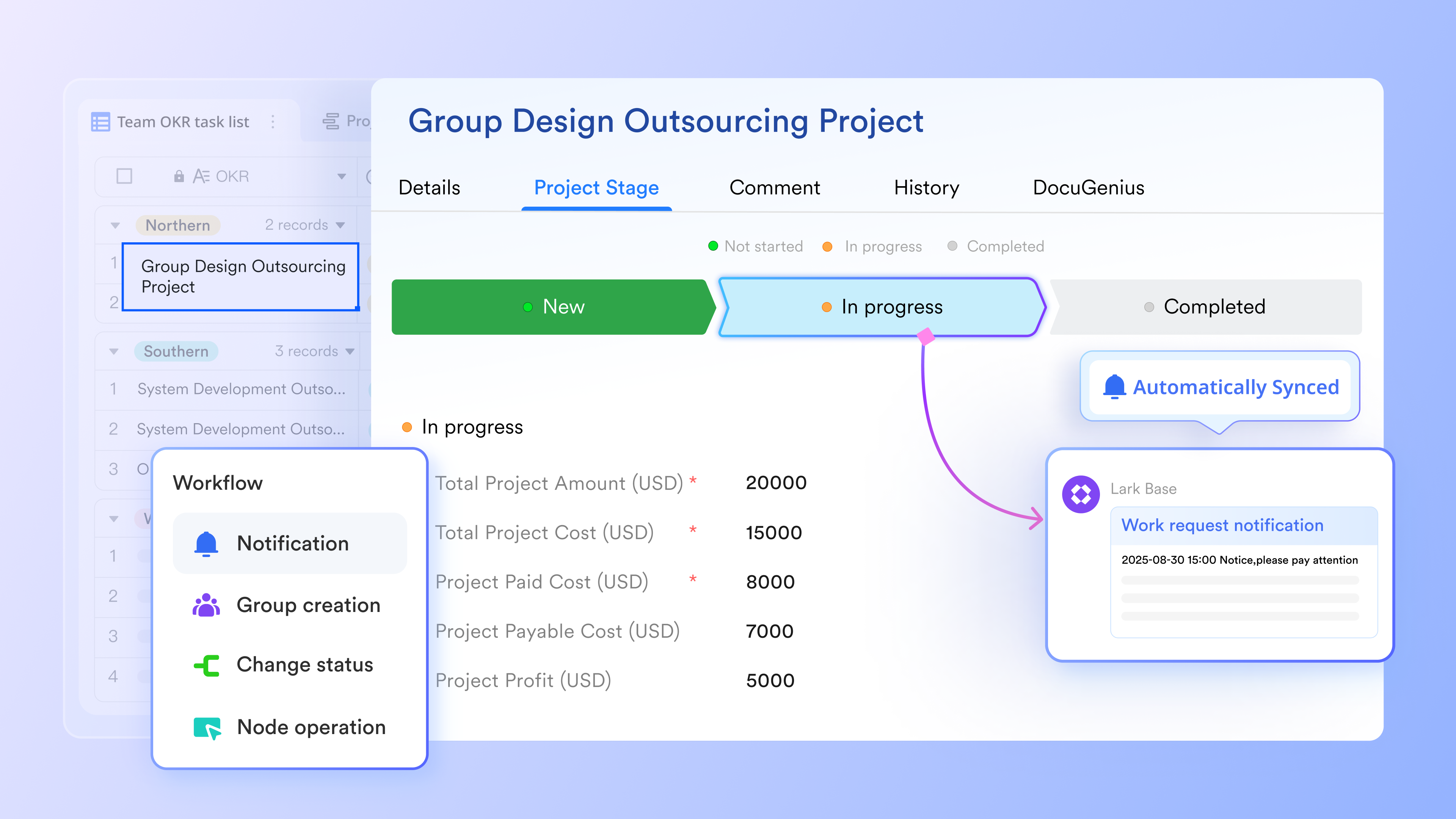
Clear ownership and accountability for customer work
With Lark Tasks, teams can assign owners, deadlines, and priorities directly to customer-related actions. Tasks stay connected to records and conversations, so responsibilities are never unclear. This solves a common issue in DIY Google CRMs where accountability lives in separate task tools or comment threads. Clear ownership improves follow-through and performance consistency. 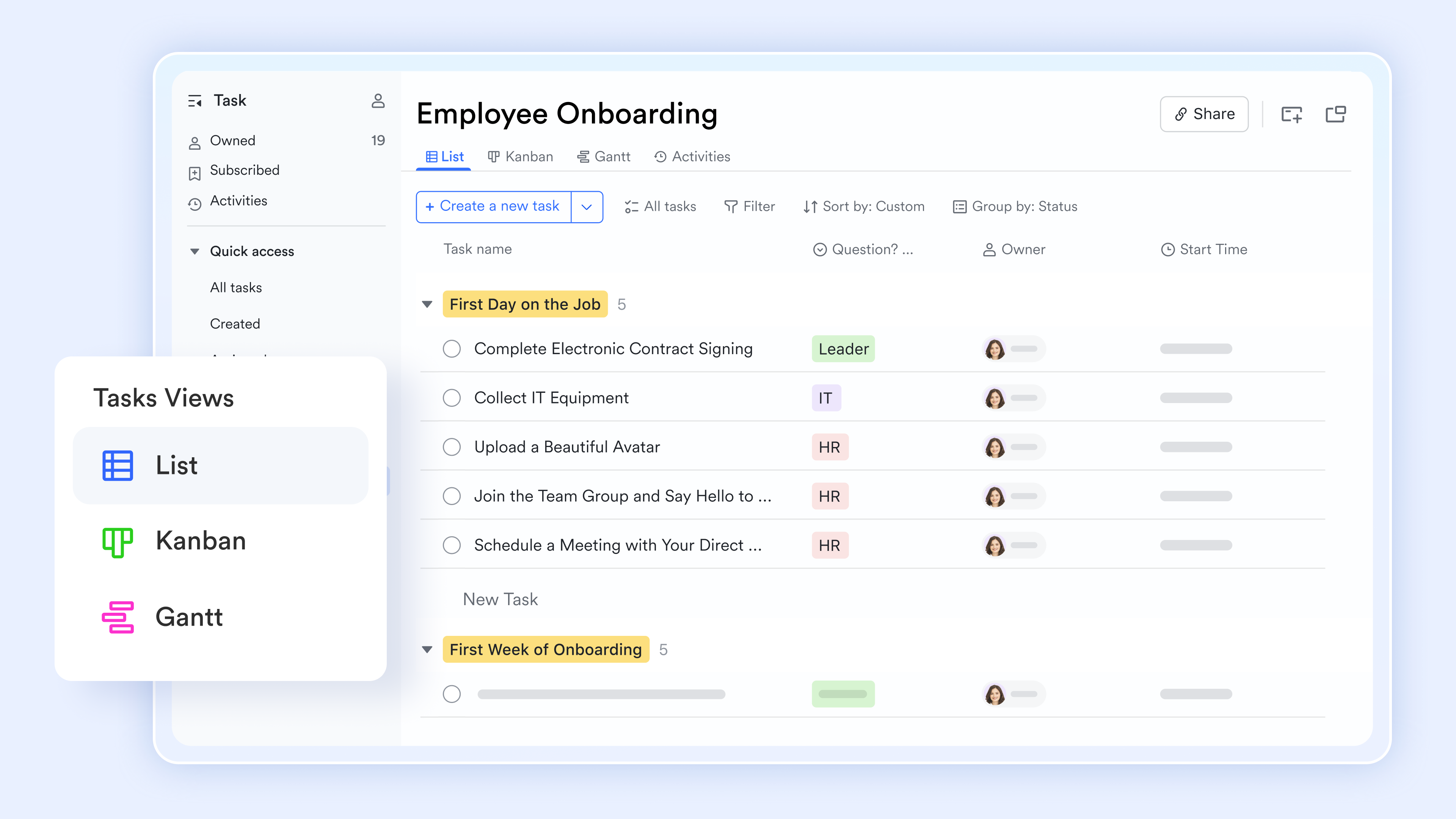
Communication that stays tied to execution
Instead of switching between Gmail, Chat, and external CRM tools, teams can use to discuss customers, share updates, and take action in one place. Conversations remain linked to records and tasks, preserving context over time. This reduces miscommunication and loss of information that often occur in email-heavy workflows. As collaboration scales, this tight connection between discussion and execution becomes a major advantage. 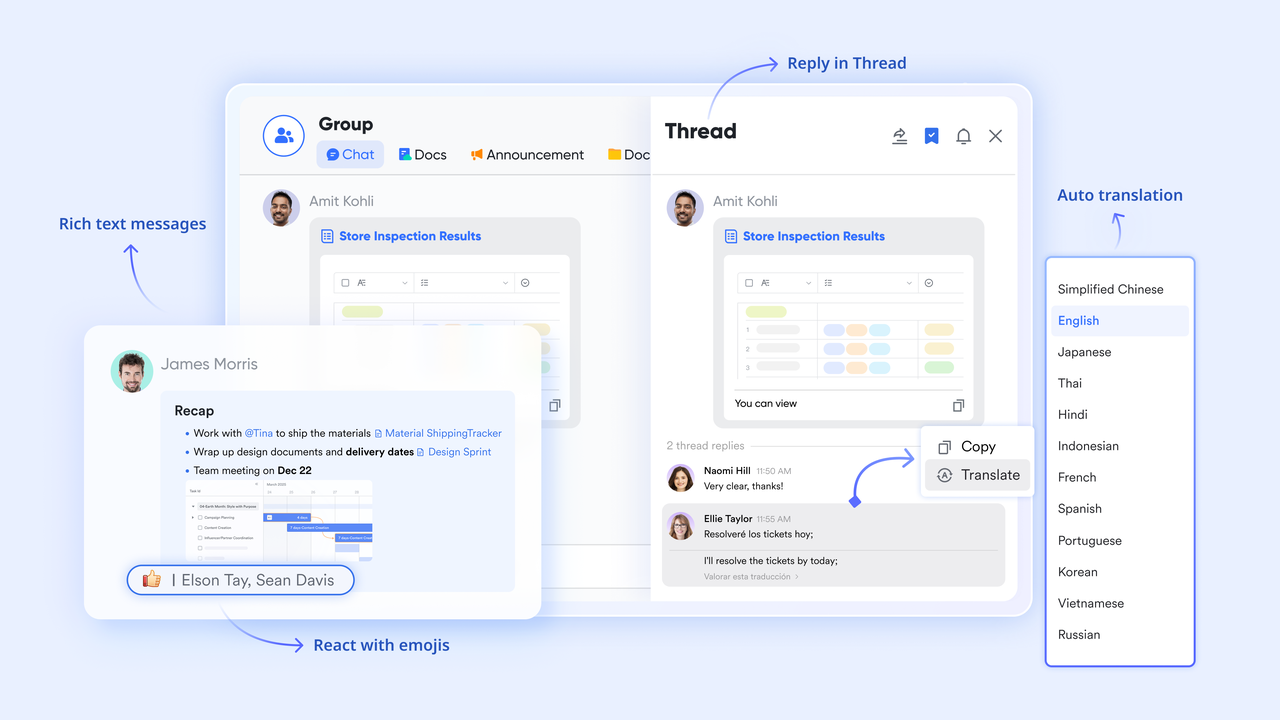
Approvals and coordination without inbox overload
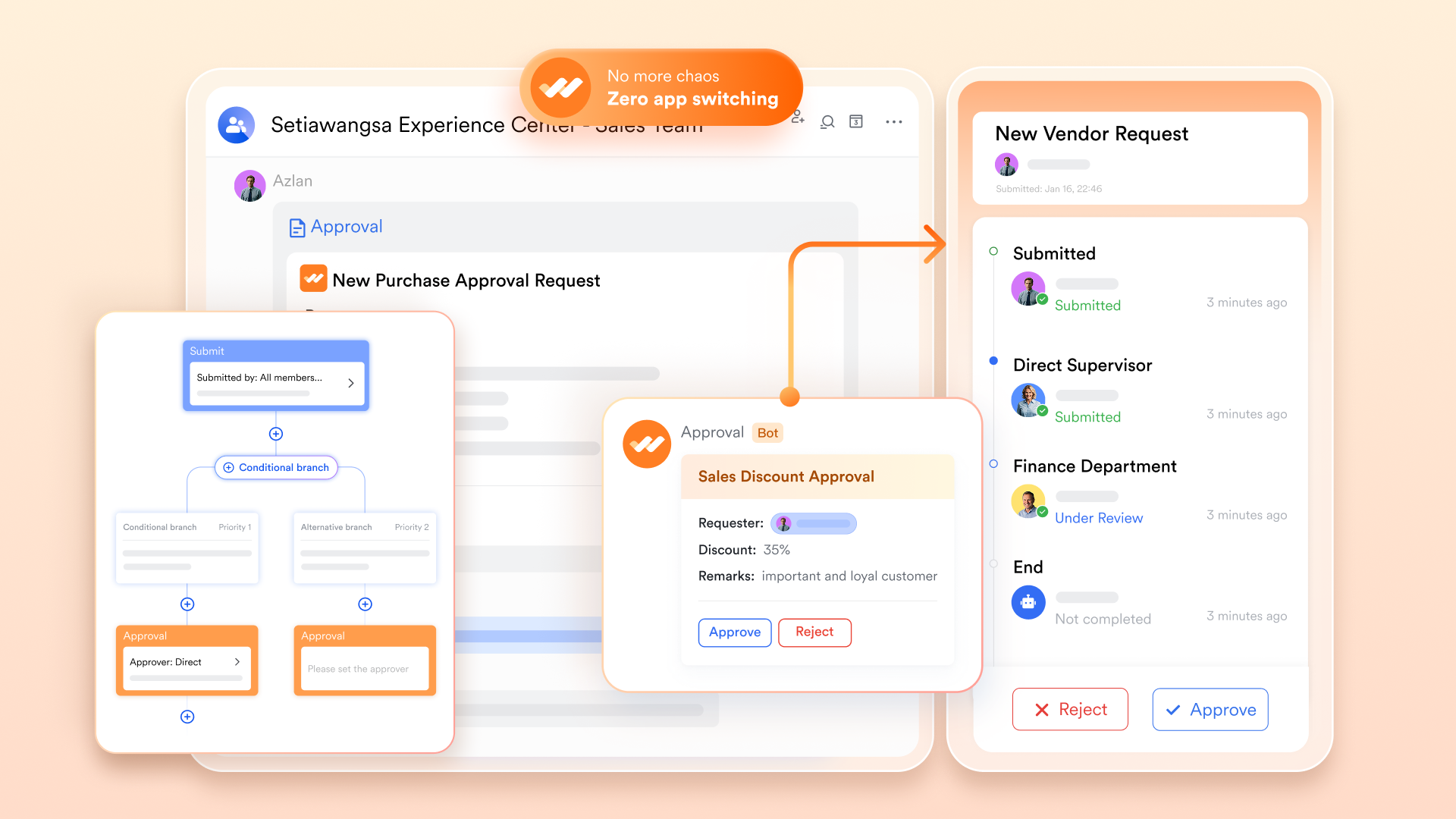
With , purchase requests, discounts, renewals, or handling can follow structured flows instead of long email threads. Reviewers see the full context and can act quickly, keeping processes moving. This is especially useful for teams transitioning from ad hoc Google Workspace approvals. Structured coordination helps teams stay aligned as customer operations grow more complex.
:
- Starter plan: Free forever plan that includes 11 powerful tools for up to 20 users. It also comes with 100GB of storage, 1000 automation runs, AI translations, and more.
- Basic plan: $6/user/month (billed annually) for up to 500 users. It includes everything in Starter plus group calling for up to 500 attendees, 5TB of storage, 1000 automation runs, and more. For more details, please .
- Pro plan: $12/user/month (billed annually) for up to 500 users. It includes everything in Basic plus group calling for up to 500 attendees, 15TB of storage, 50,000 automation runs, and more.
- Enterprise plan: for custom pricing. Supports unlimited users and includes even more automation runs and advanced security, compliance, and management features.
For small teams with simple communication needs

18 months message history
1000 Base automation runs/month
2000 rows per table in Base
Most POPULAR
For companies with comprehensive collaboration and management needs
Unlimited message history
500-participant video meetings
50k Base automation runs/month
20k rows per table in Base
For large companies with advanced security and organizational management needs
Get a personalized demo and pricing
Unlimited message history
500-participant video meetings
15 TB storage + 30 GB storage/user
500k Base automation runs/month
50k Base automation runs/month
Most POPULAR
For companies with comprehensive collaboration and management needs
Unlimited message history
500-participant video meetings
50k Base automation runs/month
20k rows per table in Base
Bonus: How Lark's pricing compares with Google Workspace
Choosing the right CRM for your business
Selecting the right CRM for your business is not just about features but about how well the system supports your team's size, workflows, and growth plans. For Google Workspace users, the decision often starts with lightweight tools and gradually shifts toward more structured systems as operations become complex. A CRM that integrates well with Google Workspace can improve visibility, reduce manual work, and keep customer data organized. Understanding your current needs and future direction helps avoid costly migrations and workflow disruptions later.
- Team size and workflow complexity: Small teams with simple sales processes can often start with basic CRM tools that integrate directly with Gmail and Google Sheets. As team size increases, workflows become more layered, involving approvals, shared ownership, and cross-functional coordination. At this stage, relying on spreadsheets or notification-only CRM integrations can slow execution and increase errors. Choosing a CRM that supports structured becomes essential as complexity grows.
- Sales-only vs cross-department needs: Some CRMs are designed primarily for sales teams and work well when customer management is limited to deals and follow-ups. However, growing organizations often need to support marketing, , operations, and finance. When multiple departments rely on the same customer records, deeper integration and shared visibility are critical. A CRM that connects conversations, tasks, and records across teams aligns better with long-term operational needs.
- Scalability and long-term risks: Early CRM decisions can create long-term constraints if scalability is overlooked. Tools that work well for a handful of users may struggle with data volume, permissions, reporting, or automation as teams grow. Manual processes and fragmented integrations increase maintenance effort and risk of data inconsistencies over time. Evaluating scalability early helps ensure the CRM continues to support the business without frequent restructuring or replacement.
Discover a more unified way to work
Conclusion
Google Workspace CRM integration can work as a starting point for teams that rely heavily on Gmail, Google Calendar, and Google Sheets to manage early . For freelancers, very small teams, or sales workflows with low complexity, combining familiar Google Workspace tools with a lightweight CRM may feel efficient and cost-effective at first. However, as customer data grows and collaboration becomes more cross-functional, manual processes, data duplication, and limited visibility begin to slow teams down. Over time, maintaining accuracy and accountability across disconnected tools becomes increasingly difficult.
This is where many growing teams start rethinking their long-term CRM strategy. Instead of layering more integrations on top of , some teams look for platforms that combine structured customer records, automation, collaboration, and communication in one place. Solutions like become relevant not as a replacement for productivity, but as a way to simplify execution and reduce operational friction. By unifying CRM workflows with everyday collaboration, teams can move beyond spreadsheet-driven processes and build a more scalable foundation for managing customer relationships.
FAQs
Is there any free CRM for Google Workspace?
Yes, there are free CRM tools that integrate with Google Workspace, often offering basic contact management and Gmail syncing. These options can work for very small teams, but they usually lack , reporting, and scalability. As workflows grow, teams often need paid plans or additional tools. This is why some teams later explore more unified platforms like Lark to reduce tool sprawl.
Does Google have its own CRM?
Google does not offer a native CRM product within Google Workspace. While Gmail, Contacts, and Sheets can be combined to track customer information, they do not provide pipelines, lifecycle management, or automation. Many teams start with this setup, but eventually require more structure. That transition often leads teams to dedicated CRMs or all-in-one platforms.
Does Google have a free CRM tool?
Google Workspace does not include a free CRM tool by default. Any CRM functionality comes from third-party or custom spreadsheet setups. These approaches rely heavily on manual processes. Over time, teams may seek solutions that reduce manual effort and improve visibility across customer workflows.
What CRM syncs with Google?
Several CRMs integrate well with Google Workspace, especially for Gmail and Calendar syncing. The "best" option depends on team size, workflow complexity, and collaboration needs. For teams that outgrow notification-based integrations, platforms that combine CRM, collaboration, and automation in one workspace can be easier to manage long term.
Can you switch CRMs later without losing Google Workspace data?
Yes, most CRMs allow from Google Workspace tools such as Sheets and Gmail. However, migrations can be time-consuming if data is inconsistent or spread across multiple files. This is one reason some teams consider consolidating workflows earlier using platforms like Lark, where customer data and collaboration live together from the start.
Related reading
































