A project schedule is the time-based translation of your project plan—mapping tasks, dependencies, resources, and dates from kickoff to delivery. Without a detailed schedule, teams drift toward missed deadlines, unclear ownership, and misaligned stakeholders. A well-built schedule gives everyone, from engineers to executives, a shared view of what happens when and who is responsible. With modern project management tools, teams can plan, track, and adjust schedules in one unified workspace without switching between disconnected tools.
What is a project schedule in project management?
In project management, a project schedule is the central, living timeline that connects scope, time, and resources. It answers the key operational questions: what tasks, in what order, who completes them, and by when.
Unlike a high-level roadmap or strategic plan, the project schedule is granular and actionable. It lays out individual tasks with dates, , key milestones, and , turning abstract goals into daily work.
A project schedule is not static — it updates as scope, risks, and resource availability change. Project managers use it to compare planned and actual progress, spot variances, and prevent small delays from escalating. Executives use summary views for quick status checks, while teams use detailed views for daily coordination.
- Central timeline: Connects all project activities with dates, owners, and dependencies
- : Updated regularly as the project evolves
- Multiple audiences: Provides different views for executives, managers, and team members
- Integration point: Links with resource calendars, , and documentation
Key components of a project schedule
Every comprehensive project schedule includes several interconnected components that together create a complete picture of project work. Understanding these elements helps project managers build schedules that are both realistic and maintainable.
- : The WBS breaks the entire project into manageable work packages. For a "Website redesign" initiative, the WBS might decompose into discovery, UX design, frontend development, backend development, QA testing, and launch phases—each further broken into smaller tasks.
- Task list and IDs: Each activity receives a unique identifier, a clear name, and links to its parent WBS element. This numbering system (like 1.0, 1.1, 1.1.1) keeps the structure traceable across any project schedule program and supports filtering and reporting.
- Start and finish dates: Every task must have planned dates (for example, "2026-04-01 to 2026-04-05"). Many schedules also track actual start and finish dates to measure variance against the baseline.
- Durations and effort: Duration measures calendar time (five business days), while effort measures person-hours (40 hours of work). A task might take 40 hours of effort but span two weeks if the assigned team member is only 50 percent allocated. Both metrics matter for realistic scheduling.
- Milestones: These zero-duration checkpoints mark significant achievements—"Beta ready," "Regulatory approval," or "Go-live." Milestones anchor the project schedule and for teams to rally around.
- Resources and assignments: People, vendors, and equipment are assigned to tasks based on skills and availability. Calendar constraints like holidays, time zones, and part-time allocations affect when work can actually happen.
- : The critical path is the longest chain of dependent tasks that determines the earliest possible project completion. Any delay on critical path tasks directly pushes out the finish dates for the overall project.
Project schedule vs. project plan
Teams often confuse the project schedule with the project plan, but they have distinct purposes and answer different questions—understanding this helps avoid planning and execution gaps.
The answers "why and how": it establishes the project's objectives, scope, stakeholder map, governance, communication, , and quality standards, setting the overall strategy to align everyone on success. It is detailed at initiation and serves as a reference throughout the project life cycle.
The project schedule answers "who does what, and when": it translates the project plan's strategy into dated tasks, dependencies, durations, resource assignments, and milestones.
- Scope and strategy: The plan defines ; the schedule breaks that scope into tasks needed to deliver
- Time horizon: The plan provides high-level timelines; the schedule provides specific dates
- Audience: The plan is often for sponsors and governance; the schedule is for execution teams
- Update frequency: The plan changes through formal change control; the schedule updates frequently as work progresses
- Format: Plans are typically documents; schedules are typically Gantt charts, timelines, or calendars
Importance of the project schedule in project management
Beyond the immediate benefits, project schedules play a foundational role in broader project management practice. They connect planning to execution and provide the structure for ongoing control. The Project Management Institute (PMI) and the Project Management Body of Knowledge (PMBOK) identify schedule management as one of the core knowledge areas. This isn't accidental—schedules sit at the intersection of scope, time, cost, and resources.
- Foundation for monitoring and control: The schedule becomes the baseline for weekly status checks, variance analysis, and replanning. When you , you compare actuals against the plan to understand where you stand.
- Enabler of realistic commitments: A well-built schedule allows project managers to push back on unrealistic launch dates with data. Instead of saying "that seems aggressive," you can show the critical path and explain exactly why the timeline doesn't work.
- Support for risk and scenario planning: Using a project schedule program, teams can model "what-if" scenarios—"What if we lose a front-end engineer in May?" or "What if the vendor delivers two weeks late?"—and understand the downstream impacts.
- Input to budgeting and : Schedule duration directly affects cost. Longer timelines mean more resource hours, extended vendor contracts, and increased overhead. The schedule provides the time dimension of cost estimates and is a core part of broader practices.
- Alignment across hybrid or remote teams: Distributed teams rely on shared cloud schedules to stay synchronized across time zones. With tools like Lark, team members can see the same timeline, discuss changes in context, and avoid the confusion of version mismatches.
Discover how project management tools promote project scheduling
Techniques for project scheduling
Different projects require different scheduling techniques. A small content sprint might need only a task list, while a complex product launch demands , critical path analysis, and resource leveling. The key is matching the technique to complexity. Over-engineering a simple project wastes time. Under-engineering a complex one creates blind spots that lead to failure.
Task lists and WBS-based views
For small, low-dependency efforts—such as a one-week content sprint or a straightforward internal process improvement—a simple task list may be all you need; plain lists with tasks, owners, and due dates work well in these cases where dependencies are minimal and the team is small, while a WBS-based outline uses indentation to show phases, deliverables, and tasks, keeping work organized without requiring the full complexity of a Gantt chart.
Gantt charts and timeline views
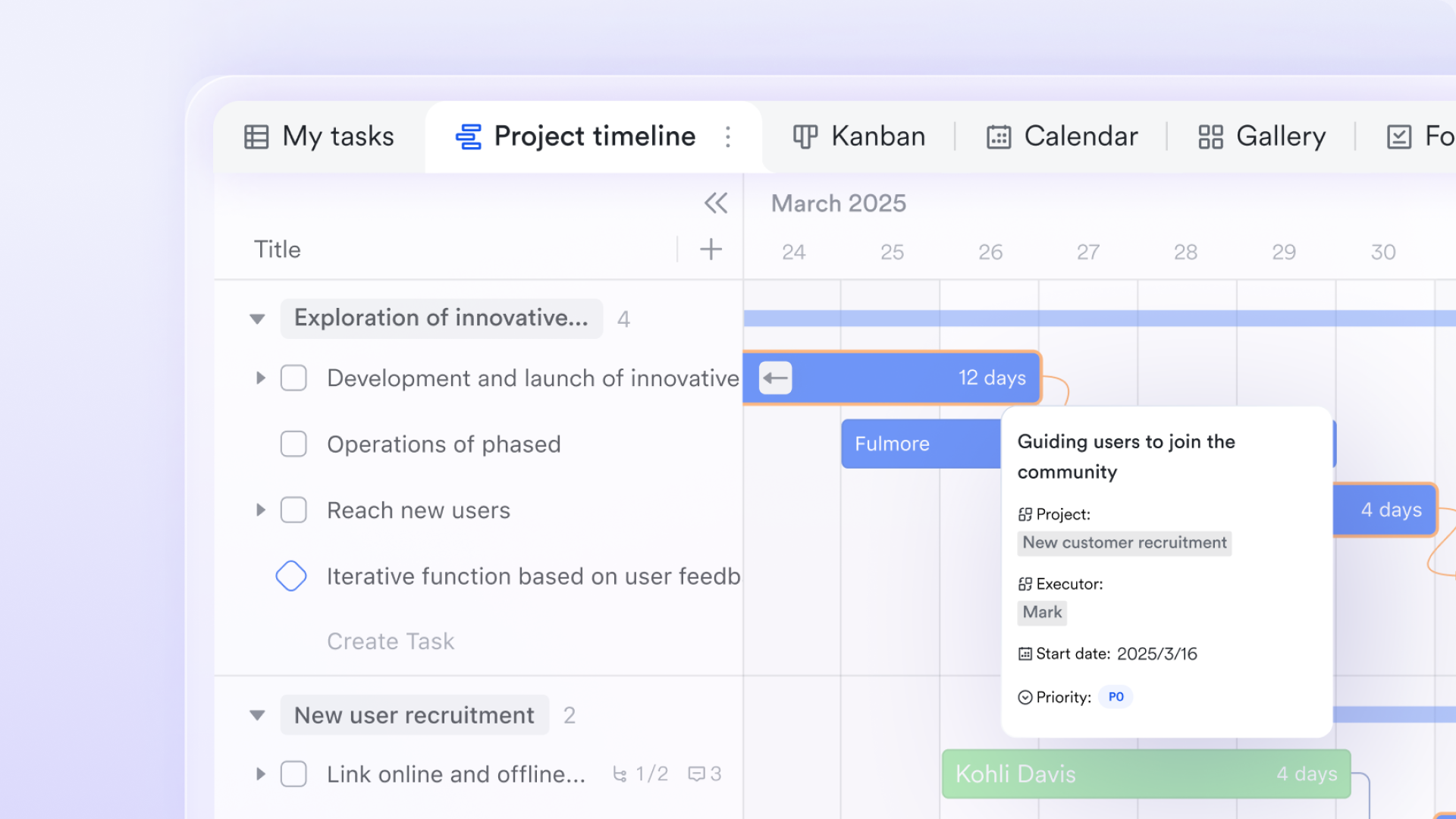
Gantt charts are the most widely used project schedule visualization, showing tasks as horizontal bars over time and dependencies as connecting lines. The horizontal axis represents time, tools highlight the critical path to identify tasks that affect overall project duration, and modern tools auto-update dependent tasks when bars are adjusted, keeping the project schedule up to date with minimal effort.
Calendars and milestone roadmaps
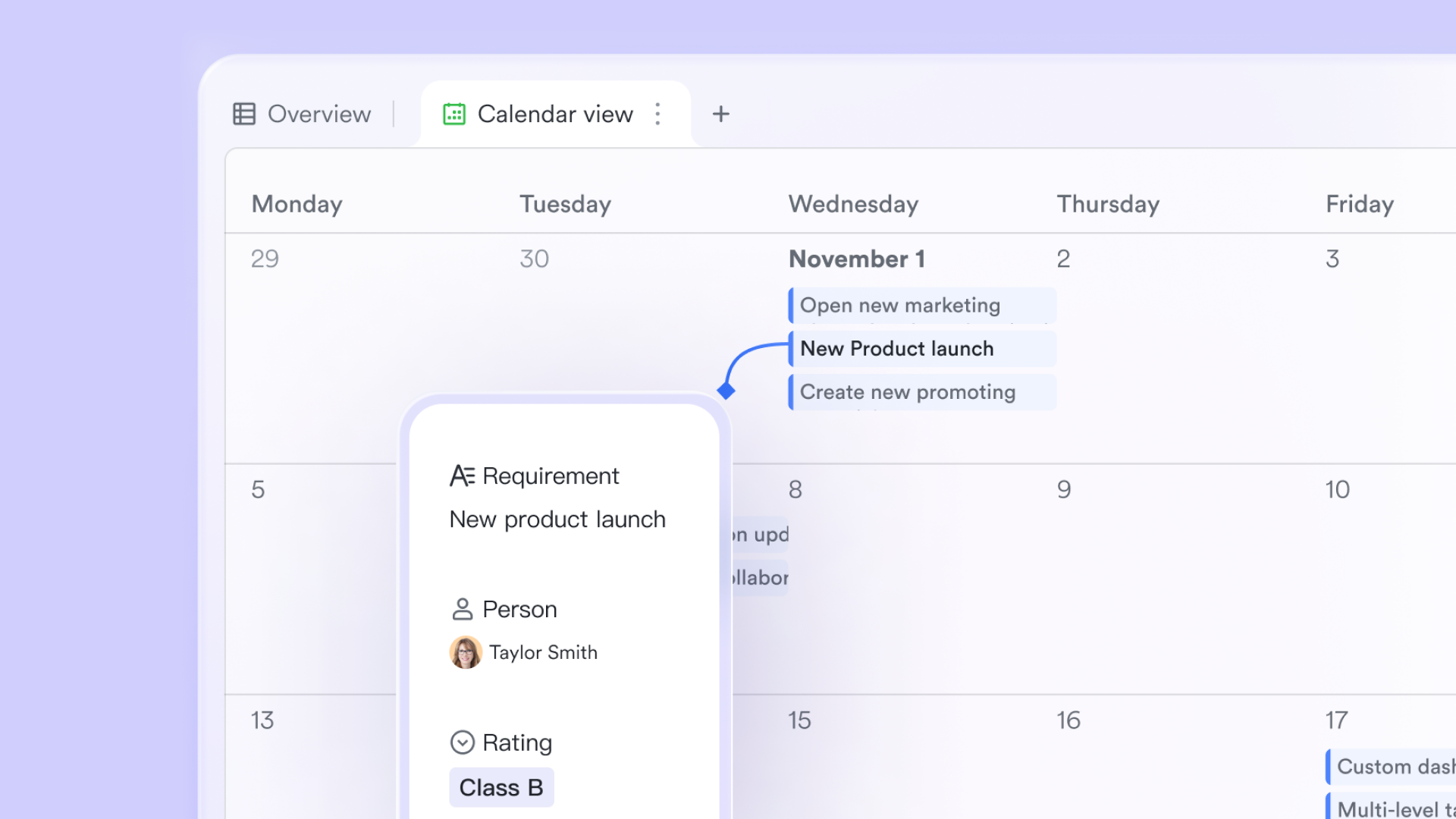
display activities on specific dates, ideal for deadline-driven projects and easy for stakeholders who prefer calendar-based communication, while milestone-focused roadmaps that show key milestones work well for executive audiences without needing task-level details.
Network diagrams, PERT, and the critical path method
For projects with significant uncertainty or complex dependencies, more sophisticated techniques provide better decision support.
- Network diagrams: Node-and-arrow diagrams map task sequences and dependencies visually, showing the flow of work through the project. These diagrams often serve as input before building a Gantt chart.
- : The Program Evaluation and Review Technique uses optimistic, most likely, and pessimistic estimates to handle uncertainty. Averaging these (weighted toward most likely) produces more realistic durations for R&D or innovative projects.
- Critical path method (CPM): CPM identifies the longest chain of dependent tasks that sets the minimum project completion time. Tasks on this path have zero float—any delay directly impacts the project finish date.
How to create a project schedule step by step
Building a reliable project schedule in project management can feel intimidating. Staring at a blank screen, the gap between day one and the final delivery date looks massive. Projects get derailed, unexpected delays happen, and that is perfectly okay. The goal here is not to predict the future with flawless accuracy, but to build a structured, adaptable roadmap that keeps the team moving forward together. Instead of getting lost in complex methodology right away, these practical steps will help build a timeline that actually survives contact with reality.
Step 1: Define the project scope and ultimate goals
Before opening any software, step back and look at the big picture. A project cannot be scheduled without a clear understanding of its boundaries.
Start by defining the . What is specifically excluded from this initiative? Getting alignment on these questions early prevents scope creep later. Write down the primary objectives and get to agree on them. Trying to build a project schedule without a frozen scope usually leads to constantly adding new tasks and extending deadlines. Lock down the destination before mapping out the route.
Step 2: Break down the work into manageable tasks
A massive goal like "build a new website" requires deconstruction. This is where a comes into play.
Take the final deliverable and break it down into major phases, then down into specific, actionable tasks. A good rule of thumb is the 80-hour rule. If a single task takes longer than 80 hours to complete, it is too big and should be broken down further. When naming these tasks, use action verbs. Writing "create initial homepage wireframes" eliminates confusion much better than simply writing "design phase."
Step 3: Estimate task durations with realistic expectations
This is usually where project management scheduling goes wrong. Humans naturally suffer from optimism bias, assuming everything will go smoothly and feedback will be approved on the first try.
To build a realistic project schedule, best-case scenarios must be abandoned. Instead of guessing how long a task will take, ask the people who will actually be doing the work. A developer knows coding timelines much better than a project manager does. Encourage the team to add a reasonable buffer for unexpected roadblocks. Looking at historical data from past projects also provides a great reality check here.
Step 4: Map out task dependencies in the project schedule
Tasks rarely happen in a vacuum. Often, one person cannot start their work until someone else finishes theirs. Identifying these connections is the beating heart of effective scheduling. Look at the task list and ask what needs to happen before the next phase can begin. There are a few ways tasks relate to each other:
- Finish to start: Task A must finish before Task B can begin. This is the most common relationship.
- Start to start: Task A and Task B must begin at the same time.
- Finish to finish: Task A and Task B must end at the same time.
protects the timeline. If the design phase is delayed by three days, clear dependencies ensure that the subsequent development phase is automatically pushed back, keeping the schedule accurate.
Step 5: Assign resources and team members carefully
With tasks, durations, and dependencies set, it is time to figure out who is doing the work. is a delicate balancing act. A brilliant lead engineer assigned to 80 percent of the project will quickly become a massive bottleneck. Workloads must be spread realistically across the team.
Consider actual availability, planned vacations, and shared departmental duties. A common mistake in project management scheduling is assuming a full 40 hours of focused project time per week. In reality, meetings, emails, and daily administration eat up a large portion of that time. Schedule based on actual capacity, not theoretical capacity.
Step 6: Identify the critical path to protect deadlines
The critical path sounds highly technical, but the concept is quite simple. It is the longest sequence of dependent tasks in the project.
If any single task on this path is delayed, the entire project deadline is delayed. Other tasks outside this path might have flexible buffer time, but the has zero room for error. Identifying this sequence highlights exactly where a project manager needs to focus their daily attention to protect the final delivery date.
Step 7: Choose a connected project schedule program
Once the mental heavy lifting is done, the timeline needs a place to live. Many teams default to searching for an ms project schedule example because is a legacy standard. While a microsoft project schedule works well for highly complex construction jobs, it can feel overly rigid for fast-moving digital teams. A traditional ms project schedule often stays locked in a silo, disconnected from daily communication.
Instead, modern project scheduling programs should adapt to daily workflows. This is where a connected platform like helps. The following is how Lark can help with project schedule.
Put these steps into practice with Lark
How Lark transforms project scheduling into connected work
The way teams work has evolved, and the tools used to manage a project schedule must evolve alongside them. When a timeline sits in a completely separate application, disconnected from daily conversations and planning documents, it quickly becomes outdated. Modern project management scheduling requires a more unified approach. Rather than managing tasks across scattered apps, bringing everything into one collaborative space keeps the entire team aligned effortlessly. Here is a look at how one of the best , Lark, turns a static project schedule program into a connected, living workspace. One single database with multiple visual views
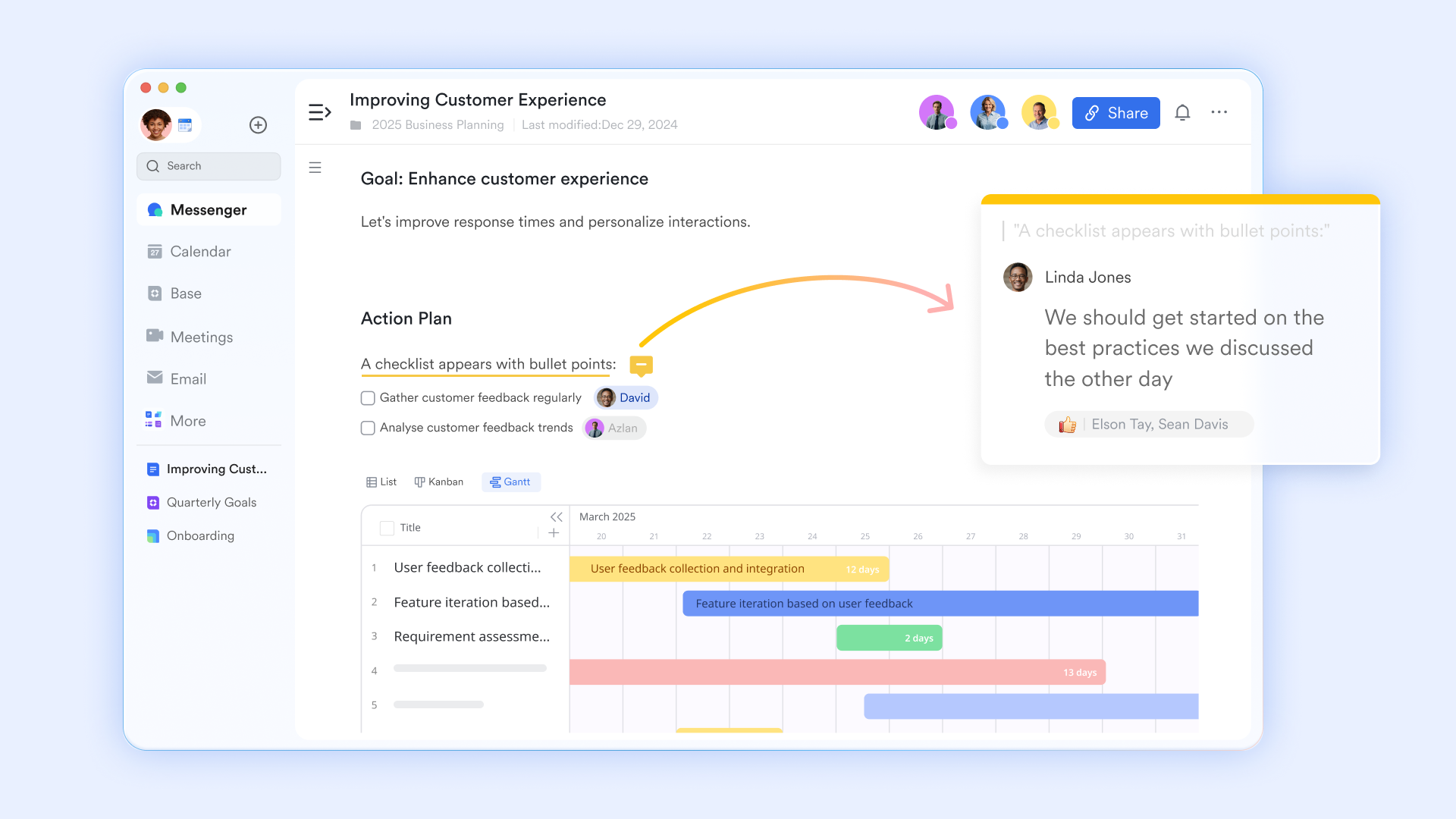
A common friction point in project management scheduling is that different roles require entirely different types of information. A project manager needs a comprehensive Gantt chart to track complex dependencies and critical paths. However, a copywriter or developer usually just wants a simple, focused board showing their immediate daily tasks. solves this by acting as a flexible relational database rather than a flat, rigid spreadsheet. The underlying project schedule data remains a single source of truth, but team members can instantly toggle between grid, calendar, Kanban, or . The creative team can move task cards across a board, and those movements instantly update the master Gantt chart for the project manager. Everyone gets the exact perspective they need without duplicating any effort.
Automated workflows that eliminate manual follow-ups
Keeping a timeline alive usually requires constant status checks. Chasing down team members to ask if a task is finished is easily the least enjoyable part of managing a project schedule. With Lark's built-in workflows, this manual administrative effort largely disappears. Custom automation triggers can be set up to handle repetitive project management tasks silently in the background. For example, when a design phase is marked as done, a workflow can instantly send a notification to the engineering lead that their dependent task is ready to begin. If a critical deadline is two days away and the task status is still pending, an is sent directly to the assignee in their team chat. This keeps the project moving forward without requiring a project manager to constantly micromanage the team. 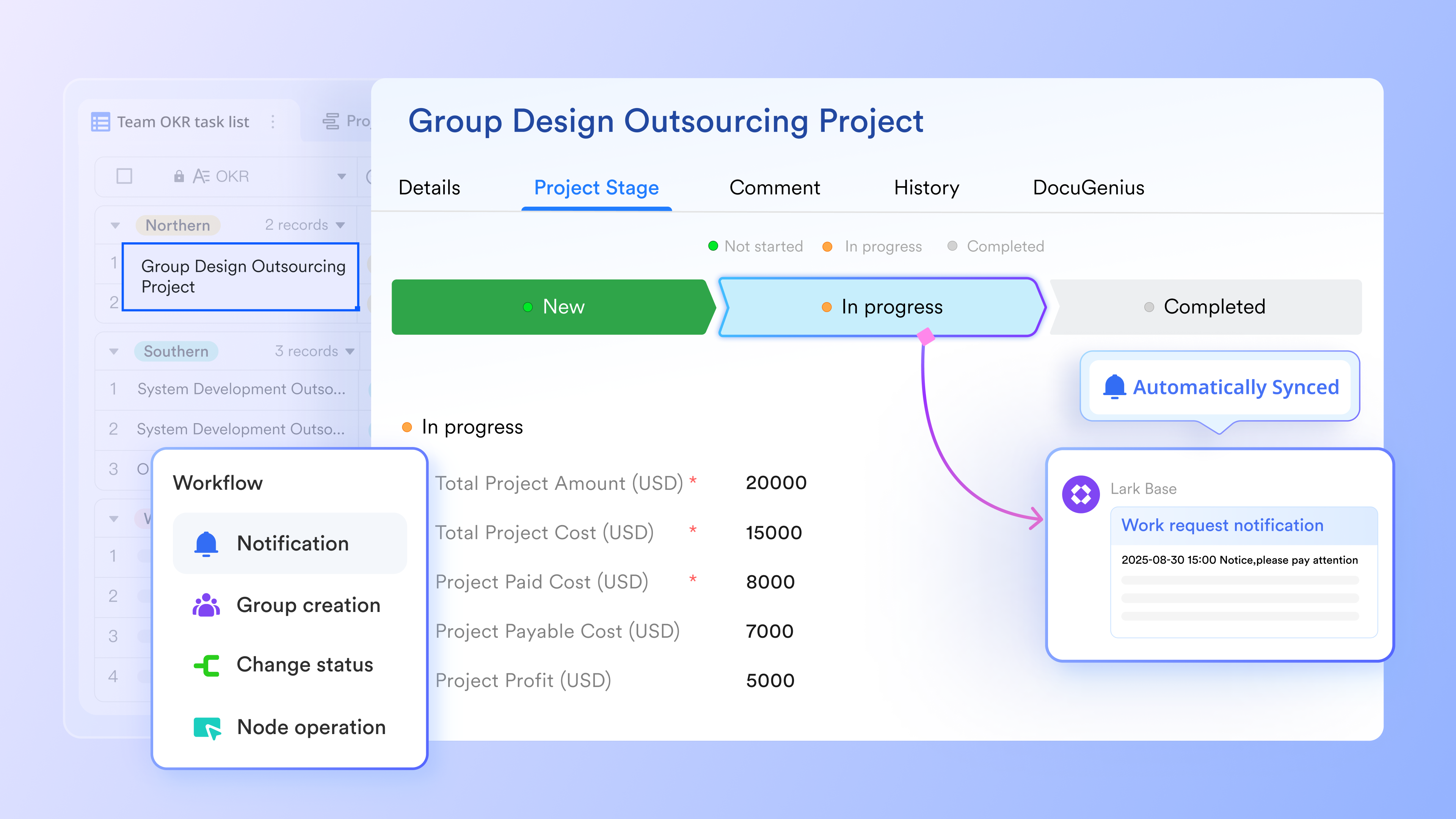
Real-time dashboards for high-level visibility
Leadership and external stakeholders rarely need to see the granular, day-to-day details of a project schedule. Handing an executive a massive list containing hundreds of subtasks usually leads to confusion rather than clarity. Instead of manual reporting, Lark Base dashboards translate raw schedule data into clear visual insights instantly. A can display overall project completion percentages, highlight which specific departments are currently overloaded with tasks, and flag any overdue milestones. Because these visual charts pull data directly from the live project schedule, the reporting is always perfectly accurate and up to date without requiring any extra manual data entry. 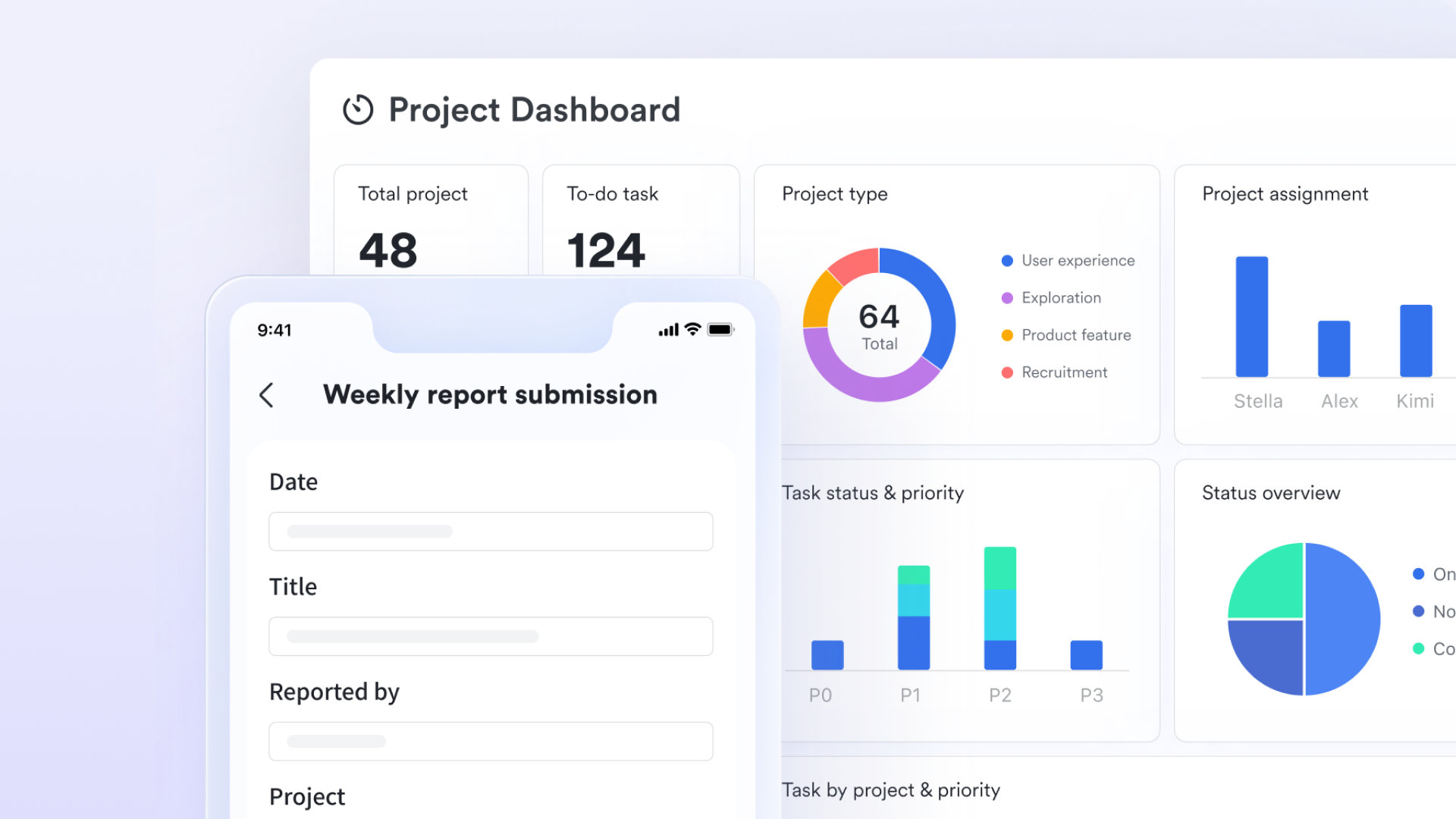
Embedding live schedules directly into docs
Project schedules often become static documents owned by one person. When plans change, the schedule owner has to manually update it and hope everyone sees the new version. This creates delays and version confusion. transforms this by turning the project schedule into a living document that the whole team can edit together. Instead of a separate file, you can put the Gantt charts from Base, or in the doc. During a team sync, multiple members can update task statuses, adjust deadlines, and reassign owners simultaneously—right inside the document where the discussion is happening. Everyone sees the changes instantly as they happen, with real-time cursors showing who is editing what.
for Lark:
- Starter plan: Free forever plan that includes 11 powerful tools for up to 20 users. It also comes with 100GB of storage, 1000 automation runs, AI translations, and more.
- Pro plan: $12/user/month (billed annually) for up to 500 users. It includes everything in Starter plus group calling for up to 500 attendees, 15TB of storage, 50,000 automation runs, and more.
- Enterprise plan: for custom pricing. Supports unlimited users and includes even more automation runs and advanced security, compliance, and management features.
For small teams with simple communication needs

18 months message history
1000 Base automation runs/month
2000 rows per table in Base
Most POPULAR
For companies with comprehensive collaboration and management needs
Unlimited message history
500-participant video meetings
50k Base automation runs/month
20k rows per table in Base
For large companies with advanced security and organizational management needs
Get a personalized demo and pricing
Unlimited message history
500-participant video meetings
15 TB storage + 30 GB storage/user
500k Base automation runs/month
50k Base automation runs/month
Most POPULAR
For companies with comprehensive collaboration and management needs
Unlimited message history
500-participant video meetings
50k Base automation runs/month
20k rows per table in Base
Common challenges in project scheduling and how to avoid them
Even the most meticulously crafted timeline will encounter real-world friction. Recognizing these common traps early keeps the project moving forward without unnecessary stress or missed deadlines.
Unrealistic time estimates and optimistic bias
It is human nature to assume everything will go perfectly. This optimism bias is the enemy of accurate . When tasks are estimated based on best-case scenarios, a single delayed client email or unexpected bug can throw off the entire timeline. To avoid this, always build buffer time into the estimates and base durations on past project performance rather than future hopes. Asking the people actually executing the work for their time estimates is crucial, as they understand the hidden complexities best.
Missed dependencies and hidden work
A project schedule often looks great on paper until a team member realizes they cannot start their phase because a crucial, unlisted preliminary task was never completed. These missed dependencies create massive bottlenecks. Prevent this by mapping out every single step in a before assigning dates. Ensure that review periods, stakeholder approvals, and quality assurance testing phases are explicitly listed as standalone tasks, rather than just assumed to happen magically in the background.
Scope creep and change-driven delays
A timeline built for one specific deliverable quickly falls apart when stakeholders continuously add new requests. This is the fastest way to derail a project schedule in project management. To , establish a strict change request process before the work begins. If a client or executive wants to add a new feature halfway through the project, that is perfectly fine. However, clearly communicate how that specific addition will adjust the final delivery date or require additional budget.
Overloaded key resources
Assigning the most talented designer or lead engineer to the vast majority of project tasks might seem efficient, but it instantly turns them into a single point of failure. Furthermore, assuming team members can dedicate a full 40 hours a week solely to ignores the reality of internal meetings, daily operations, and answering emails. When allocating resources, plan for a realistic capacity of around six hours of focused project work per day to prevent immediate team burnout and missed early milestones.
Avoid these common pitfalls with Lark
Best practices for managing and updating your project schedule
Creating a project schedule is just the beginning. The real value emerges through ongoing management—using the schedule actively to guide decisions, communicate status, and adapt to change. Effective schedule management requires establishing rhythms and rituals that keep the schedule current and useful. Without these, even the best initial schedule becomes shelfware.
Establishing a monitoring and control cadence
Regular schedule check-ins help stop small issues from growing, with frequency based on project speed and risk. Teams should track schedule variance, milestone status, and critical path progress, use for clear oversight, and make data-driven adjustments to tasks, resources, or scope as needed.
Keeping stakeholders aligned and informed
Stakeholders need different schedule views, so provide tailored summaries for executives, detailed task lists for the team, and focused deliverables for vendors. Keep one reliable central schedule, share quick asynchronous updates for , and log all key schedule decisions and scope changes.
Using schedules in Agile and hybrid environments
Agile teams still need timeline clarity for cross-team coordination. Use high-level milestones instead of over‑detailed tasks, apply rolling-wave planning for near-term work, link schedules to backlog items, and use collaboration tools to share timelines with non‑Agile stakeholders.
Turning successful schedules into reusable templates
Capture repeatable project patterns into reusable schedule templates to save time and standardize workflows. Build templates with fixed phases and dependencies, store them in a shared library, and refine them over time based on past project lessons.
Conclusion
A project schedule is the operational heartbeat of project management—connecting scope, time, and people in a single, actionable view. But a schedule only delivers value when it's actively used, regularly updated, and shared across the entire project team.
The goal isn't a "perfect plan" that sits untouched after kickoff. It's a practical, adaptable roadmap that helps teams track progress, identify risks early, and ship on time. Schedules should be consulted daily, updated weekly, and refined continuously as projects evolve.
When your schedule, communication, and documentation live together in one workspace, friction drops and alignment increases. Try to manage your project schedules alongside chat, meetings, and docs—so your team can move faster with less tool-switching and more focus on delivery.
Experience smoother project scheduling right now
FAQs
What is in a project schedule?
A project schedule typically includes a detailed breakdown of all tasks, their estimated durations, and the dependencies between them. It also outlines key milestones, resource assignments (people, equipment), and the overall project timeline. Essentially, it's a visual roadmap detailing what needs to be done, when, and by whom.
How do you make a project schedule?
Creating a project schedule involves defining the project scope, listing all necessary tasks, estimating their durations, identifying inter-task dependencies, and assigning resources. These elements are then sequenced into a logical flow, often visualized using tools like Gantt charts. The process concludes with reviewing, refining, and baselining the schedule for execution.
What are the 7 steps of a project?
While frameworks vary, common project steps include: Initiation (defining the project), Planning (detailing work and timelines), Execution (carrying out tasks), Monitoring & Controlling (tracking progress and managing changes), and Closure (finalizing and delivering). Some models expand on these to include phases like Requirements Gathering or Design.
What are the five steps in project scheduling?
The core steps in project scheduling typically involve:
- Defining all project activities.
- Sequencing these activities and identifying dependencies.
- Estimating resources and durations for each activity.
- Developing the comprehensive schedule, often visualized in a Gantt chart.
- Refining and baselining the schedule with collaborative stakeholder input. Lark's unfied communication and document tools can significantly streamline review and feedback for these steps.
Related reading































